
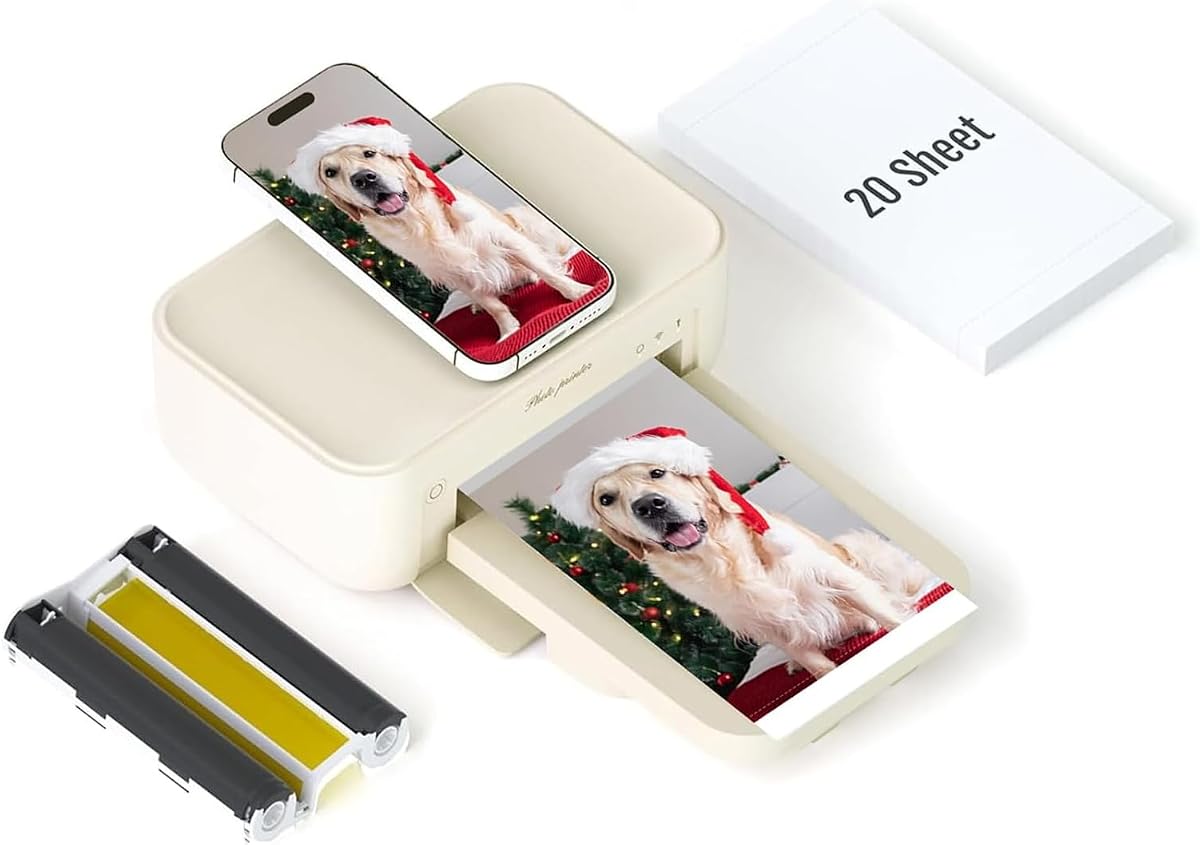
HPRT 4x6 Photo Printer Review: Dye-Sub Quality, AR Fun, and Connectivity
The HPRT Photo Printer brings the convenience of instant, borderless 4x6 prints to your home with thermal dye-sublimation technology, promising smudge-proof, water-resistant photos. It includes 20 sheets and a ribbon, and offers Wi-Fi connectivity for both iPhone and Android, plus a unique AR video printing feature. As a desktop-sized portable, it's designed for everyday memories, but understanding its dye-sub process and setup is key to getting the best results.
Key Considerations Before Buying
- Dye-sublimation vs. inkjet: Unlike inkjet printers that spray liquid ink, this uses heat to vaporize dye onto paper, producing continuous-tone, photo-lab-quality prints that are dry to the touch and resistant to smudging and water. This means no ink cartridges to dry out, but each print costs more because you must use the included ribbon and paper set.
- Connectivity and setup: Wi-Fi wireless printing from your smartphone is a major convenience, but some users report initial pairing hiccups. Ensure your phone's app is updated and your 2.4GHz network is available for a smoother setup, as 5GHz networks may not be supported.
- Portability and size: While marketed as portable, it's a desktop photo printer at heart, weighing a few pounds and requiring a power outlet. It's not a pocket-sized gadget, so consider if you'll mostly use it at home or on the go—if the latter, a truly portable model like a Canon Zoemini might be better.
What Our Analysts Recommend
When evaluating a dye-sub photo printer, check the included consumables (how many sheets and ribbon rolls come in the box), the print resolution (300 dpi is standard for this class), and the cost per print. Also look for features that enhance usability, such as a companion app with editing tools, AR video support, and the ability to print from social media or cloud storage. Finally, verify the paper size and whether it offers multiple aspect ratios (e.g., 4x6, 2x3) for flexibility.
Desktop Photo Printers Market Context
Market Overview
The desktop photo printer market has evolved from bulky inkjet workhorses to compact dye-sublimation models that promise lab-quality results at home. Brands like Canon, HP, and Kodak compete with similar 4x6 instant printers, but HPRT differentiates with its AR video printing and bundled starter kit. This segment is growing as consumers seek tangible prints for scrapbooks, gifts, and home decor, despite the rise of digital-only sharing.
Common Issues
The most frequent complaints across this category include connectivity problems—especially with Wi-Fi Direct or app compatibility—and the ongoing cost of consumables, which can make each print significantly pricier than a drugstore. Users also report occasional paper jams or color banding if the ribbon is not loaded correctly. Additionally, some budget models have limited editing features or poor color accuracy out of the box.
Quality Indicators
A reliable dye-sub printer should produce consistent, vivid colors without streaks, and the print surface should have a glossy, protective layer. Look for a printer with a robust app that gets regular updates, and check if the manufacturer offers replacement ribbon/paper kits at a reasonable price. User reviews that mention print longevity and ease of use over time are strong indicators of quality.
Review Authenticity Insights
Grade B Interpretation
The Grade B rating and an estimated 10% fake review rate indicate that the majority of the 529 reviews are genuine, but a small portion may be incentivized or non-verified. This is within a normal range for consumer electronics, and the adjusted rating of 3.90/5 still reflects a generally positive reception. The fake reviews likely inflate the overall score slightly, but the core sentiment is authentic.
Trust Recommendation
You can trust the general consensus from verified buyers, but pay extra attention to negative reviews and any reviews that mention specific flaws like setup difficulties or print quality issues. Since the fake rate is low, the product's 4.11 rating is a reliable baseline, but consider the adjusted rating as a more conservative estimate. Look for patterns in recent reviews to see if any issues have been resolved or worsened over time.
Tips for Reading Reviews
When reading reviews for this printer, focus on verified purchase badges and reviews that include photos of actual prints. Look for comments about the AR feature's functionality, the ease of connecting to different phone models, and the durability of the prints. Be wary of overly generic 5-star reviews that lack specifics, and weigh the volume of 4-star reviews, which often provide the most balanced insights.
Expert Perspective
The HPRT Photo Printer is a solid contender in the 4x6 dye-sub category, offering a compelling mix of print quality and modern features like AR video printing. With a genuine rating of 3.90, it's not perfect—likely due to setup friction and consumable costs—but it delivers on its core promise of producing nice, instant photos. The included 20 sheets and ribbon add value, making it a reasonable entry point for beginners.
Purchase Considerations
Weigh the initial cost against the long-term price of replacement paper and ribbon (typically around $0.50-$0.75 per print). If you plan to print frequently, this could add up, so consider your budget and compare with services like Shutterfly for bulk orders. Also, ensure your smartphone is compatible with the app and that you're comfortable with a desktop-sized device, not a truly pocketable one.
Comparing Alternatives
Shoppers should compare this with similar offerings from Canon (e.g., Canon Selphy CP1300) and HP (Sprocket), which have established app ecosystems and wider availability of consumables. The HPRT's AR feature is a differentiator, but if that's not a priority, other models might offer better software stability or lower per-print costs.


