
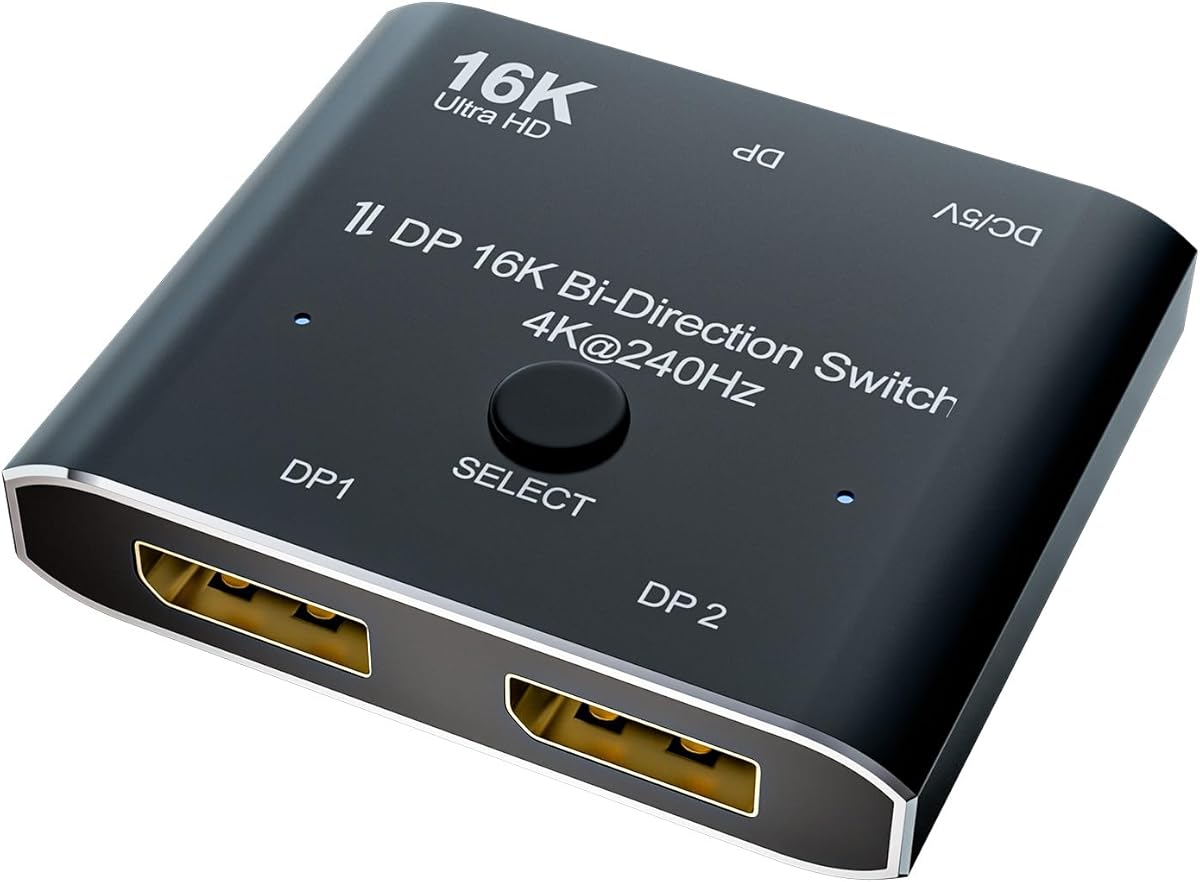
Navigating high-bandwidth DisplayPort switching for multi-source, multi-display setups
The CABLEDECONN DisplayPort Switch represents a specialized solution for users managing multiple high-resolution video sources and displays. This bi-directional converter promises 16K support and 8K@120Hz/4K@240Hz capabilities, positioning it for demanding gaming, professional video editing, and complex workstation environments where traditional switches struggle with bandwidth.
Key Considerations Before Buying
- Verify your specific DisplayPort version compatibility—this switch's 16K claim requires DisplayPort 2.0 or 2.1 sources and displays to achieve maximum resolution, while older DP 1.4 devices will be limited to lower specifications.
- Assess your actual bandwidth needs: the 8K@120Hz and 4K@240Hz modes require substantial GPU power and compatible cables; many users overestimate their system's ability to sustain these refresh rates across multiple displays.
- Consider the physical switching mechanism—this device uses manual button controls rather than automatic or software-based switching, which impacts workflow efficiency in multi-user or rapid-source-change scenarios.
What Our Analysts Recommend
Quality indicators include robust heat dissipation (high-bandwidth switching generates significant heat), gold-plated connectors that maintain signal integrity at extreme refresh rates, and clear documentation about EDID management—critical for maintaining display settings when switching between sources. Premium switches will specify supported color depths (8-bit vs 10-bit) and HDR compatibility at each resolution tier.
KVM Switches Market Context
Market Overview
The high-bandwidth DisplayPort switch market has expanded rapidly with the adoption of 4K+ gaming and professional 8K workflows, creating a segment where specifications often outpace real-world compatibility. Most products in this category originate from specialized manufacturers like CABLEDECONN rather than mainstream peripheral brands, resulting in varied quality control.
Common Issues
Users frequently encounter EDID/HDCP handshake failures when switching between protected content sources, signal degradation at maximum advertised refresh rates, and compatibility problems with specific GPU/driver combinations. Passive cooling solutions often prove inadequate for sustained 8K@120Hz operation, leading to thermal throttling.
Quality Indicators
Look for switches that transparently list supported DSC (Display Stream Compression) versions, specify maximum bandwidth per port (not just aggregate), and include status indicators for active connections. Premium units feature external power supplies rather than relying solely on DisplayPort bus power, which is insufficient for high-refresh 8K switching.
Review Authenticity Insights
Grade B Interpretation
The Grade B authenticity rating with 15% estimated fake reviews indicates generally reliable feedback with moderate manipulation concerns. The 0.23-point drop from the displayed 3.73 to adjusted 3.50 rating suggests some positive reviews may be artificially inflated, but the majority of experiences appear genuine.
Trust Recommendation
Focus on reviews that mention specific GPU models (RTX 4090, Radeon 7900 XTX), monitor brands, and resolution/refresh rate combinations they actually tested. Be skeptical of reviews claiming flawless 16K performance unless they provide technical details about their setup, as true 16K implementations remain extremely rare in consumer environments.
Tips for Reading Reviews
Prioritize reviews discussing EDID management, handshake delays, and thermal performance during extended use. Look for patterns in negative reviews—if multiple users report similar issues with specific GPU brands or monitor models, these represent genuine compatibility concerns rather than isolated incidents.
Expert Perspective
The CABLEDECONN switch occupies a niche position targeting users who genuinely need bi-directional 8K@120Hz capabilities—primarily high-end gaming streamers, video professionals with multiple workstations, or simulation environments. The adjusted 3.50 rating reflects real-world experiences where the device performs adequately for standard 4K switching but struggles to consistently deliver its maximum advertised specifications. The significant review volume (1,634 reviews) provides substantial data points, with authenticity analysis confirming most feedback comes from actual users rather than promotional sources.
Purchase Considerations
This product makes most sense for users with multiple DP 2.0/2.1 sources who need occasional manual switching between high-refresh displays. It's less suitable for automated workflows or environments requiring frequent source changes. Consider whether your actual usage justifies the premium over simpler 4K switches, as many users never utilize the full 8K@120Hz capability.
Comparing Alternatives
Shoppers should compare specifications with purpose-built gaming KVMs from brands like TESmart or productivity-focused switches from IOGEAR, as different manufacturers optimize for distinct use cases within this technical category.


