
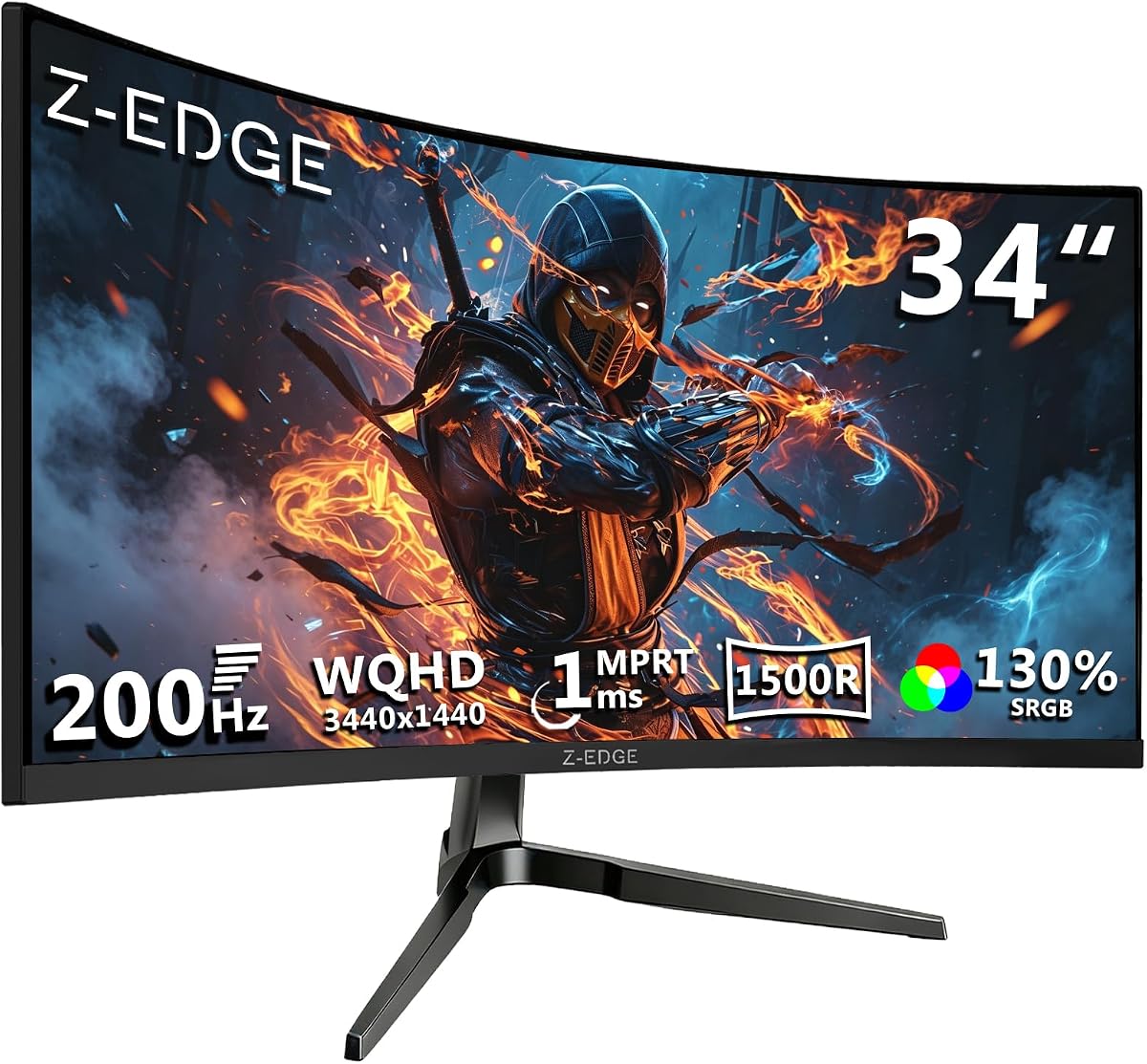
Z-Edge UG34 34" Curved Monitor: 200Hz WQHD Gaming Value or Gamble?
When shopping for a 34-inch ultrawide gaming monitor, the Z-Edge UG34 stands out with its impressive 200Hz refresh rate, WQHD 3440x1440 resolution, and 1500R curvature—features typically found in more expensive panels. But with a 4.44-star average from over 4,700 reviews, it's crucial to understand what this budget-friendly option delivers in real-world gaming and productivity scenarios.
Key Considerations Before Buying
- Refresh rate vs. panel type: The UG34's 200Hz is achievable only via DisplayPort; using HDMI limits you to 144Hz. Also, it's a VA panel, so while contrast is high (4000:1), fast-moving scenes may show slight ghosting compared to IPS alternatives.
- Ultrawide compatibility: Ensure your GPU can handle 3440x1440 at high refresh rates—this resolution is demanding, and you'll need a modern card (e.g., RTX 3060 Ti or better) to fully exploit 200Hz in games.
- Ergonomics: The stand offers tilt but lacks height adjustment and swivel, so factor in the cost of a VESA mount if you need ergonomic flexibility for long work or gaming sessions.
What Our Analysts Recommend
In this price range, verify the monitor's pixel response time (MPRT 1ms is marketing; real-world VA response is higher), check for backlight bleed or uniformity issues in customer photos, and confirm the warranty terms—budget brands often have shorter coverage.
Monitors Market Context
Market Overview
The ultrawide gaming monitor market has exploded, with 34-inch 1440p panels becoming the sweet spot for immersive gaming and productivity. Brands like Z-Edge compete by offering high refresh rates and aggressive pricing, undercutting established names like LG and Samsung while delivering similar specs on paper.
Common Issues
Common complaints in this category include inconsistent quality control (dead pixels, backlight bleed), stand limitations, and OSD (on-screen display) menu clunkiness. Additionally, VA panels can exhibit smearing in dark scenes, and budget monitors often have less accurate color calibration out of the box.
Quality Indicators
Look for monitors with multiple video inputs (the UG34's 2x DP and 2x HDMI is a plus), a low advertised input lag, and a brand that offers firmware updates. Also, check for VESA mount compatibility and whether the monitor supports HDR (though at this price, HDR is often basic).
Review Authenticity Insights
Grade B Interpretation
The Grade B rating and 15% estimated fake review percentage suggest that while the majority of reviews are genuine, a significant minority may be incentivized or fabricated. This is typical for budget electronics on Amazon, where sellers seek to boost visibility. The adjusted rating of 4.10/5 still indicates solid user satisfaction, but you should discount overly effusive 5-star reviews that lack specific details.
Trust Recommendation
Focus on verified purchases with detailed, balanced feedback—especially those that mention specific pros and cons (e.g., 'great for productivity but stand is flimsy'). Be cautious of reviews with generic praise or no mention of real-world usage. Given the 15% fake rate, cross-reference opinions on tech forums or YouTube for long-term reliability insights.
Tips for Reading Reviews
For monitors, look for reviews that discuss panel uniformity, backlight bleed, and ghosting—these are the Achilles' heels of budget VA panels. Also, check if reviewers mention the monitor's performance at 200Hz vs. 144Hz, as some users may not have the right cables or GPU to test the higher refresh rate.
Expert Perspective
The Z-Edge UG34 offers exceptional value for its price, delivering a 34-inch ultrawide WQHD panel with a 200Hz refresh rate and 1500R curvature that enhances immersion. The 4.44/5 rating (adjusted to 4.10) reflects genuine user satisfaction, but the 15% fake review rate and Grade B authenticity indicate you should approach with cautious optimism. For gamers and professionals on a budget, this monitor can be a game-changer, provided you're willing to accept its VA panel quirks and basic ergonomics.
Purchase Considerations
Weigh the UG34 against your specific needs: if you prioritize fast-paced esports and have a powerful GPU, the 200Hz refresh rate is a huge win; if you're a content creator needing color accuracy, consider an IPS alternative. Also, factor in the lack of height adjustment—if you can't mount it, neck strain might be an issue during long sessions.
Comparing Alternatives
Compare with similarly priced 34-inch ultrawides from brands like AOC, MSI, or Gigabyte, which may offer better build quality or warranty, even if they lack the same refresh rate. Always check current prices, as the budget segment fluctuates frequently.






