
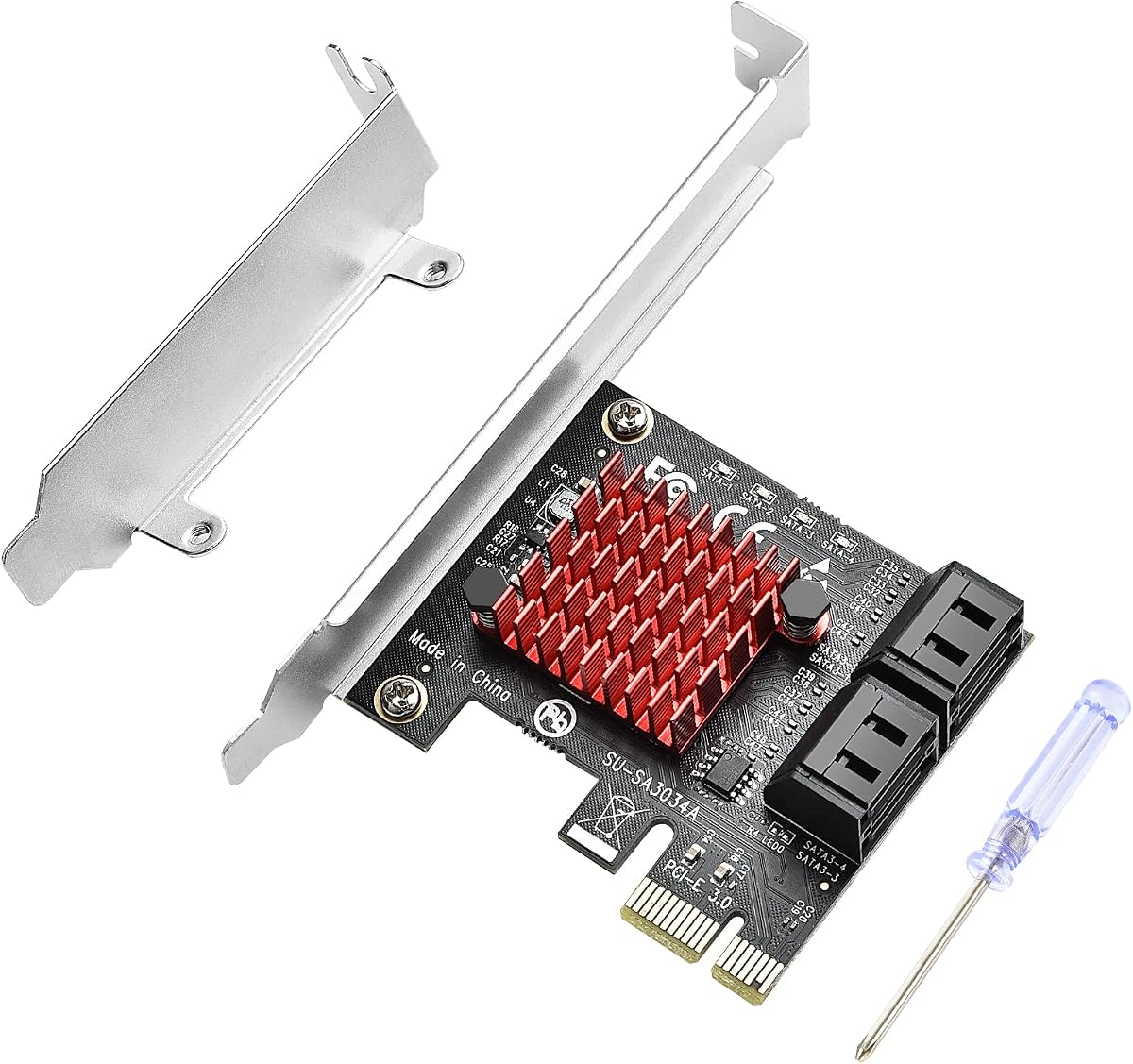
ELUTENG 4-Port SATA PCIe Card: What to Know Before You Buy
The ELUTENG PCI-E to Storage Adapter adds four internal SATA III ports to a desktop PC through a single PCIe slot, a practical upgrade for aging systems or budget home servers that have run out of motherboard SATA connections. With a 6Gbps controller and an included low-profile bracket, it targets Windows 10/7/8/XP/Vista and Linux users who need more drives, not more speed tiers.
Key Considerations Before Buying
- Confirm your PCIe slot type and available bandwidth: this is a PCIe expansion card, so an open x1, x4, or larger slot is required, and the card's throughput is shared across all four SATA ports rather than delivering four full independent 6Gbps lanes.
- Check case clearance and drive mounting: adding four drives means you need free 3.5-inch or 2.5-inch bays, SATA data cables, and enough PSU SATA power connectors, none of which are typically included beyond the card and bracket.
- Verify OS and boot support: the listed Windows 10/7/8/XP/Vista and Linux compatibility covers data drives well, but booting from a drive attached to this card depends on motherboard BIOS/UEFI support for option ROM, which varies by system.
What Our Analysts Recommend
Prioritize cards that explicitly state the controller chipset and SATA revision, since a true SATA 3.0 (6Gbps) controller behaves very differently from older SATA II designs. Look for a bundled low-profile bracket if you plan to install in a slim or rackmount chassis, and favor listings that disclose port count, PCIe lane requirement, and OS support clearly rather than vaguely.
Internal Components Market Context
Market Overview
SATA expansion cards remain a steady niche in the internal components market because many consumer motherboards still ship with only four to six SATA ports, while NAS builds, media servers, and repurposed office PCs often need eight or more. The category is dominated by a handful of controller chipsets, and pricing ranges from budget no-name cards to branded HBAs, with the ELUTENG card sitting in the affordable add-in tier.
Common Issues
Buyers frequently run into three problems: cards that advertise 6Gbps but use older SATA II controllers, insufficient PCIe lanes causing bottlenecks when multiple drives are active, and missing or incompatible drivers on older Windows versions. Physical fit is another recurring complaint, especially in small-form-factor cases where a full-height bracket won't clear the chassis.
Quality Indicators
A quality SATA expansion card names its controller, specifies the PCIe interface and lane count, and clearly lists supported operating systems and boot capability. Solid listings also include the low-profile bracket, document port count accurately, and avoid exaggerated throughput claims that ignore shared bandwidth across ports.
Review Authenticity Insights
Grade A Interpretation
A Grade A authenticity rating with an estimated 8.00% fake review rate is strong for this category, meaning the overwhelming majority of the 303 reviews reflect real buyers. The adjusted rating of 4.70/5 versus the displayed 4.89/5 is a modest gap, suggesting the card genuinely performs well for most users rather than relying on inflated scores.
Trust Recommendation
You can treat the review base as broadly trustworthy, but still read the critical reviews for installation and driver complaints, which are the most common real-world friction points. Pay attention to reviewers who mention their specific motherboard, OS version, or drive configuration, as those details are hard to fake and most useful to you.
Tips for Reading Reviews
For expansion cards like this, prioritize reviews that describe the exact chipset behavior, boot success or failure, and how many drives were connected simultaneously. Discount vague five-star reviews that only say 'works great' and weigh detailed negative reviews about compatibility more heavily, since those often reveal whether the card will work in your specific setup.
Expert Perspective
The ELUTENG 4-Port PCIe SATA card is a sensible, low-cost way to add storage connectivity to a desktop that has exhausted its onboard SATA ports, and the 4.70/5 adjusted rating across 303 reviews indicates consistent satisfaction. Its strengths are straightforward: four SATA 3.0 ports, a low-profile bracket for flexible chassis fit, and broad OS support spanning Windows XP through 10 plus Linux. It is not a high-performance RAID controller, so buyers expecting full 6Gbps per port or hardware RAID should look elsewhere.
Purchase Considerations
Weigh whether you need simple port expansion versus RAID or boot-drive support, since this card is best suited to adding data drives in a home server or media PC. Also factor in the cost of SATA cables, power splitters, and drive mounts, which can add up beyond the card's price. If your motherboard has a free PCIe slot and you just need more SATA ports, this is a reasonable fit.
Comparing Alternatives
Shoppers should compare this card against other 4-port SATA PCIe options and, if RAID or higher throughput is needed, consider dedicated HBAs or RAID controllers before deciding.


