
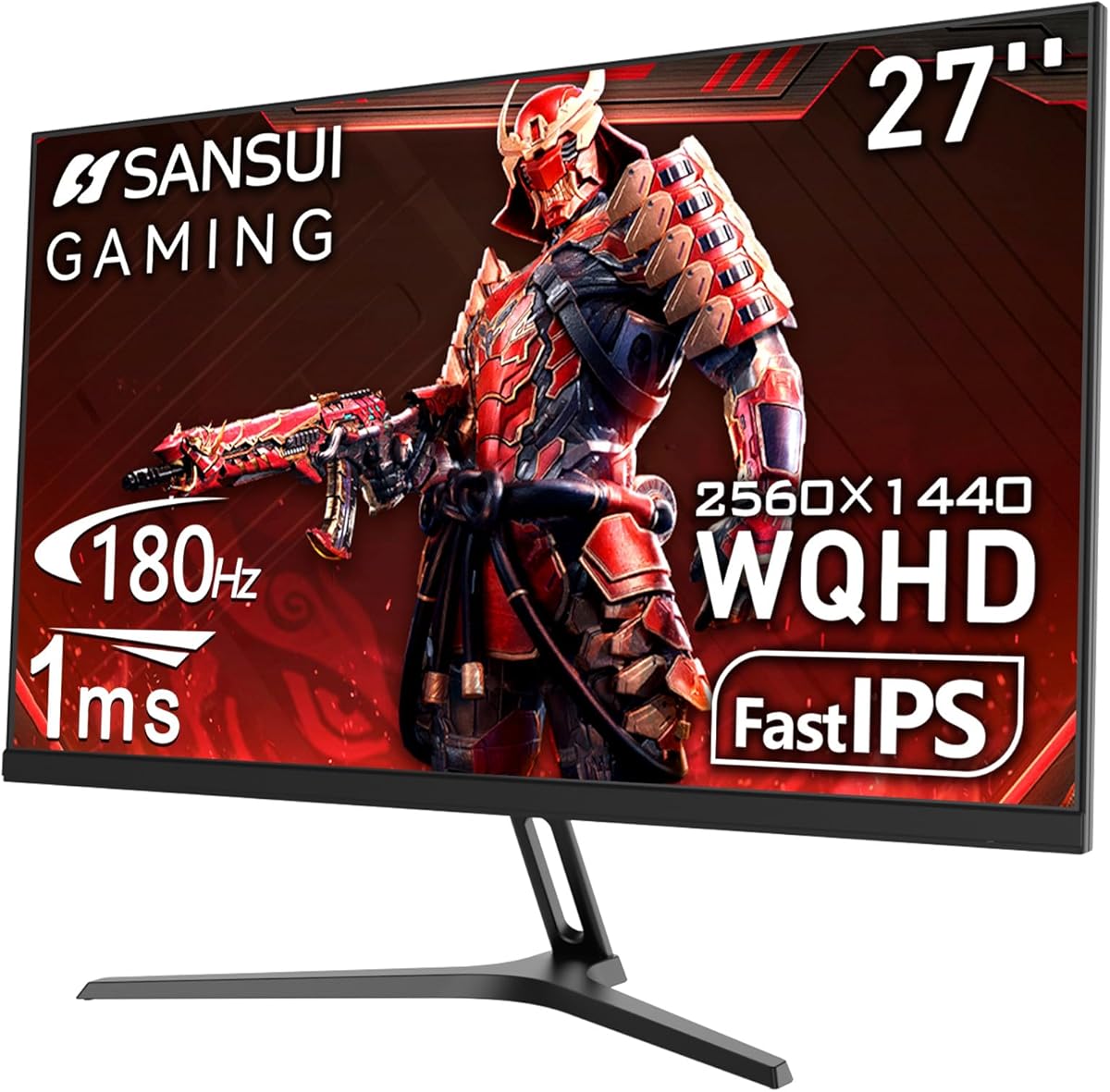
SanSUI 27-Inch WQHD IPS Monitor: 200Hz Gaming Without the Premium Price
If you're shopping for a 27-inch gaming monitor that balances high refresh rates with color accuracy, the SanSUI model stands out with its WQHD 2560x1440 resolution and 200Hz refresh rate—a combination typically found at higher price points. With an IPS panel that covers 120% sRGB and supports HDR, this monitor is designed for gamers who also need reliable color reproduction for creative tasks.
Key Considerations Before Buying
- Refresh rate and resolution: At 200Hz (overclocked from 180Hz) and 2560x1440, this monitor offers a smooth, sharp experience for fast-paced gaming, but ensure your graphics card can push that many frames at WQHD to fully benefit.
- Connectivity and ergonomics: With two DisplayPort 1.2 and two HDMI 2.0 ports, plus a VESA mount, it supports multi-device setups, but the included metal stand lacks full height adjustment—check your desk setup needs.
- Eye care and build quality: The advertised Eye Care technology and metal stand suggest a focus on comfort and durability, but verify the anti-flicker and blue light features if you game for extended sessions.
What Our Analysts Recommend
For monitors in this category, look for consistent panel quality—IPS ensures good viewing angles and color accuracy, but backlight bleed can vary. Verified reviews mentioning specific tests (e.g., color gamut measurements, ghosting at 200Hz) are strong quality indicators, as are mentions of warranty and dead pixel policies.
Monitors Market Context
Market Overview
The 27-inch WQHD gaming monitor market is crowded with options from brands like Dell, LG, and ASUS, but SanSUI competes by offering high refresh rates and IPS panels at aggressive price points. Many budget-friendly models now include features like 180-200Hz and HDR support, narrowing the gap with premium offerings.
Common Issues
Common issues in this segment include inconsistent HDR performance (since few budget monitors meet true HDR standards), backlight bleed on IPS panels, and limited ergonomic adjustments on stands. Some users also report that overclocking to 200Hz can introduce flicker or artifacts, so stability at high refresh rates is worth checking.
Quality Indicators
Quality indicators include consistent color accuracy across units (look for reviews with calibration data), low input lag at native refresh rates, and robust build quality—metal stands and solid port placement often signal better manufacturing. Positive mentions of the included DP cable and packaging also suggest attention to detail.
Review Authenticity Insights
Grade B Interpretation
The Review Authenticity Grade B with an estimated 10% fake review rate means that the vast majority of feedback is genuine, but about 1 in 10 reviews may be unreliable. This is a solid score for a lesser-known brand, indicating that most users are real buyers sharing specific experiences about the monitor's performance and features.
Trust Recommendation
Given the 4.80/5 adjusted rating and strong authenticity signals—like verified purchases and detailed personal context—you can trust the overall positive sentiment. However, focus on reviews that describe real-world use (e.g., gaming at 200Hz, color work) rather than generic praise, and cross-check any extreme claims with multiple sources.
Tips for Reading Reviews
For this monitor, prioritize reviews that mention specific games or use cases (e.g., 'played Call of Duty at 200Hz with no tearing') and those that discuss color accuracy or HDR performance. Be cautious of reviews that lack detail or repeat identical phrases across multiple accounts.
Expert Perspective
The SanSUI 27-inch WQHD IPS monitor delivers a compelling mix of high refresh rate, good resolution, and IPS color performance at a budget-friendly price point, as reflected in its near-perfect adjusted rating. The 200Hz overclock and 1ms response time are competitive for fast gaming, while the 120% sRGB coverage and Eye Care features add versatility for non-gaming use. However, with a 10% fake review rate and Grade B authenticity, buyers should verify specific claims—especially regarding HDR and overclock stability—through detailed user feedback.
Purchase Considerations
Weigh the monitor's strong value proposition against potential trade-offs in build quality (fixed stand height) and HDR realism. If you need precise height adjustment or true HDR, consider spending more on brands like Dell or LG, but for pure gaming performance and color accuracy on a budget, this SanSUI model is a strong contender.
Comparing Alternatives
Shoppers should compare this monitor with similarly priced models from AOC, ViewSonic, and Sceptre, which often offer comparable specs with slight variations in stand adjustability and warranty terms. Always check for up-to-date deals and user feedback on reliability.






