
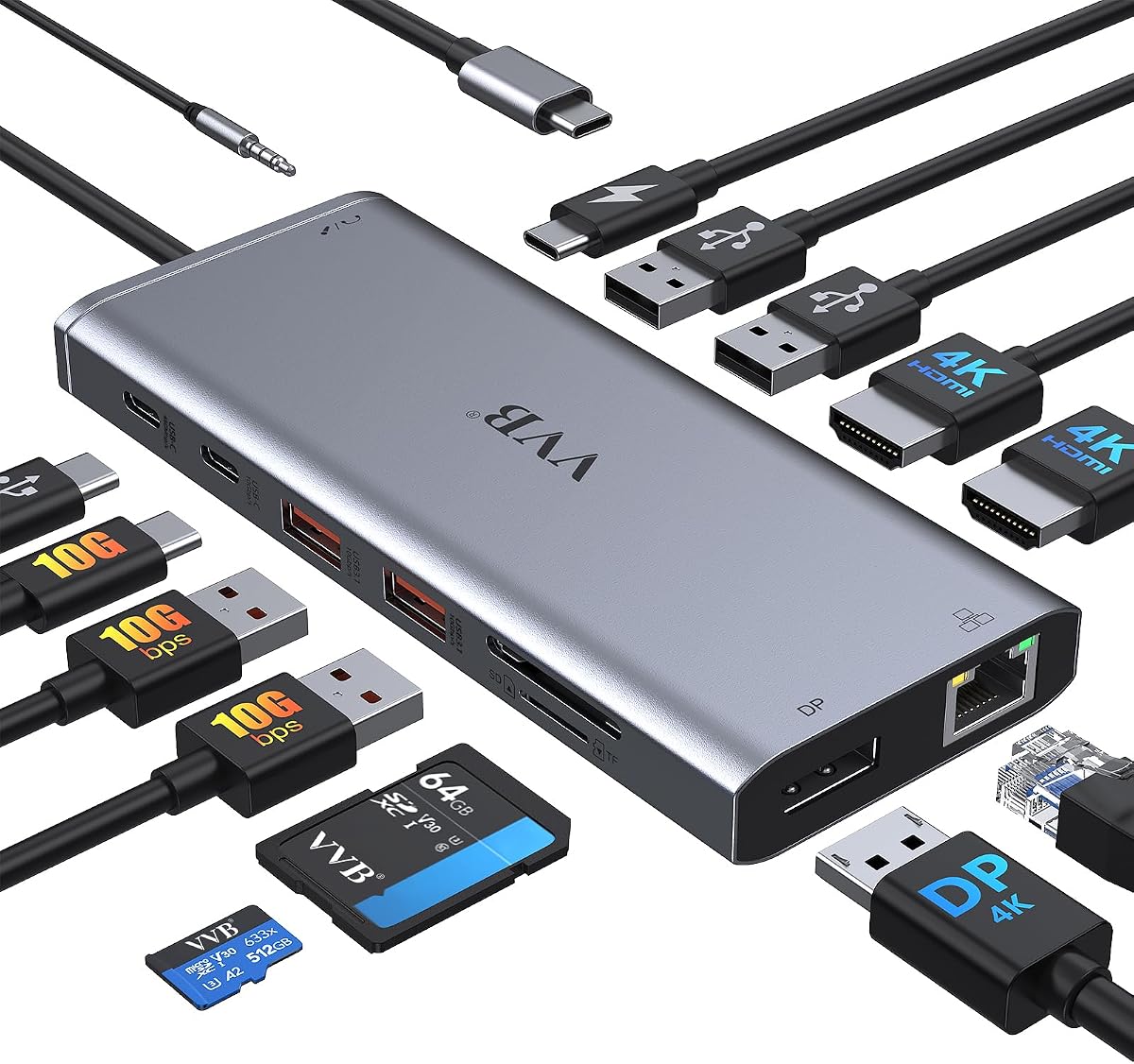
Choose the Right 14-in-1 USB-C Hub: Dual HDMI & 100W PD Explained
When shopping for a 14-in-1 USB-C docking station like this one, you're likely looking to expand your laptop's connectivity for a dual-monitor setup, fast charging, and peripheral support. Understanding the specific port configurations, power delivery capabilities, and compatibility with your laptop model is crucial to avoid frustration and ensure seamless performance.
Key Considerations Before Buying
- Dual monitor support: This dock offers two HDMI ports plus a DisplayPort, enabling you to run two external displays at 4K resolution. Ensure your laptop's USB-C port supports DisplayPort Alt Mode or Thunderbolt 3/4 for this to work; otherwise, you may only get single display output.
- Power delivery: With 100W PD charging, this hub can power most laptops while simultaneously running peripherals. Check that your laptop's power requirements don't exceed 100W (e.g., some gaming laptops need more), and note that the dock itself draws some power, so actual delivery to the laptop may be slightly less.
- Data transfer speeds: The four USB-A ports and two USB-C ports vary in speed—typically USB 3.0 (5Gbps) for data and USB 2.0 for peripherals like a mouse. For fast file transfers, prioritize using the USB-C data port (often labeled) over the USB-A ones.
What Our Analysts Recommend
High-quality docking stations use robust chipsets (like DisplayLink or Synaptics) for reliable multi-monitor support and stable connectivity. Look for docks with separate power adapters (as this one includes) to ensure consistent 100W delivery, and check for features like Gigabit Ethernet for wired network stability and an audio jack for headset use.
Docking Stations Market Context
Market Overview
The USB-C docking station market has exploded as modern laptops shed ports like HDMI and Ethernet, with 14-in-1 hubs becoming popular for balancing port variety and portability. Prices range from $30 to $200+, with mid-range models like this one (around $50-$70) offering the best value for dual 4K display support and 100W charging.
Common Issues
Users often face compatibility issues with non-Thunderbolt laptops, where dual monitors may only mirror or run at lower resolutions. Overheating during heavy use and intermittent disconnections are also reported, particularly with cheaper hubs lacking proper shielding or thermal management.
Quality Indicators
Quality docks typically feature aluminum housings for heat dissipation, branded chipsets for stable video output, and clear labeling of port functions (e.g., 'PD IN' for charging). Verified reviews that mention specific laptop models and use cases (e.g., 'works with my Dell XPS 15 for dual 4K') are strong signals of reliability.
Review Authenticity Insights
Grade B Interpretation
With a Grade B and an estimated 10% fake review rate, this product's review pool is mostly trustworthy but warrants caution. The high 4.78/5 rating is likely inflated by a small number of suspicious reviews, so the adjusted rating of 4.50/5 is a more realistic baseline for performance.
Trust Recommendation
Focus on the 90% of genuine reviews, especially those from verified purchases that detail real-world use with Dell, Lenovo, or HP laptops. Cross-reference any overly glowing reviews with critical ones to spot patterns—if a 'perfect' review lacks specifics about setup or issues, it may be fabricated.
Tips for Reading Reviews
For docking stations, prioritize reviews that mention your specific laptop model and display setup (e.g., 'dual 4K monitors on a Lenovo ThinkPad'). Look for balanced feedback—praise for port variety alongside critiques of cable length or heat—as these indicate genuine experiences.
Expert Perspective
This 14-in-1 USB-C hub offers a compelling balance of features for its price, particularly with dual HDMI and DisplayPort support for multi-monitor productivity. The 100W PD charging and Ethernet port make it a practical all-in-one solution for laptop users, though the 10% fake review rate suggests some marketing exaggeration. Based on the analysis, it's a solid choice for Dell, Lenovo, and HP laptop owners who need reliable dual-display output without breaking the bank.
Purchase Considerations
Verify that your laptop supports dual external displays via USB-C (check for DisplayPort Alt Mode or Thunderbolt 3/4), as some models only mirror screens. Also, consider whether you need the full 14 ports—if you only use a few, a smaller hub might be more portable and less prone to cable clutter.
Comparing Alternatives
Shoppers should compare this with docks from brands like Anker or CalDigit, which offer similar specs but may have better thermal management or longer cables. However, this model's dual HDMI setup is rare at this price point, making it a standout for budget-conscious users.




