
Balancing 240Hz Speed with 32-Inch 1080p Pixel Density for Gaming
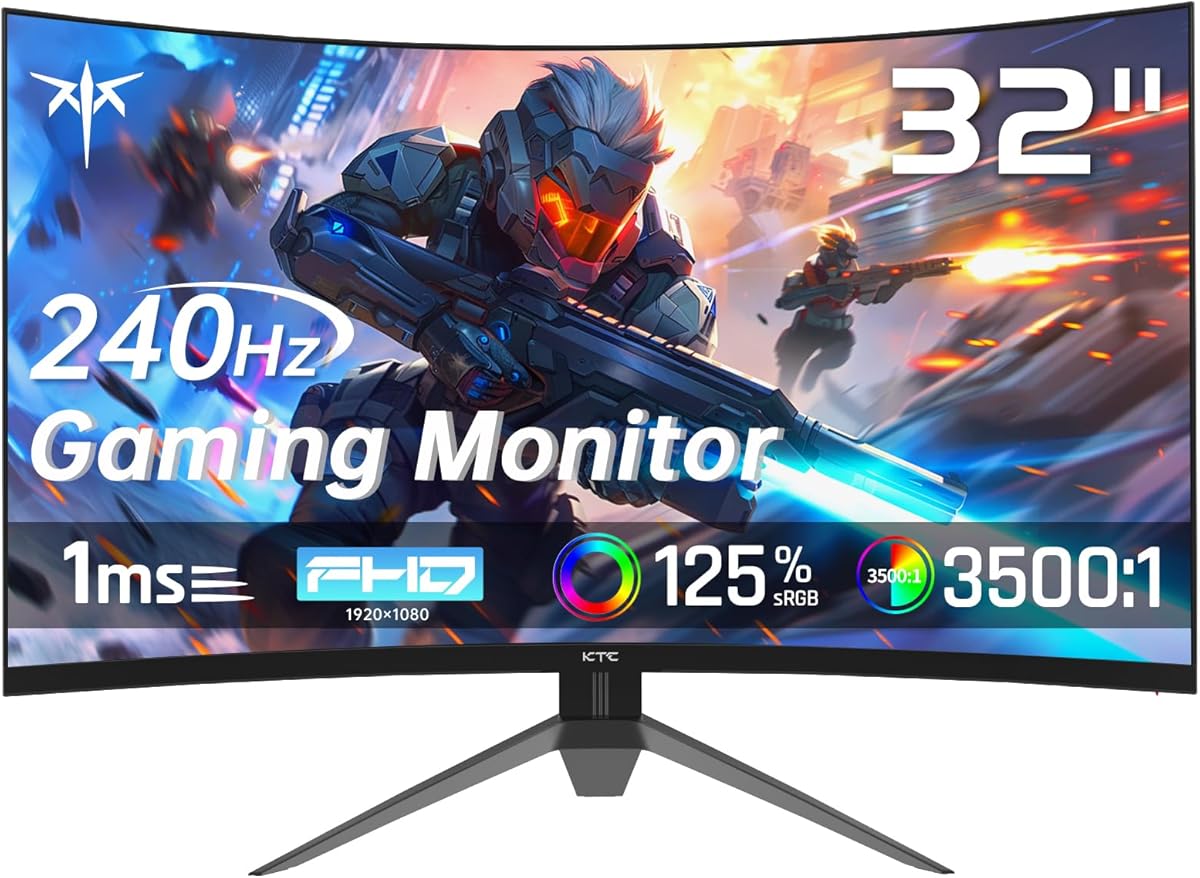
The KTC H32S17F presents a specific tradeoff: ultra-smooth 240Hz refresh rate on a large 32-inch curved display, but at a 1080p resolution. This combination prioritizes frame rate fluidity over pixel-perfect detail, making it ideal for competitive gamers who value motion clarity over sharp text or intricate textures. Its 1500R curvature and FreeSync support target immersive, tear-free gameplay rather than color-critical professional work.
Key Considerations Before Buying
- Pixel density matters: At 32 inches, a 1080p (1920x1080) resolution results in a relatively low 69 PPI, meaning individual pixels are more visible than on a 27-inch 1080p or a 32-inch 1440p monitor—fine for fast-paced action, less ideal for reading small text.
- Refresh rate versus resolution: The 240Hz refresh rate is excellent for esports titles (like Valorant or CS:GO) where minimizing motion blur is critical, but the GPU power needed to drive 240 FPS at 1080p is significant; ensure your graphics card (like an RTX 3060 Ti or better) can consistently hit high frame rates.
- Curvature and HDR claims: The 1500R curve enhances peripheral immersion but can cause slight image distortion for productivity. The HDR support is likely entry-level (HDR10 decoding) given the lack of high peak brightness or local dimming specs; manage expectations for true HDR performance.
What Our Analysts Recommend
For this class of monitor, verify the implementation of Adaptive Sync (FreeSync) to ensure smooth variable refresh rate performance with both AMD and NVIDIA GPUs (via G-Sync Compatible mode). Check user reviews for specific mentions of backlight bleed, particularly in dark scenes, as this is a common quality control point for curved VA panels like the one likely used here. The inclusion of DisplayPort 1.4 is a positive, as it provides ample bandwidth for 240Hz at 1080p with HDR metadata.
Monitors Market Context
Market Overview
The 32-inch 1080p high-refresh gaming monitor segment is niche, catering to gamers who prioritize expansive screen real estate and maximum fluidity over sharpness, often at a more accessible price point than 1440p or 4K high-refresh alternatives. Brands like KTC compete by offering premium specs (like 240Hz) on panels with simpler backlight systems.
Common Issues
In this segment, common user complaints include noticeable pixelation for desktop use, inconsistent HDR implementation that adds little practical benefit, and potential ghosting or smearing in dark transitions—a known challenge for VA panel technology at high refresh rates. Stand adjustability (height, swivel) is often limited on value-focused models.
Quality Indicators
Look for monitors that specify a rapid response time (like the claimed 1ms) with minimal overshoot error, verified by third-party testing. A high static contrast ratio (like the stated 3500:1) is a key strength of VA panels, providing deep blacks. Robust connectivity, including DisplayPort 1.4 and multiple HDMI 2.0 ports, indicates a modern feature set.
Review Authenticity Insights
Grade B Interpretation
A 'Grade B' with an estimated 11% fake review rate suggests the review corpus is largely reliable, but shoppers should be slightly more vigilant than with an 'A' grade. The adjusted rating of 4.0/5 (down from 4.22) is a more accurate reflection of genuine user sentiment, indicating very positive but not flawless reception.
Trust Recommendation
Focus on verified purchase reviews that discuss specific performance aspects like motion clarity at 240Hz, the visibility of the pixel grid at a normal viewing distance, or the performance of the FreeSync range. Be slightly more skeptical of overly effusive reviews that lack technical detail, as they may constitute the estimated 11% of inauthentic feedback.
Tips for Reading Reviews
Prioritize reviews that mention using the monitor for specific games or GPU pairings, as these provide context for the performance claims. Look for discussions about the OSD (On-Screen Display) menu usability and preset modes, which are hands-on details rarely faked. Reviews noting the monitor's performance over several weeks are particularly valuable for assessing longevity.
Expert Perspective
The KTC H32S17F is a purpose-built tool for a specific type of gamer. Its high 240Hz refresh rate and fast response time targeting are compelling for competitive gaming, while the large, curved 1080p screen offers immersion at the cost of pixel density. The strong genuine user rating (4.0/5) indicates it delivers well on its core promises for most buyers. However, the product's value hinges entirely on whether the user's priority is unmatched motion smoothness on a big screen, not desktop crispness or media creation.
Purchase Considerations
You should purchase this monitor if your primary use is fast-paced gaming and your GPU can reliably push frame rates near 240 FPS at 1080p. Consider alternatives if you spend significant time on text-based tasks, content creation, or if you prefer sharper image quality for open-world or narrative games—a 27-inch 1440p 144-170Hz monitor may be a better balanced choice.
Comparing Alternatives
Shoppers should directly compare this model against other 32-inch 1080p high-refresh monitors and similarly priced 27-inch 1440p models to evaluate the tradeoff between size/fluidity and sharpness.






