
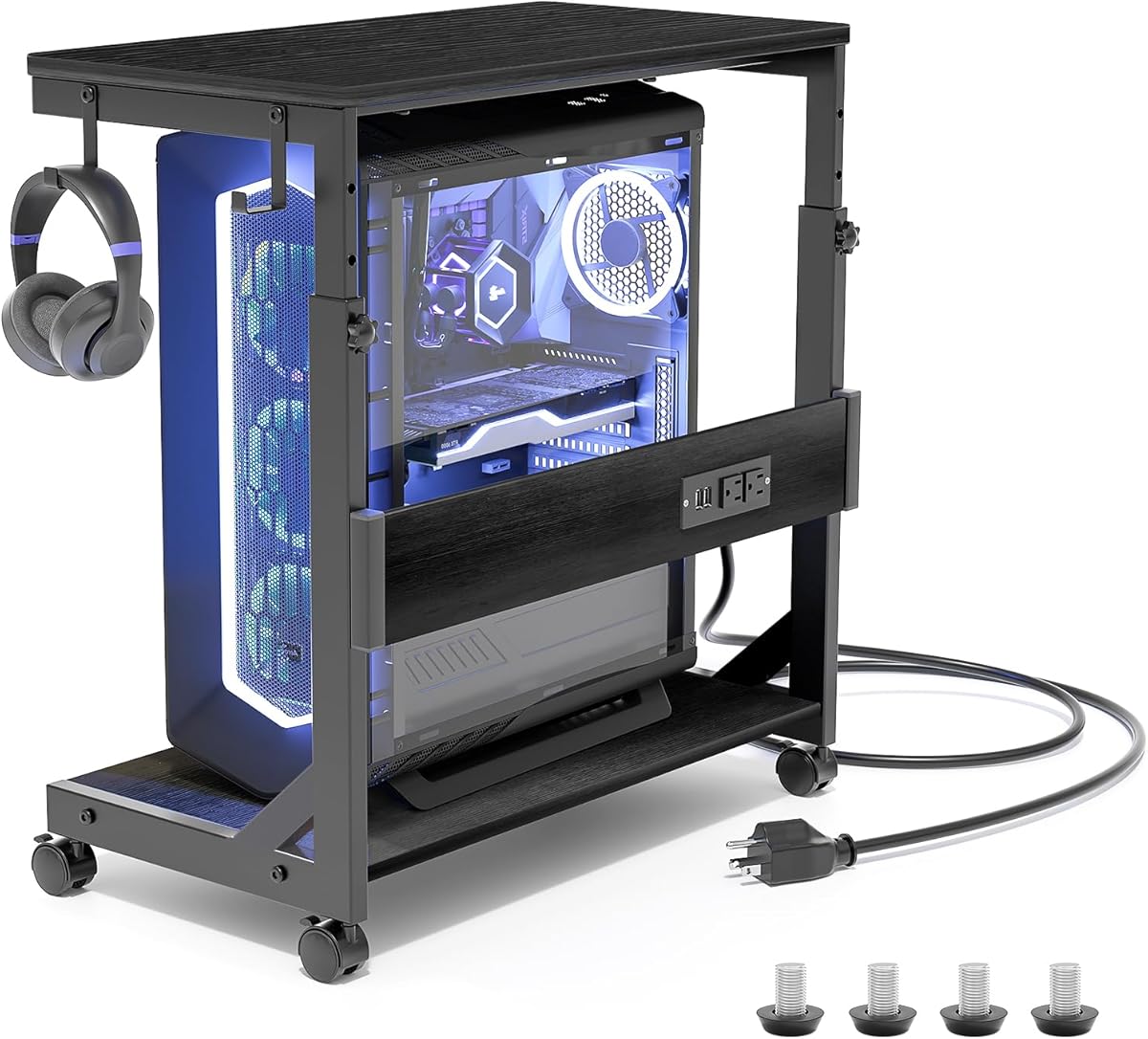
Choosing a Mobile PC Tower Stand: Key Features for Cable Management and Stability
This specific 2-tier ATX-case cart combines mobility with charging functionality, making it more than just a basic CPU holder. Buyers should evaluate whether the integrated charge station and height adjustability match their workspace needs, particularly for under-desk deployment where cable routing and airflow become critical considerations.
Key Considerations Before Buying
- Verify the locking caster wheels provide true stability on your flooring type—carpet versus hard surfaces—as mobile stands can shift during use.
- Assess the actual clearance of the 2-tier design: the lower shelf must accommodate your specific tower's depth without blocking front panel ports or rear I/O connections.
- Consider the USB charging port's placement and amperage; a 2.1A port is standard, but positioning affects accessibility for charging devices while the PC is in use.
What Our Analysts Recommend
Quality indicators include steel tube thickness (often 1mm or more for rigidity) and dual-wheel locking casters that engage both the wheel and swivel mechanism. Check that the height adjustment uses positive locking pins rather than friction-based collars, which can slip under the weight of a full ATX tower.
Computer Carts & Machine Stands Market Context
Market Overview
The computer cart market has evolved from simple static stands to integrated solutions with cable management and power delivery, responding to home office and gaming setup demands. Products like this with charging stations represent a convergence of furniture and tech accessories.
Common Issues
Common failures include wobbly construction under heavy tower loads, plastic casters that crack, and USB ports that deliver insufficient charging current. Poor powder coating can lead to chipping when adjusting height mechanisms.
Quality Indicators
Look for welded rather than bolt-together frames, ball-bearing casters rated for at least 100lbs each, and rubberized contact points that prevent case vibration. High-quality stands use standardized M8 or 5/16" mounting hardware for accessory compatibility.
Review Authenticity Insights
Grade B Interpretation
A Grade B with 15% estimated fake reviews suggests generally reliable feedback but warrants scrutiny of extreme ratings. The adjusted 4.00 rating from 4.33 indicates some review inflation, though 7 verified purchases among analyzed reviews provide solid ground truth.
Trust Recommendation
Prioritize reviews discussing specific use cases like 'fitting my Corsair 4000D case' or mentioning the charging station's performance. Be cautious of reviews that only praise generic 'sturdiness' without detailing tower size or floor surface.
Tips for Reading Reviews
Focus on reviews mentioning assembly details, wheel performance on different surfaces, and how the USB port integrates with their setup. Reviews discussing cable routing through the stand's frame offer more actionable insights than general compliments.
Expert Perspective
This product's combination of mobility, charging, and height adjustment addresses three common workspace pain points, though the 2-tier design may limit compatibility with extra-wide cases. The 4.00 adjusted rating from verified purchases suggests it performs well for standard ATX builds, but the one-star review indicates potential quality control issues worth investigating. The locking caster system is particularly valuable for preventing accidental movement during cable connections.
Purchase Considerations
Measure your tower's exact dimensions against the product specifications, noting that 'fits most PC' typically means standard ATX mid-towers up to 20" tall. Consider whether you'll use the charging station regularly or if a simpler, less expensive stand would suffice for basic elevation needs.
Comparing Alternatives
Shoppers should compare this model's 2-tier design against single-platform stands with higher weight capacities and stands offering tool-less height adjustment mechanisms.


