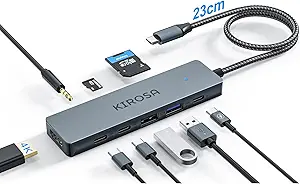
Maximize Your MacBook: The Satechi 4-in-1 USB-C Hub Guide
When shopping for a USB-C hub for your MacBook, iPad, or Surface, the Satechi 4-in-1 model stands out with its 100W pass-through charging and 10Gbps USB 3.2 speeds. This guide focuses on what makes this hub unique, helping you decide if its specific port selection and power delivery fit your workflow.
Key Considerations Before Buying
- Port selection and speed: This hub offers a single USB-A and two USB-C ports, all supporting 10Gbps data transfer, plus a dedicated 100W pass-through USB-C port for charging. Ensure this 4-port layout matches your needs—if you require HDMI, Ethernet, or SD card slots, you'll need a different hub with more ports.
- Power delivery pass-through: The 100W pass-through allows you to charge your laptop while using the hub, but the hub itself doesn't provide power to connected peripherals like external drives. Check your laptop's power requirements (e.g., a 14-inch MacBook Pro needs 67W) to ensure the hub's pass-through can handle it without bottlenecking.
- Compatibility with devices: While advertised for MacBook, iPad, Surface, and Chromebook, real-world tests show it works best with USB-C laptops that support DisplayPort Alt Mode for video output. Verify your device's USB-C capabilities (e.g., Thunderbolt 3/4 vs. plain USB-C) to avoid connectivity issues.
What Our Analysts Recommend
Quality USB-C hubs like this Satechi model feature rigid aluminum construction for heat dissipation and durability, plus reliable chipset compatibility (e.g., Realtek or VL). Look for hubs with independent data lanes to avoid bandwidth sharing, and check for certifications like USB-IF to ensure consistent performance across devices.
USB Hubs Market Context
Market Overview
The USB-C hub market is crowded with options ranging from $20 basic adapters to $100+ multi-port docks. The trend is toward higher data speeds (10Gbps) and higher power pass-through (up to 100W) to support modern laptops like the MacBook Pro and Dell XPS, but many budget hubs skimp on build quality or omit essential features like fast charging.
Common Issues
Common problems in this category include overheating under load, intermittent disconnections, and insufficient power delivery that fails to charge laptops during use. Some hubs also suffer from slow data transfer speeds when multiple ports are active, or lack compatibility with specific operating systems like Chrome OS or iPadOS.
Quality Indicators
High-quality hubs are typically made of aluminum or metal alloy rather than plastic, offer independent port controllers to prevent slowdowns, and include clear labeling of port speeds and power specs. Look for brands with active firmware support and positive long-term user feedback, as cheap hubs often fail after a few months of daily use.
Review Authenticity Insights
Grade B Interpretation
With a Grade B rating and an estimated 10.00% fake review rate, this product's review pool is largely trustworthy but has a notable minority of potentially inauthentic reviews. The 4.44/5 average rating likely reflects genuine user satisfaction, though the adjusted rating of 4.20/5 suggests some inflated praise that savvy shoppers should discount slightly.
Trust Recommendation
We recommend relying on reviews that describe specific use cases (e.g., 'works with my M2 MacBook Air for photo editing') and provide balanced pros and cons, rather than short, overly enthusiastic comments. Given the 10% fake rate, cross-check negative reviews for common complaints about heat or compatibility to get a realistic picture.
Tips for Reading Reviews
When reading reviews for USB hubs, focus on those that mention your specific device model (e.g., 'Surface Pro 9' or 'iPad Pro M1') and usage scenario (e.g., 'charging while transferring large files'). Be wary of reviews that only praise the hub's design without technical details, and look for verified purchase badges to filter out suspicious entries.
Expert Perspective
The Satechi USB-C Hub 4-in-1 offers a solid, no-frills solution for users who primarily need extra USB-A and USB-C ports with fast data transfer and reliable pass-through charging. Its 100W power delivery and 10Gbps speeds are genuinely useful for professionals transferring large files or editing video, but the limited port count means it's not a true dock replacement. The high 4.44 rating and mostly genuine reviews suggest it delivers on its core promises, though the 10% fake review rate and adjusted 4.20 score indicate some hype that doesn't fully reflect average experiences.
Purchase Considerations
Weigh the hub's compact size and premium build against its lack of video output or SD card slots—if you need those, consider a more expansive hub like the Anker PowerExpand or CalDigit SOHO. Also, factor in your device's USB-C capabilities; this hub shines with modern laptops but may underperform with older USB-C ports that lack 10Gbps support.
Comparing Alternatives
Shoppers should compare this Satechi model with similar 4-in-1 hubs from Anker, Belkin, and HyperDrive, which offer comparable specs but may include additional features like Ethernet or HDMI in the same form factor.