
Smart Deadbolt Buying Guide: Security, Convenience, and Compatibility
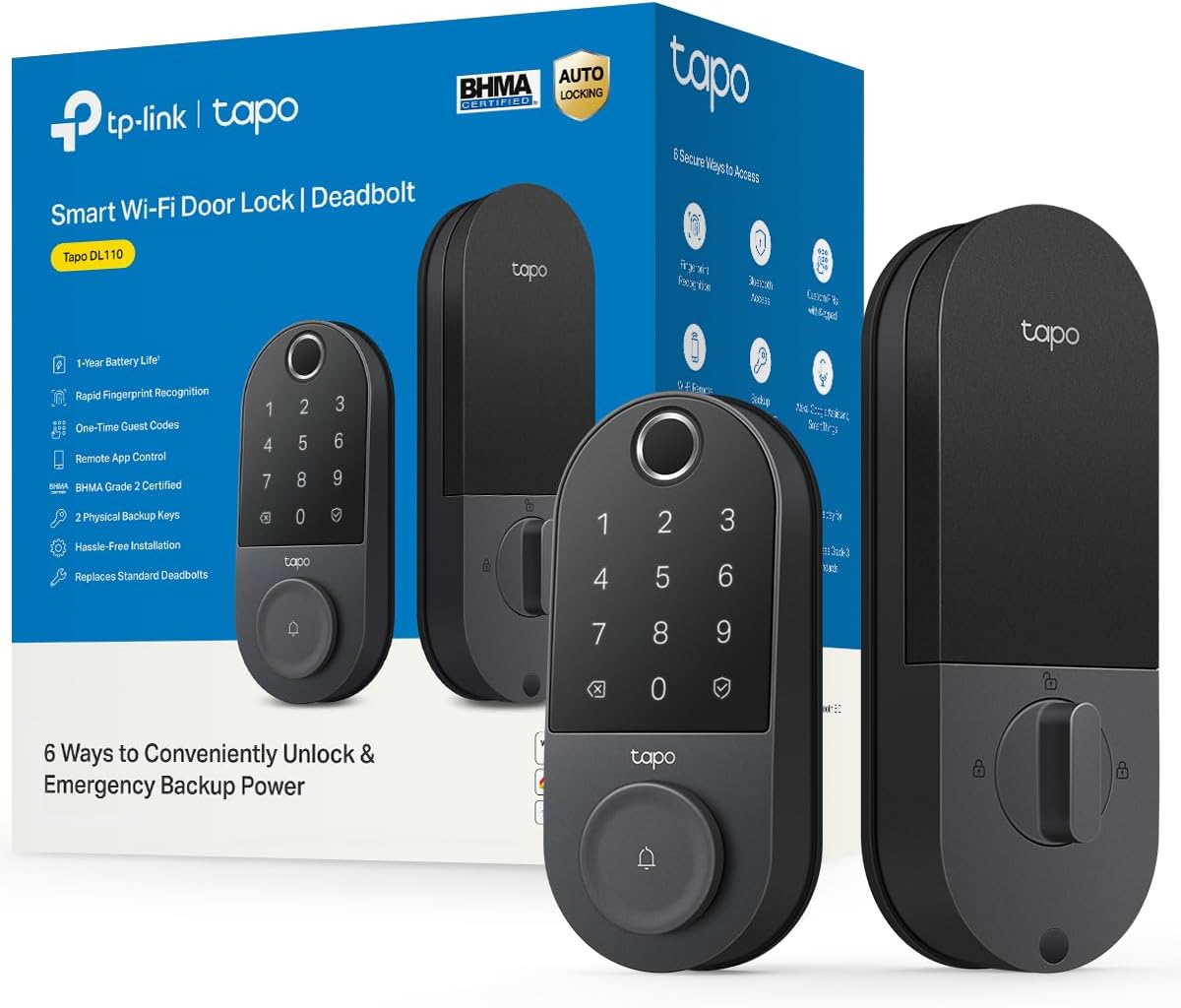
The Tapo Smart Wi-Fi Door Lock DL110 combines fingerprint recognition, Wi-Fi connectivity, and a traditional deadbolt design. As you consider this smart lock, it's essential to understand the key factors that ensure it meets your security and smart home needs.
Key Considerations Before Buying
- Check compatibility with your door: The DL110 fits standard doors with a thickness of 1-3/8 to 2 inches and a backset of 2-3/8 or 2-3/4 inches. Verify your door's specifications before purchase to avoid installation issues.
- Evaluate your Wi-Fi network: This lock requires a 2.4GHz Wi-Fi connection, which may be a limitation if your router only broadcasts 5GHz. Ensure strong signal strength at your door for reliable remote access.
- Consider power and backup: The DL110 runs on four AA batteries, with an expected lifespan of up to 6 months. Have a backup key or a portable charger ready for emergencies, as the lock will alert you when batteries are low.
What Our Analysts Recommend
Prioritize locks with multiple access methods (fingerprint, keypad, app, key) for flexibility. Look for robust encryption (like AES-128) and features like auto-lock and tamper alarms. Check user reviews for fingerprint sensor accuracy and app reliability.
Deadbolts Market Context
Market Overview
The smart deadbolt market is rapidly growing, driven by demand for keyless entry, remote access, and integration with smart home ecosystems. Brands like August, Schlage, and Yale dominate, but affordable options like Tapo are gaining traction. The DL110 competes by offering fingerprint recognition at a lower price point.
Common Issues
Common complaints include unreliable Wi-Fi connectivity, battery drain, and fingerprint sensor failures in wet or cold conditions. Installation can be tricky for DIYers if door prep is non-standard. Some users report app glitches or delayed notifications.
Quality Indicators
High-quality smart locks feature sturdy construction (ANSI Grade 1 or 2), weather resistance (IP rating), and multiple access methods. Look for detailed installation guides, responsive customer support, and regular firmware updates. Reviews mentioning long-term reliability and ease of use are positive signs.
Review Authenticity Insights
Grade A Interpretation
With an adjusted rating of 4.30/5 and only 5% estimated fake reviews, the Tapo DL110's reviews are highly trustworthy. The Grade A authenticity indicates that most reviews reflect genuine customer experiences, making the feedback reliable for decision-making.
Trust Recommendation
You can trust the overall sentiment, but still read a mix of positive and critical reviews to understand potential drawbacks. Pay attention to reviews that mention specific installation challenges or connectivity issues, as these are common pain points.
Tips for Reading Reviews
Focus on reviews with detailed pros and cons, especially those from users with similar door types or smart home setups. Look for patterns in complaints (e.g., battery life) and note if the manufacturer responds to issues. Avoid reviews that are overly vague or seem copied.
Expert Perspective
The Tapo DL110 offers a compelling blend of features—fingerprint entry, Wi-Fi control, and voice assistant support—at a budget-friendly price. Its 4.44-star rating (4.30 adjusted) suggests solid performance, but some users report minor connectivity and battery quirks. For those seeking a reliable smart lock without premium costs, it's a strong contender.
Purchase Considerations
Weigh the convenience of fingerprint access against the need for a hub (it connects directly to Wi-Fi, no hub required). Consider your Wi-Fi signal strength at the door and whether you're comfortable with app-based management. If you rent, check if installation is allowed.
Comparing Alternatives
Compare with locks like the Wyze Lock Bolt or August Wi-Fi Smart Lock, which offer similar features. Evaluate based on your specific needs: fingerprint speed, integration with your smart home, and budget.


