
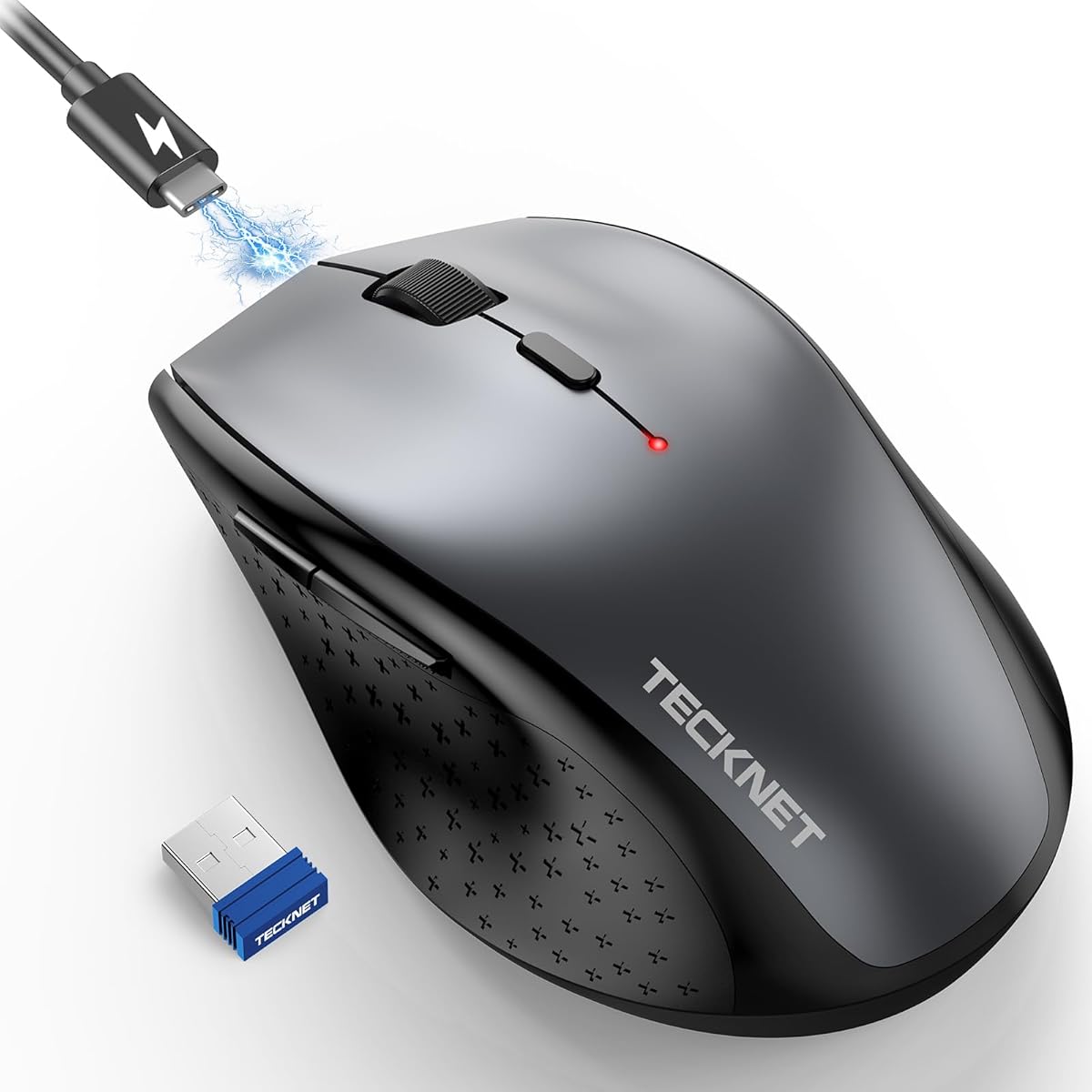
Choosing a Wireless Mouse: What Matters for Laptop Users and Travel
When selecting a wireless mouse like the TECKNET model with 6400 DPI and silent clicks, buyers should prioritize how the mouse's specific features align with their daily use. This particular product emphasizes portability, ergonomic design for extended use, and a rechargeable battery—key factors that differentiate it from basic office mice.
Key Considerations Before Buying
- Evaluate the 6400 DPI range: Higher DPI settings are beneficial for large or high-resolution monitors, but for typical laptop screens, the adjustable DPI is more about personal sensitivity preference than necessity.
- Consider the 'silent' claim: Silent mice reduce click noise significantly, which is ideal for shared workspaces, but some users find the tactile feedback less satisfying than traditional mechanical switches.
- Assess the 2.4G USB receiver vs. Bluetooth: The included USB dongle offers reliable, lag-free connection but occupies a USB port permanently; this mouse does not support Bluetooth, which might be a limitation for ultraportable laptops with few ports.
What Our Analysts Recommend
For a travel-focused wireless mouse, check the receiver storage compartment to prevent loss. A quality indicator is battery life reporting—some mice offer LED indicators for charge level, while others rely on software. Also, examine the grip texture; smooth plastic can become slippery during prolonged use.
Mice Market Context
Market Overview
The budget to mid-range wireless mouse market is saturated with similar-looking models, making differentiation through specific features like adjustable DPI, ergonomic shaping, and battery type critical. Rechargeable batteries are now a standard expectation, replacing disposable AA/AAA options.
Common Issues
Common issues include inconsistent sensor performance on glossy surfaces, receiver interference in dense USB environments, and built-in batteries that lose capacity over 1-2 years. Some 'ergonomic' designs fail to accommodate larger hand sizes comfortably.
Quality Indicators
Look for mice with precise sensor specifications (like the PixArt sensors common in this tier), durable microswitches rated for millions of clicks, and weight-balancing that prevents the mouse from feeling front-heavy. A matte, non-slip coating on the primary contact points is a sign of thoughtful design.
Review Authenticity Insights
Grade B Interpretation
A Grade B with an 11% estimated fake review rate suggests the majority of feedback is trustworthy, but a notable portion of reviews may be incentivized or inauthentic. The adjusted rating of 4.40/5, down from 4.67, indicates the genuine user satisfaction is still high, but slightly less stellar than the raw average implies.
Trust Recommendation
Focus on verified purchase reviews that mention long-term use (beyond 2-3 months) to assess battery longevity and build quality. Be slightly skeptical of reviews that only praise generic features without mentioning specific use cases like travel, gaming, or CAD work.
Tips for Reading Reviews
For this product, pay special attention to reviews discussing the actual travel size (does it fit in a laptop sleeve?), the true silence level of the clicks, and experiences with the rechargeable battery's lifespan. Look for balanced reviews that note both pros and minor cons.
Expert Perspective
The TECKNET mouse presents a strong value proposition for laptop users who prioritize portability and quiet operation. Its high adjusted rating of 4.40/5, derived from largely authentic reviews, indicates reliable performance in its category. The 6400 DPI is overkill for office work but offers flexibility, and the inclusion of a rechargeable battery aligns with modern user preferences against disposable batteries. The Grade B authenticity score means the positive reception is credible, though shoppers should be mindful of the minor inflation in the raw rating.
Purchase Considerations
Weigh the convenience of the built-in rechargeable battery against the potential for eventual battery degradation. Consider if the six-button layout and DPI adjustment buttons will be utilized or if they add unnecessary complexity. The lack of Bluetooth connectivity is a deliberate trade-off for a more stable 2.4G connection.
Comparing Alternatives
Shoppers should compare this model with similarly priced mice from Logitech's M-series or Anker's wireless lines, focusing on warranty length and software customization options.



