
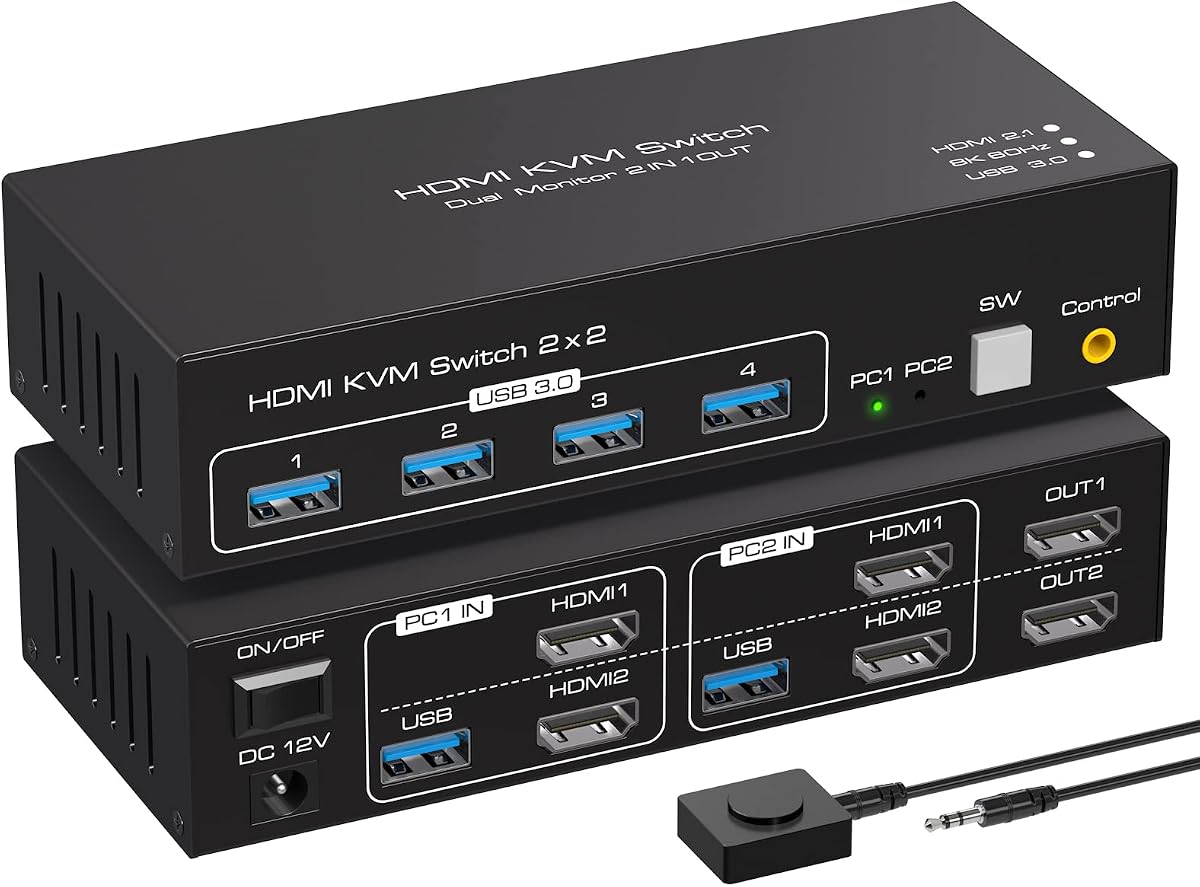
Share Dual Monitors and USB Devices Between Two PCs Seamlessly
If you manage two computers but want a single, clutter-free workspace, a KVM switch is essential. This ATLAHET model specifically supports dual monitors with 8K 60Hz or 4K 120Hz output, plus four USB 3.0 ports for peripherals, making it a robust hub for power users. Understanding its copy and extend modes is key to optimizing your workflow.
Key Considerations Before Buying
- Check your monitor's resolution and refresh rate: this switch supports 8K at 60Hz or 4K at 120Hz, so ensure your displays match these specs to avoid performance bottlenecks.
- Verify USB device compatibility: with four USB 3.0 ports, it can handle high-speed peripherals like external drives or webcams, but older USB 2.0 devices may work at reduced speeds.
- Consider physical space: the unit is 3.6 cm high, which is compact enough for most desks, but ensure you have clearance for cables and easy access to the switch button.
What Our Analysts Recommend
Quality KVM switches use shielded cables and robust chipsets to prevent signal degradation at high resolutions. Look for models with dedicated EDID emulation to maintain display settings when switching computers, and check for solid build materials that won't overheat during extended use.
Market Context
Market Overview
The KVM switch market is evolving rapidly with the rise of multi-device home offices and high-resolution monitors. Many users now demand 4K at 120Hz or even 8K support, pushing manufacturers to improve bandwidth and latency performance. This ATLAHET model positions itself as a mid-to-high-end solution for dual-monitor setups.
Common Issues
A frequent complaint with KVM switches is signal loss or flickering at high refresh rates, often due to inadequate cable quality or EDID mismatches. Another issue is USB port power limitations, which can cause peripherals like keyboards to lag or disconnect intermittently.
Quality Indicators
Reliable KVM switches use premium connectors (gold-plated HDMI ports) and support HDCP 2.3 for 4K content protection. Clear documentation for setup, especially for copy and extend modes, is another sign of a well-designed product.
Review Authenticity Insights
Grade A Interpretation
The Grade A authenticity rating and estimated 5.00% fake review percentage indicate that the overwhelming majority of feedback is genuine. With an adjusted rating of 4.60 out of 5 from 46 reviews, you can trust that real users are largely satisfied with this switch's performance.
Trust Recommendation
Given the high authenticity grade, you can rely on the positive reviews to reflect typical user experiences. However, always cross-check recent reviews for any emerging issues, as product batches can vary over time.
Tips for Reading Reviews
When reading reviews for KVM switches, focus on comments about resolution stability and USB device compatibility. Look for reviewers who mention specific monitor models or peripherals, as these details provide actionable insights for your own setup.
Expert Perspective
This ATLAHET KVM switch delivers strong value for users needing dual-monitor support with high refresh rates and multiple USB connections. The 8K 60Hz capability is future-proof, while the 4K 120Hz option caters to gamers or video editors. The high review scores and low fake review rate suggest consistent build quality and reliable performance in real-world scenarios.
Purchase Considerations
Consider this switch if you have two HDMI 2.1 compatible monitors and need to share peripherals between a work and personal PC. Be aware that achieving 8K 60Hz may require high-quality HDMI 2.1 cables, which are not included. Also, ensure your computers support the desired resolution over HDMI.
Comparing Alternatives
Shoppers should compare this model with other dual-monitor KVM switches, especially those offering DisplayPort inputs or additional USB-C connectivity, which may better suit certain laptop or Mac setups.


