
Choosing an iPhone SD Card Reader: What Matters for Direct File Transfer
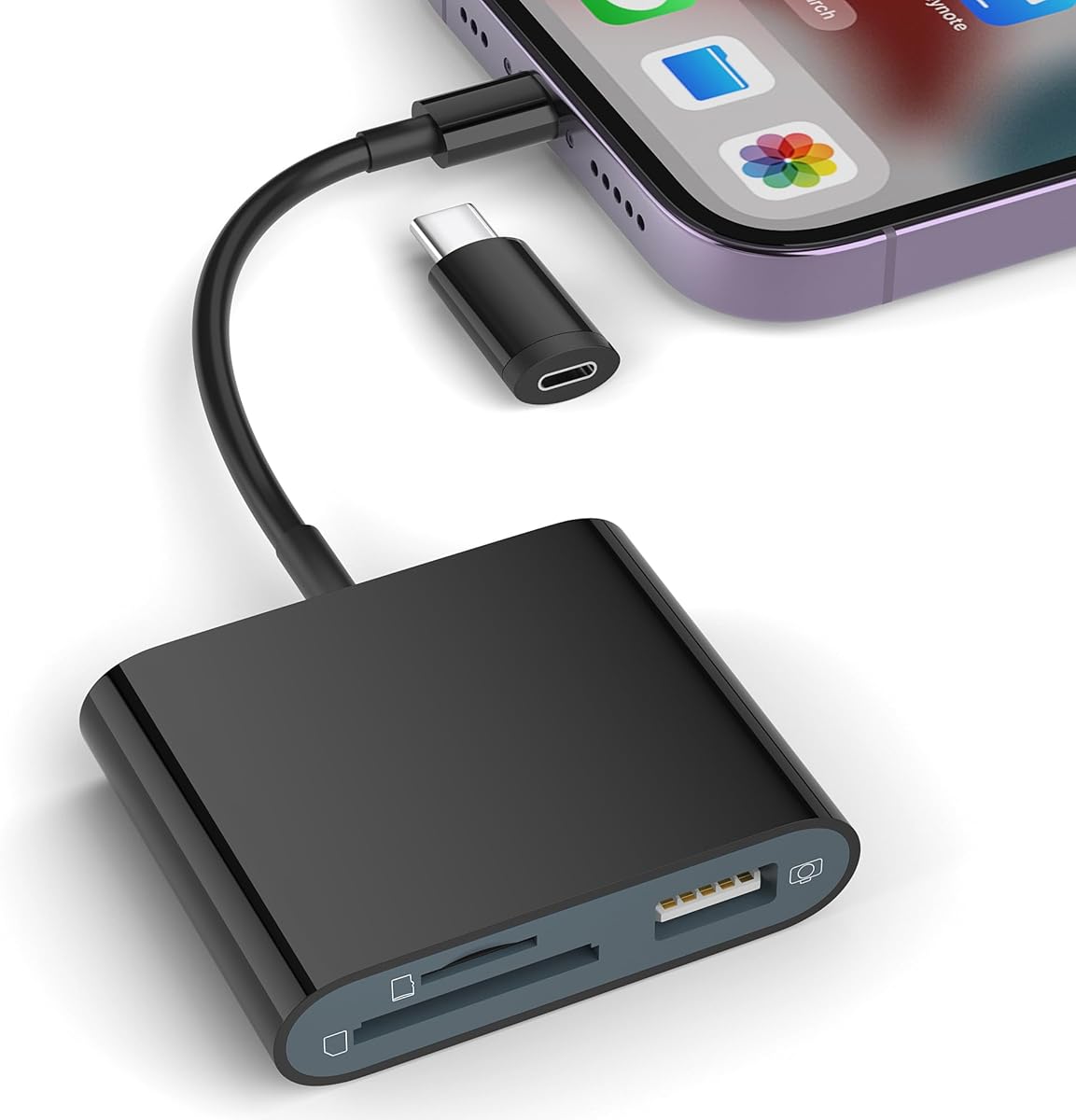
This specific reader combines Lightning and USB-C connectivity with plug-and-play functionality, eliminating the need for third-party apps. Buyers should understand that its dual-port design and direct iOS Files app integration distinguish it from basic adapters. The product's trail camera compatibility and USB host capability for flash drives add practical versatility beyond simple photo transfers.
Key Considerations Before Buying
- Verify your iPhone's port type—this model includes both a Lightning connector and a USB-C adapter, making it compatible with newer iPads and iPhones 15, but requires managing the small adapter piece.
- Assess your primary use case: this reader excels at viewing files from trail/game cameras and standard SD/TF cards directly in the iOS Files app, but isn't designed for high-speed continuous data transfer like professional video work.
- Check card format support—it handles standard SD and microSD (TF) cards, but may not support specialized formats like CFexpress or high-capacity SDXC cards beyond its unspecified limit.
What Our Analysts Recommend
Quality indicators include a secure, snug fit for cards without excessive wobble, and a durable Lightning connector that doesn't feel flimsy. Look for consistent user reports of immediate iOS recognition without 'Accessory Not Supported' errors, which suggests proper MFi (Made for iPhone) certification. The included USB-C adapter should fit firmly without falling off during use.
Memory Card Readers Market Context
Market Overview
The iPhone memory card reader market is saturated with low-cost options, but products with genuine plug-and-play iOS integration (no app) and dual-port flexibility remain less common. This model's inclusion of a USB-C adapter addresses the transition period as Apple migrates from Lightning, giving it a longer useful lifespan.
Common Issues
Common problems include unreliable card detection, especially with exFAT-formatted cards from cameras, and physical durability issues where the Lightning connector breaks or the USB-C adapter becomes loose. Some readers require proprietary apps that compromise file management, unlike this model's direct Files app access.
Quality Indicators
Genuine MFi certification is crucial for reliable iOS compatibility, though not always advertised. Quality readers maintain consistent data transfer speeds and don't overheat during extended use. User reviews mentioning seamless integration with the native Photos and Files apps typically indicate better engineering than those requiring workarounds.
Review Authenticity Insights
Grade B Interpretation
A Grade B authenticity rating with an 11% estimated fake review rate suggests generally trustworthy reviews, but shoppers should remain slightly cautious of overly enthusiastic 5-star reviews. The adjusted rating of 4.50/5 (down from 4.78) indicates genuine satisfaction is high, but potentially inflated by some inauthentic feedback.
Trust Recommendation
Focus on verified purchase reviews that mention specific use cases like transferring trail camera photos or accessing files on USB drives. Given the 11% fake rate, be skeptical of reviews that only praise generic features without detailing actual usage scenarios or device compatibility.
Tips for Reading Reviews
Prioritize reviews discussing real-world performance with your intended devices (specific iPhone models, iPad generations) and card types. Look for mentions of transfer speed, reliability with full cards, and any issues with the USB-C adapter's fit, as these details indicate authentic experience.
Expert Perspective
This reader's standout feature is its true plug-and-play operation without requiring a dedicated app, leveraging iOS's native Files app for clean file management. The dual-port design with USB-C adapter is forward-thinking, though the adapter's durability in daily use warrants attention. The exceptionally high adjusted rating of 4.50/5 from over 12,000 reviews indicates it reliably performs its core function—direct file access from SD cards and USB drives—for most users. Its specific value lies in niche applications like checking trail camera SD cards in the field, where app-based solutions would be impractical.
Purchase Considerations
Weigh the convenience of direct iOS integration against potential limitations in transfer speed and card format support. If you frequently switch between Lightning and USB-C devices, the included adapter adds value, but if you only use one port type, a dedicated single-port reader might be more durable. Consider whether you need to access files from standard USB flash drives, as this capability isn't universal among iPhone card readers.
Comparing Alternatives
Shoppers should compare this reader's plug-and-play approach with app-dependent models that might offer additional file management features, and consider dedicated USB-C readers if they've fully transitioned to newer Apple devices.


