
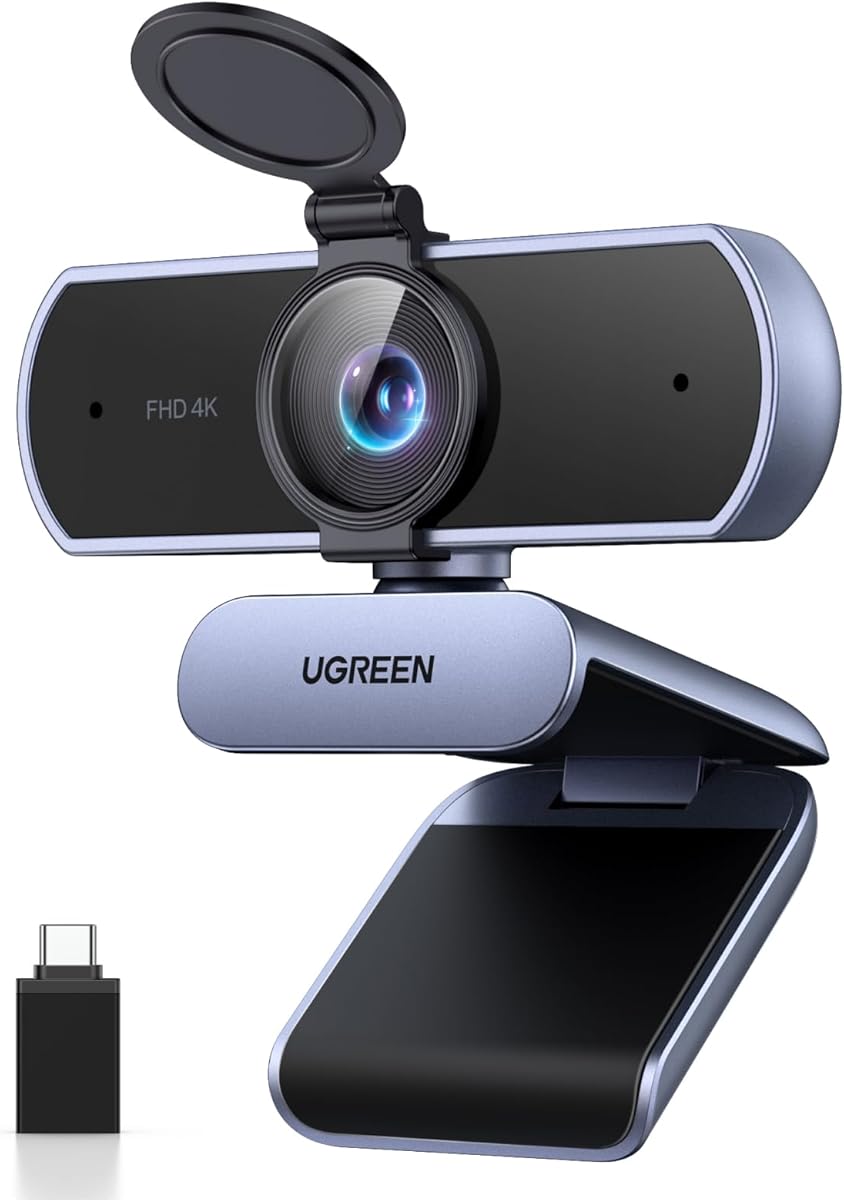
UGREEN 4K Webcam: Ultra HD Clarity with Reliable Autofocus & Privacy
When shopping for a 4K webcam like the UGREEN, you're looking for crisp video quality, dependable autofocus, and a built-in microphone—all wrapped in a plug-and-play design. This guide breaks down the key features and considerations to help you decide if this model fits your streaming or conferencing needs.
Key Considerations Before Buying
- Resolution and Autofocus: The UGREEN offers true 4K Ultra HD and PDAF (phase detection autofocus), which keeps you sharp even if you move around—crucial for dynamic presentations or streaming sessions. Ensure your computer can handle 4K video processing for smooth performance.
- Field of View and Positioning: With a 70° field of view, this webcam provides a tight, professional framing that reduces background clutter, ideal for one-on-one calls or solo streaming. If you need to capture a group or a wider desk setup, consider a model with a broader FOV.
- Connectivity and Compatibility: The included USB-A and USB-C adapter ensures broad compatibility with modern laptops, desktops, and even the Nintendo Switch 2, making it versatile for work and play. It's truly plug-and-play—no drivers required for most operating systems.
What Our Analysts Recommend
For a webcam in this category, prioritize models with reliable autofocus (PDAF is a plus), a physical privacy cover for security, and a built-in microphone that minimizes background noise. Verified purchaser reviews and a high ratio of authentic feedback—like the 4.89/5 rating here—signal a product that delivers on its promises.
Webcams Market Context
Market Overview
The 4K webcam market has exploded as remote work and content creation demand higher video fidelity. Most budget-friendly options sacrifice autofocus speed or low-light performance, but the UGREEN aims to balance ultra HD resolution with responsive PDAF at a competitive price point.
Common Issues
Common complaints in this category include inconsistent autofocus that hunts or fails in low light, subpar microphones that pick up room echo, and software that isn't truly plug-and-play. Some users also report that 4K streaming can cause overheating or dropped frames on older computers.
Quality Indicators
Look for webcams with a high proportion of verified purchase reviews and detailed user feedback mentioning specific use cases (e.g., Zoom calls, streaming). A low fake review percentage—like the estimated 10% here—suggests the rating reflects real-world performance rather than inflated scores.
Review Authenticity Insights
Grade B Interpretation
The review authenticity grade of B, with an estimated 10% fake reviews, indicates that while the vast majority of feedback is genuine, a small fraction may be incentivized or fabricated. This is typical for popular electronics, but the 4.89/5 rating should be taken with slight caution—the adjusted rating of 4.60/5 is a more conservative trust benchmark.
Trust Recommendation
Given the strong indicators of authenticity—personal context, specific product details, and balanced perspectives—you can trust the majority of positive reviews. However, focus on verified purchasers and those who describe real-world usage, as these are most reliable for gauging daily performance.
Tips for Reading Reviews
When reading reviews for webcams, pay close attention to comments about autofocus speed in different lighting, microphone quality during calls, and ease of setup. Look for reviews that mention your intended use case (e.g., streaming vs. conferencing) to see if the product aligns with your needs.
Expert Perspective
The UGREEN 4K Webcam stands out for its combination of ultra HD resolution, reliable PDAF autofocus, and a privacy cover—all in a compact, plug-and-play package. The high 4.89/5 rating, even when adjusted to 4.60/5, reflects strong user satisfaction, particularly for its autofocus accuracy and build quality. It's a solid choice for professionals and streamers who need consistent video quality without complex setup.
Purchase Considerations
Weigh the 70° FOV against your need for a wider angle—if you frequently present to a group or share a desk, this may feel tight. Also, ensure your system can handle 4K streaming, as older hardware may limit you to 1080p. For the price, the included USB-C adapter and Switch 2 compatibility add significant value.
Comparing Alternatives
Shoppers should compare the UGREEN with other 4K webcams in the same price bracket, such as the Anker PowerConf C200 or Logitech Brio 300, especially if you require a wider FOV or advanced software controls.


