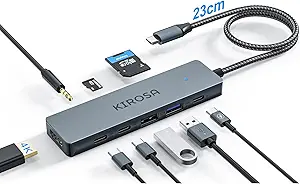
14-Port USB Hub: Power Delivery Meets Data Transfer in One Compact Dock
When your laptop's two USB ports just can't keep up with your peripherals, a powered hub with dedicated charging ports is a game-changer. This 14-port model splits your workspace into 10 data-transfer ports and 4 smart-charging ports, each with its own LED switch—a feature that's rarer than you'd think at this price point. Before you buy, know that not all USB hubs are created equal, and the split between data and charging is a design choice that fits specific setups.
Key Considerations Before Buying
- Consider the power supply: A powered hub (with its own AC adapter) is essential for devices like external hard drives that need stable power. This hub's 10 data ports should handle simultaneous transfers, but check the total wattage to ensure it meets your devices' needs.
- Individual switches matter: The LED on/off switches on each port allow you to power-cycle devices without unplugging them—a lifesaver when a peripheral freezes. This is a feature you'll appreciate daily, especially with multiple devices connected.
- Charging vs. data ports: The 4 smart charging ports are optimized for power, not data. If you plan to sync your phone while charging, you'll need to use the data ports instead. This hub separates the two functions, which is practical but requires a bit of planning.
What Our Analysts Recommend
Quality indicators include a sturdy (if not heavy) build, a power adapter that doesn't run hot, and switches that feel responsive. Also, check for compliance with USB 3.0 standards for the data ports—this hub advertises faster transfer speeds, so verify that the ports are indeed USB 3.0 and not a mix of older specs. Look for a hub with a separate power button for the entire unit, and ensure the LED indicators are bright enough to see at a glance.
USB Hubs Market Context
Market Overview
The USB hub market is crowded with options ranging from unpowered 4-port dongles to massive 16-port rack-mounted units. Powered hubs with more than 10 ports are typically aimed at professionals—musicians, video editors, or IT pros—who need to connect multiple peripherals simultaneously. This 14-port model sits in the sweet spot between consumer and prosumer, offering flexibility without the enterprise price tag.
Common Issues
A frequent complaint across USB hubs is insufficient power delivery, leading to devices disconnecting or failing to be recognized. Another issue is heat buildup during sustained use, which can throttle performance or damage components. Finally, many hubs lack individual port controls, forcing users to unplug devices to reset them—a problem this hub specifically addresses with its per-port switches.
Quality Indicators
Look for hubs with a dedicated power adapter rated for enough amps to handle the sum of your devices' draws. Also, consider the port arrangement—spacing matters to accommodate bulky USB connectors. Quality hubs often feature surge protection and LED indicators, and they typically come with a warranty that signals manufacturer confidence.
Review Authenticity Insights
Grade B Interpretation
With a B grade and an estimated 10% fake review rate, this product shows a strong base of genuine feedback. The 122 reviews are largely authentic, but a small minority may be incentivized or overly promotional. The adjusted rating of 4.10/5 is still positive, suggesting that real users are mostly satisfied, but the slight drop from 4.33 indicates that some negative experiences are being masked by potentially fake positive reviews.
Trust Recommendation
You can trust the overall sentiment, but read the critical reviews carefully. Look for patterns in complaints—if multiple users mention flimsy construction or port failures, that's more credible than a single outlier. The 10% fake rate is low enough that you can rely on the average rating, but don't ignore the 1- and 2-star reviews; they often reveal specific limitations like the hub not working with certain devices.
Tips for Reading Reviews
For USB hubs, pay attention to reviews that mention specific devices they've connected—this gives you context for your own setup. Also, look for reviews that describe long-term use (after a month or more), as these are more likely to report durability issues. Be wary of reviews that are overly vague or use generic praise like 'great product' without details.
Expert Perspective
This 14-port powered hub is a solid choice for users who need to manage multiple USB devices with individual control. The 10 data ports are ideal for connecting peripherals like keyboards, mice, and external drives, while the 4 charging ports can power phones and tablets without hogging data bandwidth. The individual switches are a standout feature, offering practical control that many competitors lack. However, the build quality is noted as light in some reviews, which might be a concern for stationary setups but is fine for desk use.
Purchase Considerations
Weigh the hub's port count and features against your actual needs. If you rarely use more than 4 USB devices, this hub may be overkill, and a smaller, cheaper model could suffice. Also, consider the physical footprint—this hub is likely to be a permanent desk fixture, so ensure you have the space. The price point is reasonable for the features, but if you don't need individual switches, you might find a more economical option.
Comparing Alternatives
Shoppers should compare this hub with other powered hubs in the 10-14 port range, particularly those that offer individual switches or faster charging capabilities. Some competitors offer USB-C power delivery or additional features like SD card readers, which might better suit your workflow.