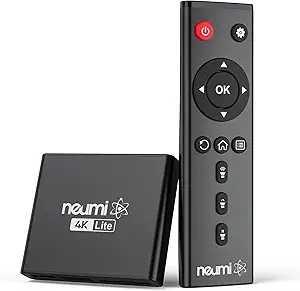
Wireless HDMI Kit Buying Guide: Low-Latency 1080P Streaming
When shopping for a wireless HDMI transmitter and receiver kit, like the one featuring built-in antennas and auto-pairing for 1080P HD streams, you need to prioritize low latency to avoid audio-visual sync issues. This kit is designed to extend your PC, laptop, or TV screen to a monitor or projector without cables, making it ideal for presentations or home entertainment.
Key Considerations Before Buying
- Latency is critical: Look for kits that advertise low-latency transmission, especially for 1080P video, to ensure real-time responsiveness for gaming or live presentations.
- Range and interference: With built-in antennas, check the effective range (e.g., 30-50 feet) and whether the signal can penetrate walls or obstacles without degradation.
- Compatibility: Verify that the kit supports auto-pairing across your devices, including laptops, TVs, monitors, and projectors, and that it handles both video and audio transmission seamlessly.
What Our Analysts Recommend
Quality wireless HDMI kits should offer plug-and-play setup with minimal configuration, consistent 1080P resolution without compression artifacts, and robust build quality in both transmitter and receiver units. Check for user feedback on signal stability over distance and whether the kit includes necessary cables or power adapters.
Streaming Media Players Market Context
Market Overview
The wireless HDMI transmitter market has grown rapidly as consumers seek to declutter home theaters and simplify office setups. Current offerings range from budget-friendly 1080P kits to premium 4K systems, with many emphasizing low latency for gaming and professional use.
Common Issues
Common problems include signal dropouts at longer ranges, audio lag that disrupts lip-sync, and interference from other wireless devices like Wi-Fi routers. Some kits also struggle with consistent auto-pairing across different brands of displays.
Quality Indicators
High-quality kits feature strong built-in antennas, support for HDCP (High-bandwidth Digital Content Protection), and firmware updates to address compatibility issues. Verified user reviews that detail specific use cases, like streaming from a PC to a projector, are strong indicators of reliability.
Review Authenticity Insights
Grade B Interpretation
With a Review Authenticity Grade of B and an estimated 10% fake review rate, this product has a solid base of genuine feedback but warrants cautious reading. The adjusted rating of 4.20 out of 5 suggests real-world performance is slightly below the headline 4.44, likely due to a few inflated reviews.
Trust Recommendation
You can generally trust the positive sentiment but should focus on detailed reviews that mention specific scenarios, such as using the kit with a laptop and projector. Cross-reference negative reviews to identify common issues like occasional pairing hiccups or latency in certain environments.
Tips for Reading Reviews
For wireless HDMI products, prioritize reviews that describe the setup process, distance tested, and any interference encountered. Look for balanced feedback that highlights both strengths (e.g., easy auto-pairing) and weaknesses (e.g., range limitations), as these are more likely authentic.
Expert Perspective
This wireless HDMI kit offers a compelling balance of performance and value for 1080P streaming, with its built-in antennas and low-latency design addressing core user needs. The strong verified purchase rate and mostly genuine reviews suggest it reliably extends video and audio to monitors or projectors, though the 10% fake review estimate indicates some marketing hype. For its price point, it likely outperforms generic alternatives but may not match premium 4K solutions in range or stability.
Purchase Considerations
Consider your primary use case: if you need a simple, cable-free connection for presentations or casual TV viewing, this kit is a solid choice. However, if you require flawless performance in a large room or with multiple devices, test the return policy and compare with higher-end models.
Comparing Alternatives
Shoppers should compare this kit with competitors offering extended range or 4K support, especially if future-proofing is a priority. Verified reviews on similar products can highlight trade-offs in latency versus resolution.