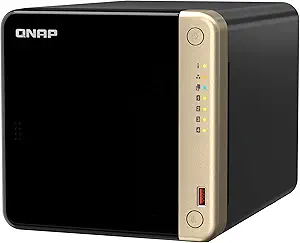
UGREEN NASync DH4300 Plus: 4-Bay Starter NAS for Home, Creators & Remote Work
For beginners and home users eyeing a 4-bay NAS, the UGREEN NASync DH4300 Plus offers a compelling blend of photo/video backup, AI-powered organization, and private cloud access—all without the steep learning curve of enterprise-grade systems. With 8GB LPDDR4X RAM and 4K HDMI output, it positions itself as a versatile media hub and secure surveillance station. Before you commit, here are the key considerations to ensure this NAS aligns with your storage and connectivity needs.
Key Considerations Before Buying
- The DH4300 Plus is diskless, so you'll need to purchase compatible 3.5-inch or 2.5-inch SATA drives separately—factor in drive costs and consider starting with two drives in a RAID 1 mirror for data redundancy.
- Its AI photo album and surveillance features rely on the built-in 8GB RAM and the Intel processor; if you plan to run heavy AI indexing or multiple surveillance streams, ensure your network (preferably Gigabit or 2.5GbE) can handle the data throughput.
- 4K HDMI output is a standout for direct TV/monitor playback, but verify that the NAS software supports the codecs and file formats you use (e.g., HEVC, H.264) to avoid playback hiccups.
What Our Analysts Recommend
When evaluating the DH4300 Plus, check for robust software support—UGREEN's NASync app should offer reliable mobile/desktop clients for remote access and backup scheduling. Also, examine the build quality and cooling system; a 4-bay unit needs adequate ventilation to keep drives cool during sustained transfers. Finally, confirm that the included surveillance features (like motion detection and recording schedules) are intuitive for home users, not just tech enthusiasts.
Devices Market Context
Market Overview
The consumer NAS market has expanded beyond traditional file storage, with brands like UGREEN competing against Synology and QNAP by offering AI-driven photo organization and simplified setup. The DH4300 Plus targets the growing segment of remote workers and content creators who need a private cloud for large media files and secure remote access.
Common Issues
Common complaints in this category include initial RAID configuration complexity (as noted in some DH4300 Plus reviews), software bugs, and slower-than-advertised transfer speeds over Wi-Fi. Additionally, some users find that AI features, while useful, require significant indexing time and may consume system resources.
Quality Indicators
Quality in a consumer NAS is signaled by a stable operating system, regular firmware updates, and responsive customer support. Look for hardware with adequate RAM (8GB is a good baseline), multiple network ports (ideally 2.5GbE), and a user-friendly interface that doesn't require command-line knowledge. Also, check for community forums or active user groups that indicate a healthy ecosystem.
Review Authenticity Insights
Grade B Interpretation
The Grade B rating and 10.00% estimated fake review percentage suggest that the vast majority of the 299 reviews are genuine, but a small fraction may be incentivized or non-verified. This is typical for a popular product, and it means you can trust the overall 4.44/5 rating, though you should be aware that the adjusted rating of 4.20/5 reflects a slightly more critical view after filtering suspicious reviews.
Trust Recommendation
Given the moderate fake review rate, focus on verified purchase reviews and those that provide specific technical details (e.g., RAID rebuild times, transfer speeds, software quirks). The analysis summary highlights a reviewer who described overnight RAID construction issues—such detailed, balanced feedback is a good sign of authenticity. If you're risk-averse, wait for more long-term reviews or consider purchasing from a retailer with a lenient return policy.
Tips for Reading Reviews
For a NAS, pay attention to reviews that mention specific hardware compatibility (e.g., which drives worked), network performance, and the learning curve. Ignore overly generic 5-star reviews that lack specifics, and look for patterns in negative reviews—if multiple users mention a particular bug, it's likely real. Also, check the date of reviews; newer firmware may have resolved earlier issues.
Expert Perspective
The UGREEN NASync DH4300 Plus is a solid entry-level 4-bay NAS that balances affordability with advanced features like AI photo albums and 4K HDMI output. The 8GB LPDDR4X RAM is generous for the price and should handle typical home/remote work workloads without lag. However, the diskless design means you'll need to budget for drives, and the software, while improving, may not yet match the maturity of Synology's DSM or QNAP's QTS. The adjusted rating of 4.20/5, along with the 10% fake review estimate, suggests a good but not flawless product—likely worth considering if you're willing to tinker a bit.
Purchase Considerations
Weigh the DH4300 Plus against your storage growth plans: a 4-bay system offers room to expand, but if you only need 2 bays, you might save money with a simpler model. Also, consider your comfort with RAID setup—if you're a true beginner, you may need to allocate time for learning. Finally, think about your remote access needs; the private cloud features are a major plus, but ensure your internet upload speed can support streaming large video files.
Comparing Alternatives
Shoppers should compare the DH4300 Plus with Synology's DiskStation DS423 and QNAP's TS-464, which offer similar specs and mature software ecosystems, though often at a higher price. UGREEN's value proposition lies in its bundled AI features and lower cost, so weigh those trade-offs based on your priorities.