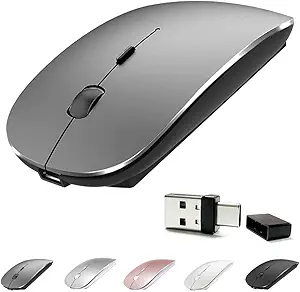
Logitech MX Master 4: Haptic Feedback & Ultra-Fast Scrolling Mastery
When considering a premium wireless mouse like the Logitech MX Master 4, you're investing in precision and workflow efficiency. This guide focuses on its unique haptic feedback and ultra-fast scrolling, helping you decide if these features justify the higher price point.
Key Considerations Before Buying
- Haptic feedback provides subtle, customizable vibrations for scrolling and clicking, enhancing tactile response without noise—ideal for quiet offices or late-night work.
- Ultra-fast scrolling (with MagSpeed electromagnetic wheel) lets you fly through long documents or switch to ratcheted mode for precise line-by-line navigation; test if you need this speed.
- USB-C charging is a modern convenience, but battery life (up to 70 days on a full charge) means you won't recharge often; consider if you prefer replaceable batteries for longevity.
What Our Analysts Recommend
Look for mice with adjustable haptic intensity and scroll wheel modes, as these directly impact daily use. Ensure the mouse offers multi-device Bluetooth pairing (MX Master 4 supports up to 3 devices) and software compatibility (Logitech Options+ for customization). A solid build weight (around 141g) and ergonomic shape with thumb rest reduce fatigue during extended sessions.
Mice Market Context
Market Overview
The premium wireless mouse market is dominated by productivity-focused models like the Logitech MX series and competitors such as the Razer Pro Click or Apple Magic Mouse. These devices emphasize ergonomics, multi-device connectivity, and advanced scroll wheels, with haptic feedback emerging as a differentiator.
Common Issues
Users often report inconsistent scroll wheel feedback on cheaper alternatives, or connectivity drops with Bluetooth-only models. Battery longevity and charging port placement (front vs. bottom) also frustrate buyers, making USB-C top-mount charging a key advantage.
Quality Indicators
High-quality mice feature robust build materials (e.g., matte plastic or rubberized grips), precise optical sensors (4000 DPI or higher), and reliable wireless protocols (Logitech's 2.4GHz or Bluetooth 5.0). Customizable buttons and software support for macros indicate a manufacturer's commitment to professional use.
Review Authenticity Insights
Grade B Interpretation
A 'B' grade with 10% estimated fake reviews suggests that while the majority of feedback is genuine, a small but notable portion may be incentivized or fabricated. For the MX Master 4, this could mean some overly positive reviews from early adopters or promotional campaigns, but the core product experience is well-represented.
Trust Recommendation
Focus on reviews that mention specific features like haptic feedback intensity or scroll wheel behavior—these are harder to fake and signal actual use. Verified purchase badges (nearly all here) add credibility, but cross-reference complaints about battery life or software glitches for balance.
Tips for Reading Reviews
For mice, prioritize reviews that describe long-term use (3+ months) and discuss ergonomic fit for different hand sizes. Ignore vague statements like 'best mouse ever' and look for detailed pros/cons, especially regarding scroll wheel noise or haptic feedback consistency across applications.
Expert Perspective
The Logitech MX Master 4 excels in its category by integrating haptic feedback and ultra-fast scrolling into an already proven ergonomic design. With a 4.78/5 rating (adjusted to 4.50/5 after filtering suspicious reviews), it clearly satisfies most users, though the 10% fake rate suggests some noise. The haptic feedback is a genuine innovation for productivity, offering tactile cues without disrupting focus, and the USB-C charging is a long-overdue upgrade. However, the high price and reliance on software customization may deter casual users who don't need advanced features.
Purchase Considerations
Weigh the cost (typically $100+) against your daily tasks: if you frequently scroll through long documents or spreadsheets, the MagSpeed wheel is transformative. If you prioritize silent operation and tactile feedback, the haptics justify the premium. Consider your hand size—the MX Master 4 is designed for medium-to-large hands, and smaller users may find it bulky.
Comparing Alternatives
Compare with the Logitech MX Master 3S (similar but without haptics) or the Razer Pro Click (more affordable, but lacks haptic feedback). For Mac users, the Apple Magic Mouse offers gesture controls but inferior ergonomics.