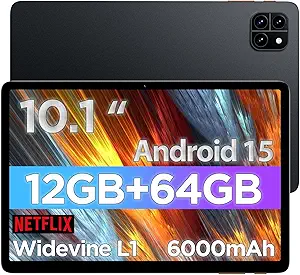
Choosing a Kid-Proof Tablet: 10.1 Inch Android 15 with Parental Controls
When selecting a tablet for children, durability, educational value, and parental oversight are paramount. The CFVOCUY 2026 Kids Tablet combines Android 15 with 8GB RAM and a rugged EVA case, but buyers should verify that its pre-installed apps and eye protection features align with their child's age and learning needs.
Key Considerations Before Buying
- Parental control depth: Ensure the tablet allows you to set screen time limits, block specific apps, and monitor usage remotely—features that are critical for managing a child's digital exposure.
- Storage and expandability: With 64GB internal storage (expandable to 1TB via microSD), consider whether your child’s media library or educational apps will require extra space for offline use.
- Eye protection effectiveness: The advertised eye protection mode should reduce blue light and flicker, but check reviews for real-world comfort during extended study or play sessions.
What Our Analysts Recommend
Quality indicators include a robust protective case (like the included EVA cover), a responsive touchscreen with good viewing angles, and a battery that lasts through a school day. Verified reviews mentioning specific use cases, such as homework or travel, help confirm these traits.
Tablets Market Context
Market Overview
The kids' tablet market is increasingly competitive, with devices ranging from Amazon Fire Kids to Android-based models. The CFVOCUY 2026 targets a niche for older children needing more RAM (8GB) and modern connectivity like WiFi 6, which supports smoother streaming and app performance.
Common Issues
Common problems include underpowered processors that lag with multitasking, fragile screens that crack despite cases, and pre-installed apps that are either too basic or not curated for the child's age. Battery life can also disappoint if the tablet is used for gaming or video calls.
Quality Indicators
Look for tablets with at least 4GB RAM for smooth operation, a tempered glass screen protector, and a case that absorbs drops. Verified reviews that detail long-term durability and app compatibility are strong signals of quality.
Review Authenticity Insights
Grade B Interpretation
A Grade B with an estimated 10% fake reviews suggests that while most feedback is genuine, a small fraction may be incentivized or fabricated. This is typical for budget-friendly electronics, where sellers sometimes boost ratings to compete, but the 4.67-star average remains largely trustworthy.
Trust Recommendation
Given the 4.40 adjusted rating and strong authentic signals like personal anecdotes and balanced feedback, you can trust the majority of positive reviews. However, focus on detailed, verified purchase reviews that mention specific features like the EVA case or WiFi 6 performance to avoid overhyped claims.
Tips for Reading Reviews
For kids' tablets, prioritize reviews from parents who describe their child's age and usage (e.g., 'My 8-year-old uses it for school apps'). Ignore vague, one-line praises or reviews that focus only on shipping speed—these are often fake. Look for mentions of parental control ease or screen durability.
Expert Perspective
The CFVOCUY 2026 Kids Tablet offers solid specs for its price, including Android 15, 8GB RAM, and WiFi 6, making it suitable for educational apps and light gaming. The EVA protective case and eye protection are practical additions, but the 10% fake review rate and Grade B authenticity warrant cautious optimism. Parents should verify that the pre-installed apps are age-appropriate and that the parental controls meet their needs before purchasing.
Purchase Considerations
Weigh the tablet's expandable storage and modern connectivity against potential drawbacks like a less-known brand's customer support or limited software updates. If your child is prone to rough handling, ensure the case is tested for drops, as reviews suggest mixed durability over time.
Comparing Alternatives
Shoppers should compare this model with Amazon Fire Kids or Samsung Galaxy Tab Kids editions, which may offer longer software support and more established parental ecosystems, though often at a higher price.