Choosing a USB-C Female-to-Female Adapter That Won't Limit Your Setup
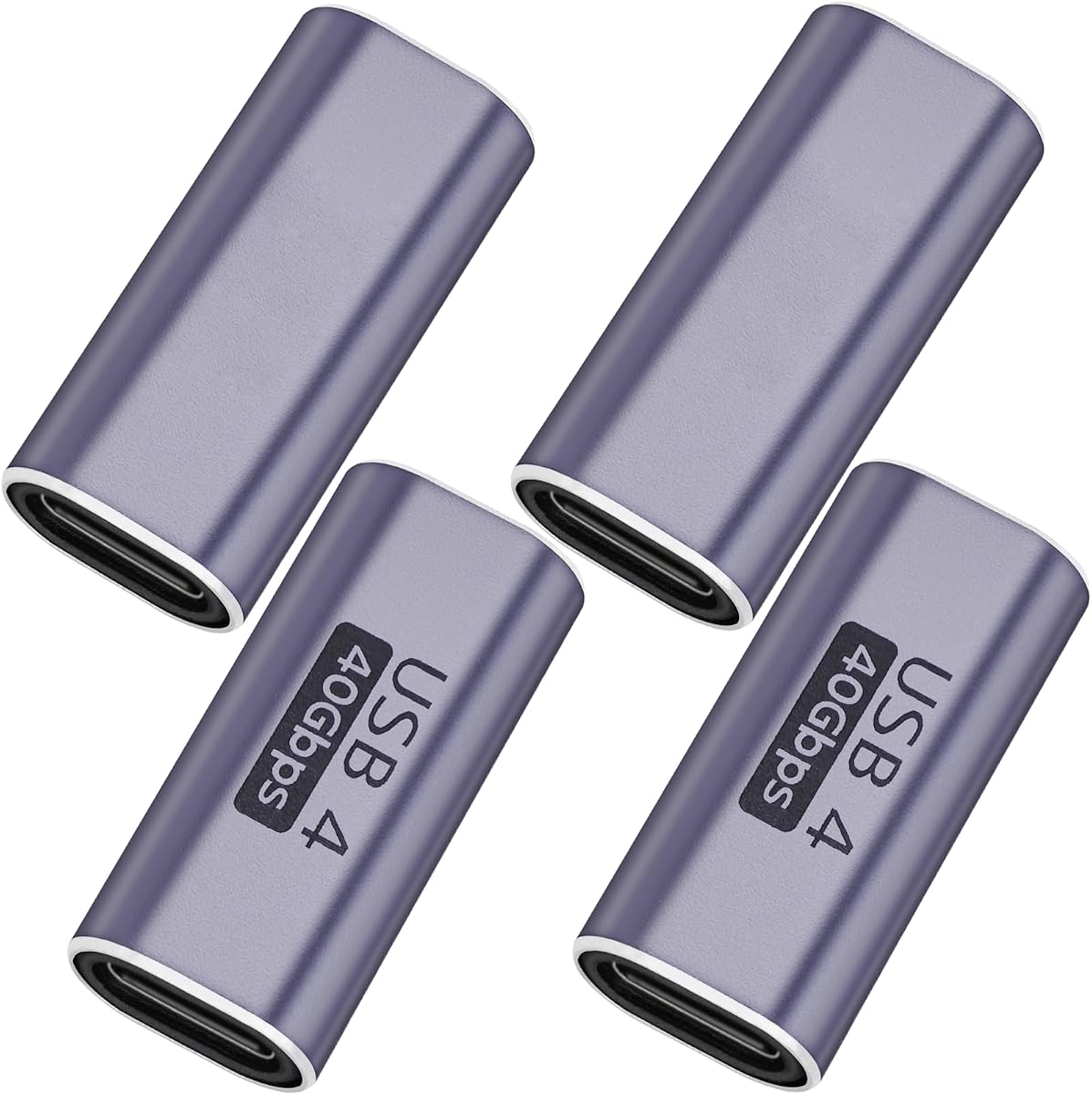
A USB-C female-to-female adapter is a deceptively simple accessory, but not all couplers are built to handle 40Gbps data and 100W power delivery. This 4-pack from a Thunderbolt 4/3-compatible line is aimed at users who need to extend or bridge USB-C connections without losing speed or charging capability.
Key Considerations Before Buying
- Confirm the adapter supports the full spec you need: this model claims 40Gbps and 100W PD, which matters if you're connecting a Thunderbolt 4 dock, external SSD, or high-wattage laptop charger. Cheaper couplers often cap at 10Gbps or 60W, silently bottlenecking your gear.
- Consider the physical form factor and strain relief. Female-to-female adapters are frequently used in tight spaces behind desks or in travel kits, so a compact, well-molded housing reduces the risk of bending or loosening the internal pins over time.
- Check compatibility with your specific devices, especially if you rely on Thunderbolt 3/4 daisy-chaining or DisplayPort Alt Mode. Not every USB-C coupler passes video signals or PCIe tunnels, even if it handles data and power.
What Our Analysts Recommend
Look for explicit ratings for data speed (40Gbps), power (100W), and video support, plus a build that uses reinforced connectors rather than bare plastic. A 4-pack at this price point is convenient, but verify that each unit meets the same spec, as some multi-packs mix lower-tier adapters.
USB-to-USB Adapters Market Context
Market Overview
The USB-C adapter market is flooded with generic couplers, many of which are marketed with vague 'high-speed' claims but fail to deliver full Thunderbolt or USB4 performance. As more laptops drop legacy ports, demand for reliable female-to-female adapters has grown, particularly among MacBook Pro/Air users and PC owners with Thunderbolt docks.
Common Issues
A frequent complaint with cheap USB-C couplers is intermittent connectivity, especially when used for charging at high wattages or with external SSDs that require sustained 40Gbps throughput. Another issue is mechanical failure: the female ports can wear out quickly if the adapter is plugged and unplugged often or subjected to lateral force.
Quality Indicators
Quality adapters typically specify exact data and power ratings, mention Thunderbolt certification where applicable, and use a metal or high-grade plastic shell with strain relief. Reviews that mention long-term use with specific devices, like a CalDigit dock or Samsung T7 SSD, are more informative than generic 'works great' comments.
Review Authenticity Insights
Grade A Interpretation
An A authenticity grade with only 5% estimated fake reviews is strong for this category, where incentivized reviews are common. The 4.78 rating (4.70 adjusted) suggests that even after removing questionable feedback, customers are consistently satisfied with performance and build quality.
Trust Recommendation
You can trust the overall rating, but still scan for reviews that mention your specific use case, such as 100W charging or Thunderbolt daisy-chaining. The low fake-review percentage means the detailed technical feedback is likely genuine, so pay attention to both praise and criticism.
Tips for Reading Reviews
Focus on reviews that name the exact devices used and whether the adapter maintained full speed or power over time. Look for patterns in negative reviews, like loose fit or heat buildup, as these are more telling than isolated one-star rants.
Expert Perspective
This 4-pack of USB-C female-to-female adapters appears to be a solid choice for users who need to bridge short cable runs without sacrificing 40Gbps data or 100W charging. The high adjusted rating and low fake-review percentage indicate that most buyers find them reliable, and the Thunderbolt 4/3 compatibility adds value for MacBook Pro/Air owners and PC users with high-end docks.
Purchase Considerations
Weigh the convenience of a 4-pack against the likelihood you'll actually use multiple adapters; if you only need one, a single higher-priced unit with a known brand might be a better bet. Also consider whether you need video output or just data and power, as some couplers don't support DisplayPort Alt Mode.
Comparing Alternatives
Shoppers should compare this set with single adapters from established brands like Cable Matters or Anker, especially if warranty support or Thunderbolt certification is important to you.