
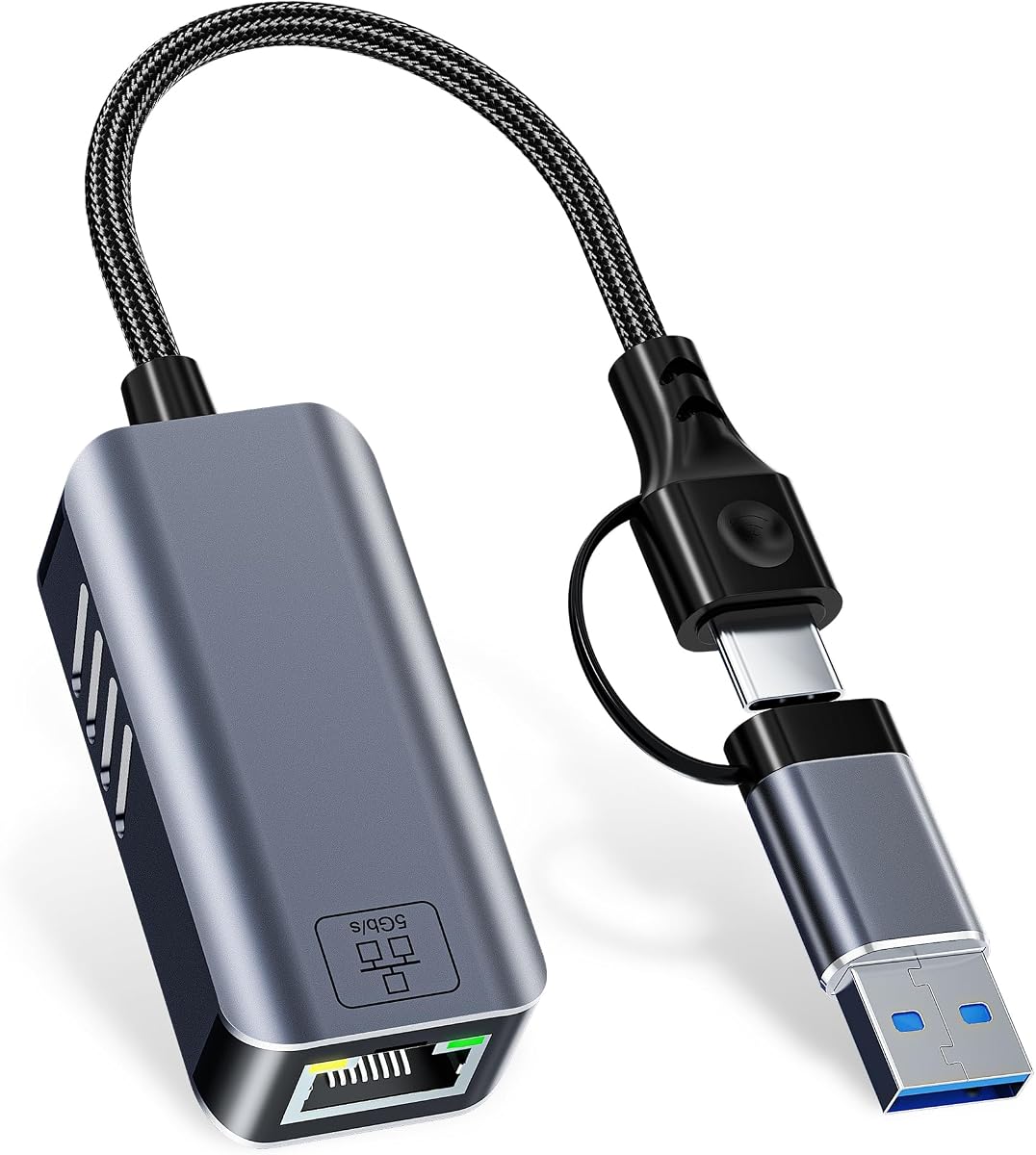
5Gbps USB-C Ethernet Adapter: Speed Meets Versatility
When choosing a USB-C to Ethernet adapter, speed and compatibility are paramount. This model supports up to 5 Gbps (5000 Mbps) and works with both USB-A and USB-C ports, making it a flexible solution for modern laptops, desktops, and even iPhones. Here’s what to consider before buying.
Key Considerations Before Buying
- Ensure your device’s port supports the adapter’s speed; Thunderbolt 4/5 and USB 3.2 Gen 2 can handle 5 Gbps, but older USB 3.0 ports may cap at 5 Gbps (though real-world speeds may vary).
- Check compatibility with your operating system—this adapter supports Windows, macOS, Linux, and iPhones, but driver installation may be needed for some Linux distributions or older systems.
- Consider the build quality and cable length; a short, rigid cable may be less convenient for desktop setups, while a durable braided cable can improve longevity.
What Our Analysts Recommend
Look for adapters with a chipset from reputable manufacturers (e.g., Realtek, Intel) for stable performance. Verified support for your specific device (e.g., iPhone 16/15) and a warranty or return policy can indicate confidence in the product. Also, check for heat dissipation features, as high-speed adapters can warm up during heavy use.
USB Network Adapters Market Context
Market Overview
The USB-C to Ethernet adapter market is growing as laptops shed RJ45 ports for thinner designs. Many adapters now offer 2.5 Gbps or 5 Gbps speeds to match faster internet plans, but not all devices can utilize these speeds due to hardware limitations or cable quality.
Common Issues
Common problems include driver incompatibility with certain OS versions, especially after updates, and overheating during prolonged use. Some adapters also fail to negotiate the highest speed with older routers or switches, dropping to 1 Gbps without clear indication.
Quality Indicators
Quality adapters feature metal or reinforced connectors to prevent wear, support for auto-negotiation, and clear LED indicators for link status. Reviews that mention consistent speed tests or specific use cases (e.g., streaming, large file transfers) are more reliable than generic praise.
Review Authenticity Insights
Grade B Interpretation
With a Grade B and an estimated 10% fake review rate, this product has mostly genuine feedback but a small number of potentially unreliable reviews. The 4.44/5 rating drops to 4.20 when adjusted, suggesting the fake reviews are likely positive, inflating the score slightly.
Trust Recommendation
You can trust the majority of reviews, but focus on those with verified purchase badges and detailed technical comments (e.g., speed tests, device compatibility). Be cautious of reviews that lack specifics or repeat the same phrases.
Tips for Reading Reviews
For network adapters, prioritize reviews that mention your specific device or OS. Look for comments on driver installation ease, sustained speed under load, and any issues with heat. A mix of positive and negative feedback is often a sign of authenticity.
Expert Perspective
This adapter offers a compelling combination of 5 Gbps speed and dual USB-A/USB-C connectivity, making it versatile for various devices. The 4.20 adjusted rating indicates solid performance, but the 10% fake review rate suggests some exaggeration in the overall score. Given the positive genuine feedback, it’s a reliable option for users needing fast wired networking, especially with Thunderbolt 4/5 or newer iPhones.
Purchase Considerations
Weigh the need for 5 Gbps speeds—if your internet plan or local network is under 1 Gbps, a cheaper 1 Gbps adapter may suffice. However, for future-proofing or local file transfers, the extra speed is valuable. Ensure your device’s USB port supports the speed, or you won’t see the benefit.
Comparing Alternatives
Compare this with adapters from known brands like Anker or Cable Matters, which may offer similar specs with more consistent driver support and longer warranties. Price and build quality can vary, so read recent reviews for your specific setup.

![Lightning to Ethernet Adapter for iPhone,[Apple MFi Certified] 1.6ft RJ45 Ethernet LAN Network Adapter with 8Pin Compatible for iPhone 14/13/12/11/XS/XR/8/7/6/iPad/iPod,Plug and Play,Support 100Mbps](https://m.media-amazon.com/images/I/51IpoTv+XzL._AC_SY300_SX300_.jpg)


