
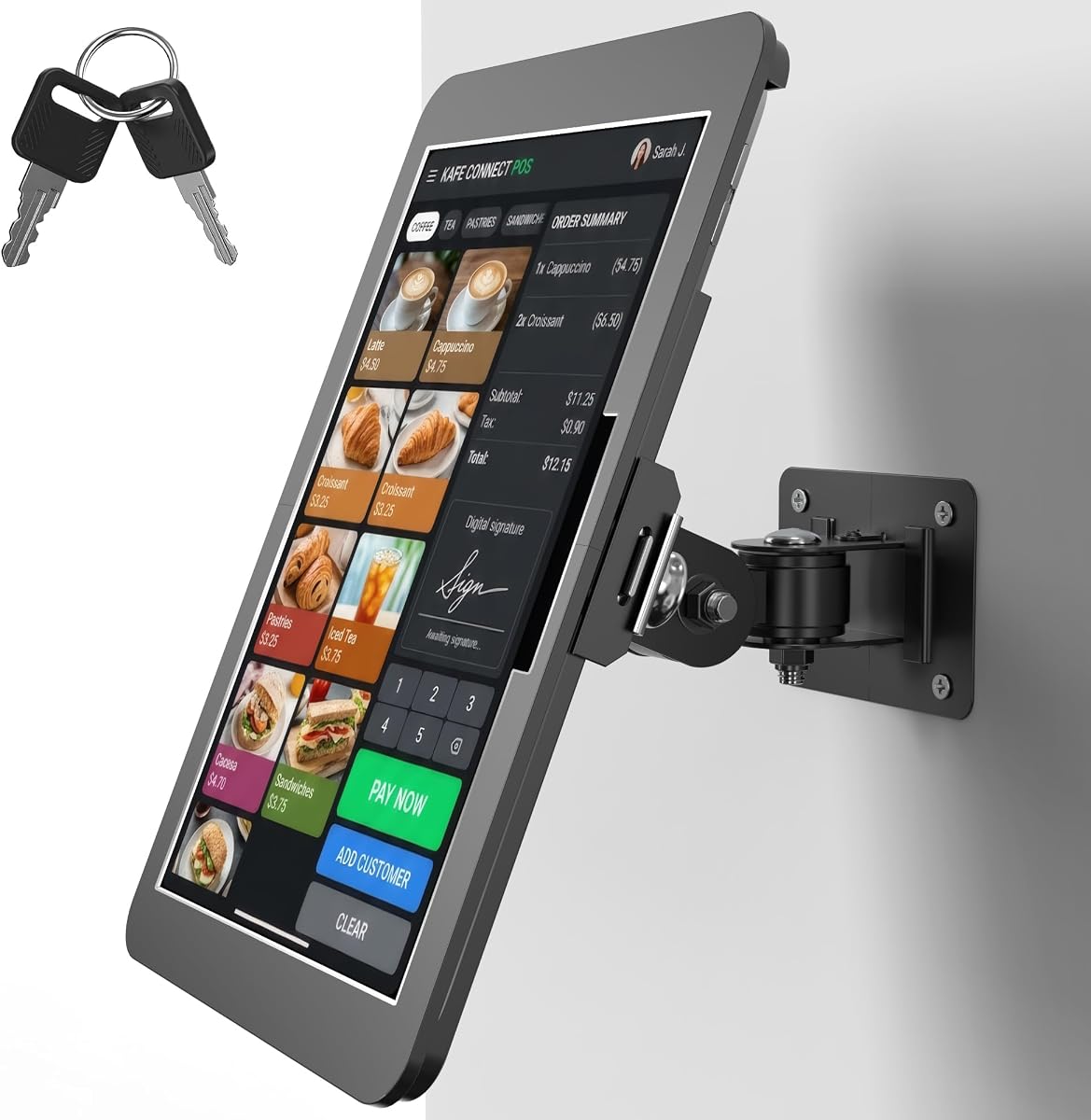
Secure Your iPad Kiosk: Key Lock, 360° Rotation, and Aluminum Build
When deploying an iPad as a point-of-sale station, check-in kiosk, or menu display in a commercial setting, a standard tablet stand won't cut it. You need a mount that deters theft, survives constant handling, and offers flexible viewing angles—like this anti-theft aluminum enclosure with a key lock and 360° rotation.
Key Considerations Before Buying
- Security: The key lock is your first line of defense against theft. Check that the lock is tamper-resistant and that the enclosure fully covers the iPad's edges, leaving no pry points for potential thieves.
- Rotation and positioning: A 360° rotating stand is ideal for kiosks where customers or staff need to switch between portrait and landscape, or when the iPad must be shared across a counter. Ensure the rotation mechanism is smooth but firm enough to hold the tablet at your desired angle without sagging.
- Compatibility: This mount is specifically designed for iPad 11" A16 (11th gen) and 10.9" 10th gen models. Verify your iPad model and case thickness—if you use a protective case, it may not fit the enclosure, and you might need to remove it for installation.
What Our Analysts Recommend
Look for a mount made from heavy-gauge aluminum, which offers durability and a premium feel. The locking mechanism should be robust, and the wall or counter mount should include all necessary hardware and clear installation instructions. A good kiosk enclosure also provides easy access to the iPad's buttons, ports, and camera, so check for cutouts that align with your device.
Stands Market Context
Market Overview
The market for tablet kiosk mounts is growing as businesses across retail, hospitality, and healthcare adopt iPads for self-service and POS applications. Products range from cheap plastic stands to heavy-duty aluminum enclosures, with prices varying significantly based on material, security features, and adjustability.
Common Issues
Common issues with tablet kiosk mounts include flimsy construction that wobbles or breaks, locks that are easily picked or fail, and poor compatibility with different iPad models and cases. Some mounts also restrict access to the charging port or home button, making daily use frustrating.
Quality Indicators
Quality indicators include the use of aluminum or steel rather than plastic, a locking mechanism with a key that feels solid, and a design that allows for tool-free rotation or tilt. Look for mounts that have been tested for weight capacity and have positive feedback from businesses—like the 5-star rating on this model, which suggests real-world reliability.
Review Authenticity Insights
Grade B Interpretation
The Grade B rating and 10% estimated fake review percentage indicate that while most of the 17 reviews are genuine, a small portion may be incentivized or artificial. With a perfect 5.00 average, it's wise to discount the possibility of a few overly positive reviews and rely on the adjusted rating of 4.80, which is still excellent.
Trust Recommendation
Given the high authenticity score, you can trust the overall sentiment, but read the critical reviews carefully. Look for any patterns—if a review mentions a specific flaw (e.g., difficult installation or lock issues), weigh that against the majority's experience. The real-world use cases described (IT kiosk, kitchen menu) add credibility to the positive feedback.
Tips for Reading Reviews
For kiosk mounts, focus on reviews that mention installation time, ease of use for customers, and durability over months of use. Be cautious of reviews that lack specific details or sound like marketing copy. Also, check if the reviewer verified their purchase—Amazon's 'Verified Purchase' badge adds authenticity.
Expert Perspective
This anti-theft aluminum wall mount is a solid choice for businesses needing a secure, versatile iPad kiosk solution. The combination of a key lock and 360° rotation addresses common pain points, and the aluminum construction promises longevity. The high adjusted rating (4.80/5) and positive user stories reinforce its effectiveness in real commercial environments.
Purchase Considerations
Before purchasing, confirm your iPad model and consider the installation surface—drywall, concrete, or metal will require different anchors. Also, think about cable management: does the mount allow for a clean, hidden charging cable? If you need to frequently remove the iPad for updates, check how accessible the lock and release mechanism are.
Comparing Alternatives
While this mount excels, it's worth comparing with other kiosk stands that offer features like VESA mounting or additional security alarms. Prices vary, so ensure you're getting the right balance of security and functionality for your specific use case.


