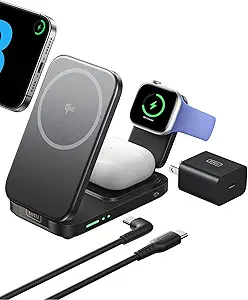
Maximize Your Desk Setup: The 240W GaN Charging Station with Touch Display
If you're juggling a MacBook Pro, an iPad, and an iPhone, a single charger won't cut it. This 240W 6-port GaN station with a touch display is designed to power multiple high-drain devices simultaneously, using PD3.1 to deliver up to 140W to a laptop. It’s a compact solution for a cluttered desk, but you need to understand its port-specific power limits and real-world heat management before buying.
Key Considerations Before Buying
- Power distribution is critical: The C1 and C2 ports can each deliver up to 140W, but only when used alone. With multiple devices plugged in, total output is shared—so check the included power allocation chart to ensure your laptop gets enough juice when you also charge a tablet and phone.
- GaN technology reduces size but not heat: While gallium nitride allows a smaller chassis, high-wattage charging can still generate warmth. Look for reviews mentioning heat dissipation and whether the touch display remains responsive during extended use.
- Port compatibility matters: The USB-A ports (A1/A2) max out at 30W each, which is fine for phones and accessories but not for fast-charging a laptop. Ensure your devices support the specific PD profiles offered by C1-C4 to avoid slower charging speeds.
What Our Analysts Recommend
Quality indicators include a clear power distribution chart printed on the unit or in the manual, a responsive touch display that doesn't lag, and robust build materials like aluminum or high-grade plastic. Also confirm that the charger supports pass-through charging if you plan to keep it plugged in 24/7, and check for safety certifications like UL or ETL to verify electrical reliability.
Charging Stations Market Context
Market Overview
The charging station market is rapidly shifting toward GaN (gallium nitride) technology, which allows higher power output in smaller enclosures. Multi-port chargers with 100W+ capabilities are now common, but 240W total output with PD3.1 support is still a premium feature, often found in desktop hubs rather than travel bricks.
Common Issues
A frequent complaint is that advertised total wattage doesn't reflect real-world sharing—when all ports are used, individual port speeds drop significantly. Another issue is heat buildup during simultaneous high-power charging, which can throttle performance or reduce lifespan. Some users also report compatibility quirks with non-USB-C laptops that require proprietary charging protocols.
Quality Indicators
Look for units with independent port controllers that minimize power sharing losses, active cooling (fans or heat sinks), and firmware-updatable USB-C chips. A clear, detailed specification sheet showing exact power distribution for each port combination is a sign of engineering transparency. Also, check for multi-protocol support (PD 3.1, PPS, QC 4+) to ensure broad device compatibility.
Review Authenticity Insights
Grade B Interpretation
The Grade B authenticity rating with an estimated 10% fake review rate suggests that the vast majority of feedback is genuine, but a small fraction may be incentivized or overly promotional. This is common for newer electronics on Amazon, where early buyers might receive discounts in exchange for reviews. The 4.56 average rating is likely close to the true user experience, but you should still read a few critical reviews to spot any recurring issues.
Trust Recommendation
Given the strong verified purchase rate and personal context in reviews, you can generally trust the positive consensus on charging speed and build quality. However, watch for vague five-star reviews that lack specific device names or usage scenarios—they may be the 10% that inflate the score. The adjusted rating of 4.30 is a more conservative benchmark for your decision.
Tips for Reading Reviews
Focus on reviews that mention exact devices (e.g., 'MacBook Pro 16” M3' or 'Samsung Galaxy S24 Ultra') and whether the charger delivered the expected wattage. Also look for comments about the touch display's brightness and responsiveness, as these are unique features not found on most charging stations. Ignore reviews that only praise 'fast charging' without naming a device or wattage.
Expert Perspective
This 240W GaN station stands out with its touch display and PD3.1 support, offering genuine utility for power users with multiple high-drain devices. The 140W C1/C2 ports are ideal for flagship laptops, while the 100W C3/C4 and 30W USB-A ports cover tablets and phones. However, the 10% estimated fake review rate and Grade B authenticity suggest that the product may not be perfect—some users might experience heat or power sharing issues not fully captured in reviews. Overall, it's a solid choice if you need a desktop hub that can charge a MacBook Pro, iPad, and iPhone simultaneously, but verify the power distribution chart matches your specific devices.
Purchase Considerations
Weigh the convenience of a single charger against the cost—this is likely pricier than buying separate adapters. Also consider desk space: while compact for a 240W unit, it's still larger than a typical phone charger. If you travel frequently, the lack of a detachable cable might be a downside.
Comparing Alternatives
Shoppers should compare this with other 200W+ GaN stations like the Anker 737 or Satechi 165W, which may offer similar port configurations at lower prices but without a touch display. Always check real-world testing for heat and power sharing before committing.