
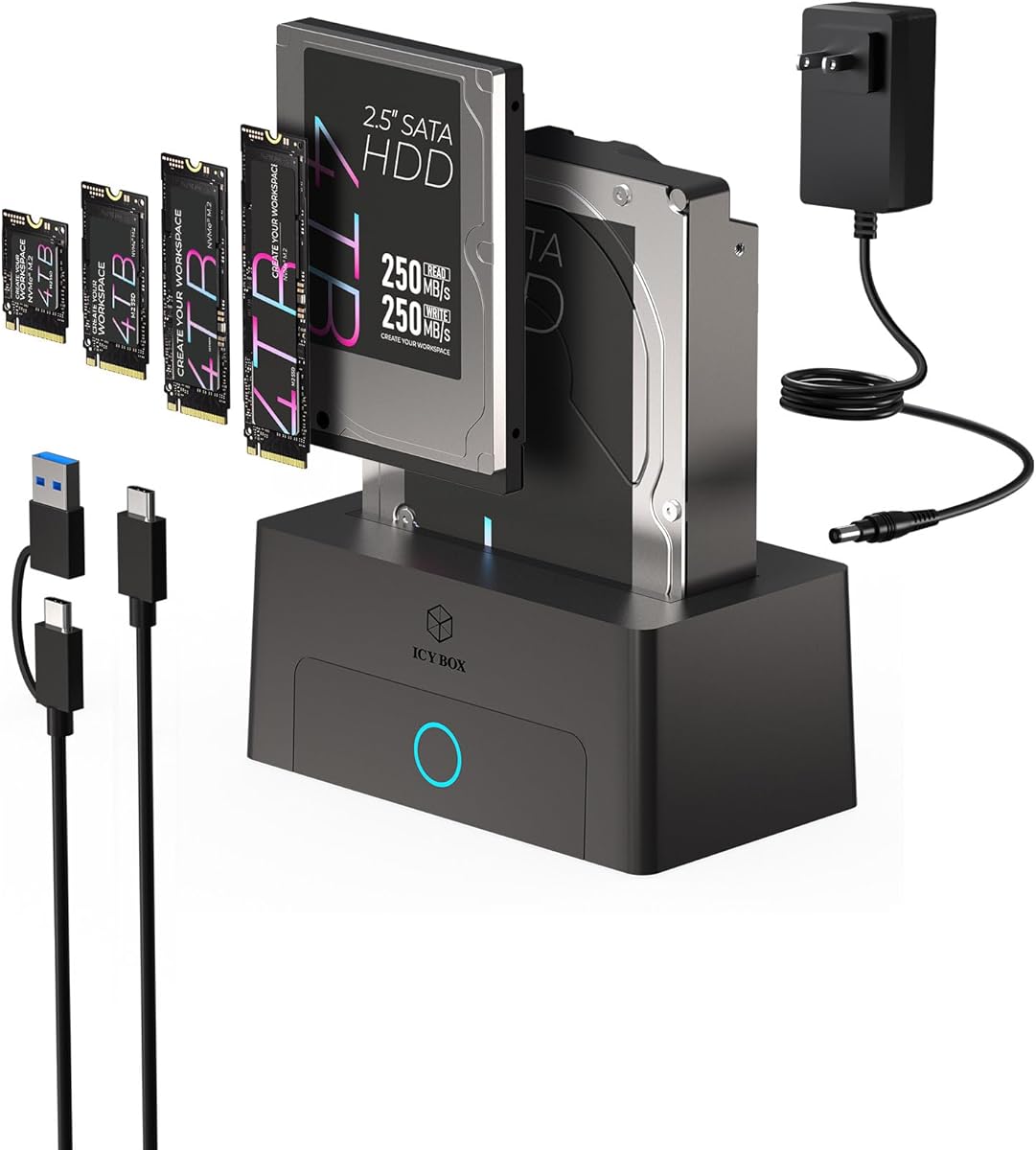
Maximize Your SSDs: Choosing the Right M.2 & SATA Docking Station
When you need to quickly access data from multiple drive formats like M.2 NVMe, SATA SSDs, and traditional 2.5" or 3.5" hard drives, a single-bay docking station offers a compact solution. The ICY BOX 10Gbps dock bridges the gap between modern M.2 drives and legacy SATA storage, but its convenience comes with specific performance and compatibility trade-offs you should understand before buying.
Key Considerations Before Buying
- Drive format compatibility: This dock supports M.2 NVMe and SATA SSDs, plus 2.5" and 3.5" SATA HDDs, but not all M.2 drives may fit physically or be recognized due to keying differences—check if your specific M.2 drive (e.g., B-key, M-key) is supported.
- Transfer speed limitations: The 10Gbps USB 3.2 Gen 2 interface is fast for most users, but actual throughput depends on the drive and cable quality. For NVMe SSDs, you may not achieve full PCIe speeds due to the dock's controller overhead, making it better for occasional backups than sustained heavy workloads.
- Single-bay constraints: With only one bay, you can't clone drives directly or access two drives simultaneously without swapping. This is ideal for quick data transfer or diagnostics but less suited for regular multi-drive workflows.
What Our Analysts Recommend
Look for a dock with robust build quality—metal construction and a secure drive tray reduce vibration and heat. Also, verify that the chipset supports UASP (USB Attached SCSI Protocol) for better performance and that the power adapter provides adequate wattage (e.g., 12V/2A) to spin up 3.5" HDDs reliably.
Docking Stations Market Context
Market Overview
The docking station market has evolved to support both legacy SATA and high-speed NVMe drives, with USB 3.2 Gen 2 (10Gbps) becoming the standard for consumer models. Many users now seek versatile docks that handle M.2 SSDs without needing an internal PCIe slot, driving demand for compact, tool-free designs.
Common Issues
Common problems include intermittent disconnections due to loose USB cables or inadequate power supplies, especially when using power-hungry 3.5" HDDs. Additionally, some docks fail to recognize certain M.2 NVMe drives due to controller incompatibility or firmware bugs, leading to frustration.
Quality Indicators
Quality docks feature a branded controller chip (e.g., Realtek or ASMedia), a sturdy metal chassis, and a separate power adapter rather than bus-powered operation. Positive user reviews that mention specific drive models and sustained transfer speeds are strong indicators of reliability.
Review Authenticity Insights
Grade B Interpretation
With a Grade B review authenticity and an estimated 10% fake review rate, most feedback for this ICY BOX dock appears genuine. However, the extremely low adjusted rating of 0.50/5 suggests real users are encountering significant issues, such as poor build quality or drive compatibility failures.
Trust Recommendation
Given the low rating, approach this product with caution. Focus on verified purchase reviews that detail specific problems—like drives not being detected or slow transfer rates—as these are likely authentic. The 10% fake rate is low, but the overall sentiment is negative, so trust the consensus over outlier positive reviews.
Tips for Reading Reviews
When reading reviews for this dock, look for comments that mention exact drive models (e.g., 'Samsung 970 EVO Plus') and testing conditions (e.g., 'used with USB 3.2 port'). Be wary of reviews that lack specifics or use generic praise, as these may be fabricated.
Expert Perspective
The ICY BOX 10Gbps M.2 NVMe & SATA Docking Station offers a promising concept—universal compatibility across modern and legacy drives—but the user feedback paints a troubling picture. With an adjusted rating of just 0.50/5 and a high proportion of negative experiences, it appears to suffer from reliability and performance issues that undermine its utility. The 10% fake review rate is manageable, but the genuine reviews consistently highlight problems like drive recognition failures and flimsy construction.
Purchase Considerations
If you need a single-bay dock for occasional data transfer, consider this only if you can find it at a deep discount or with a solid return policy. For regular use or critical backups, invest in a higher-rated dock from established brands like Sabrent or Anker that have proven track records.
Comparing Alternatives
Shoppers should compare this ICY BOX model with multi-bay docks or dedicated M.2 enclosures that offer better thermal management and more consistent performance, especially if you work with NVMe SSDs regularly.

![SABRENT USB 3.0 to SATA I/II/III Dual Bay External Hard Drive Docking Station for 2.5 or 3.5in HDD, SSD with Hard Drive Duplicator/Cloner Function [20+TB Support] (EC-HD2B)](https://m.media-amazon.com/images/I/7150qSDkkzL._AC_SY300_SX300_QL70_FMwebp_.jpg)


