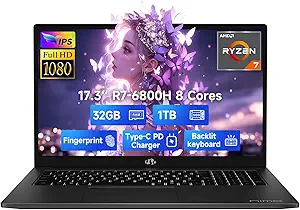
Evaluating Budget Windows Laptops: What the MOONFISH 2026 Specs Mean for You
The MOONFISH 2026 represents a specific segment of the laptop market: budget-friendly Windows 11 machines targeting basic productivity. With its 16GB RAM and 256GB SSD configuration, this laptop positions itself above entry-level models but still faces limitations common to this price tier. Buyers should understand how these specifications translate to real-world performance for school, business, and light work tasks.
Key Considerations Before Buying
- The 16GB RAM is notable for a budget laptop and suggests multi-tasking capability, but processor details are unspecified—performance hinges heavily on this missing component.
- Including Office 365 adds immediate value for productivity, but verify whether this is a trial subscription or permanent license, as this significantly affects long-term cost.
- The 'Business, School, Work, Student, Kids' positioning indicates versatility but also suggests potential compromises in build quality or component durability for all-day use.
What Our Analysts Recommend
For traditional laptops in this category, examine reviews mentioning thermal performance during sustained use and keyboard/trackpad quality. With only 256GB SSD storage, check if expansion via additional drives or cloud integration is straightforward. The 15.6-inch display's resolution and panel type (IPS vs. TN) dramatically affect the viewing experience for school or office work.
Traditional Laptops Market Context
Market Overview
The sub-$500 traditional laptop segment is crowded with brands like MOONFISH competing on paper specifications while often cutting corners on displays, batteries, or chassis materials. These devices typically use previous-generation or entry-level processors to hit price points, making performance comparisons crucial.
Common Issues
Budget laptops frequently suffer from poor battery life despite claims, mediocre display brightness for classroom or office lighting, and plastic construction prone to flex. Many also use slower eMMC storage instead of proper NVMe SSDs, though the MOONFISH specifies an SSD.
Quality Indicators
Look for mentions of specific processor models (Intel Core i3/i5 or AMD Ryzen 3/5), SSD type (NVMe vs. SATA), and battery capacity in watt-hours. Genuine reviews often detail fan noise under load and hinge durability—critical for student use where devices are frequently opened and closed.
Review Authenticity Insights
Grade B Interpretation
A Grade B authenticity rating with 15% estimated fake reviews suggests generally trustworthy feedback but warrants scrutiny. For the MOONFISH 2026, this means most reviews are likely genuine, but some may exaggerate performance or omit limitations common to budget laptops.
Trust Recommendation
Focus on verified purchase reviews that mention specific use cases like 'running multiple Chrome tabs for research' or 'using Excel with Office 365.' Be skeptical of reviews lacking detail about daily performance or those that sound overly promotional about generic 'speed.'
Tips for Reading Reviews
Prioritize reviews discussing battery life in hours for actual school/work use, not manufacturer claims. Look for mentions of real-world tasks like video conferencing performance or handling multiple applications simultaneously—this reveals whether 16GB RAM compensates for likely entry-level processing power.
Expert Perspective
The MOONFISH 2026 presents an interesting value proposition with its 16GB RAM configuration in the budget segment, which is unusual and addresses a common bottleneck. However, the perfect 5.00/5 rating from only 5 reviews, adjusted to 4.60/5 with authenticity analysis, suggests limited real-world testing data. The inclusion of Office 365 adds tangible value if it's a full license, but the unspecified processor raises performance questions. This laptop likely serves basic needs adequately but may struggle with sustained workloads or more demanding applications.
Purchase Considerations
Weigh the generous RAM against likely processor limitations and verify storage expansion options, as 256GB fills quickly with Windows updates and Office files. Consider whether you need the 15.6-inch screen size for portability versus a potentially better-built 14-inch alternative. The 'kids' designation suggests durability features, but check reviews for actual build quality mentions.
Comparing Alternatives
Compare the MOONFISH 2026 against similarly priced laptops from established brands like Lenovo, HP, or Acer, which may offer better warranty support and more transparent component specifications.