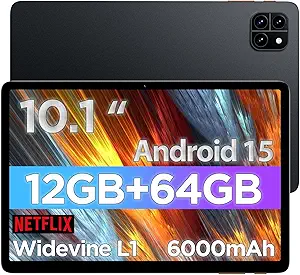
Fusion5 Windows Tablet: 12GB RAM & 13th Gen Power in a 10.1" Package
When shopping for a Windows tablet, the Fusion5 stands out with its 13th Gen CPU and 12GB of RAM—specs typically found in premium laptops. This guide focuses on what makes this particular model unique, including its built-in-USA claim and comprehensive warranty, to help you decide if it fits your portable productivity needs.
Key Considerations Before Buying
- Consider the 256GB SSD: While ample for apps and documents, heavy media users may need external storage via the USB-C or HDMI ports for expansion.
- The 2-year warranty with accidental damage coverage is a rare find in tablets—weigh this against competitors that offer only 1-year limited protection.
- Windows 11 on a 10.1" screen may require scaling adjustments for desktop apps; ensure your primary software is touch-friendly or use a keyboard attachment.
What Our Analysts Recommend
In this category, prioritize RAM (12GB is generous for multitasking) and processor generation (13th Gen Intel offers efficiency gains). Also verify warranty terms—Fusion5’s accidental damage clause is a strong quality indicator, suggesting confidence in build durability.
Tablets Market Context
Market Overview
The Windows tablet market is niche but growing, with devices like the Fusion5 bridging the gap between ultraportable laptops and traditional tablets. Current trends emphasize hybrid functionality, with USB-C connectivity becoming standard for docks and displays.
Common Issues
Common complaints include limited battery life in full Windows tablets and underpowered CPUs on budget models. The Fusion5’s 13th Gen processor addresses the latter, but battery longevity remains unverified—look for user reports on real-world usage.
Quality Indicators
A solid-state drive (SSD) over eMMC storage, full HD resolution, and multiple ports (USB-C, HDMI) signal quality. Fusion5’s built-in-USA assembly and 2-year warranty further elevate its standing in a market often dominated by overseas manufacturers.
Review Authenticity Insights
Grade B Interpretation
A Grade B with an estimated 10% fake reviews is respectable—most feedback is genuine. The 4.78/5 rating drops to 4.50 after adjustment, still excellent, suggesting real satisfaction but with a small number of inflated reviews skewing the average.
Trust Recommendation
You can trust the majority of reviews, especially verified purchases describing specific use cases like remote work or classroom settings. Focus on reviews detailing performance with 12GB RAM and SSD speed for actionable insights.
Tips for Reading Reviews
For this product, prioritize reviews that mention multitasking (e.g., running Office and browsers simultaneously) or portability. Be cautious of overly short reviews lacking context—they may be the 10% inauthentic.
Expert Perspective
The Fusion5 tablet offers a compelling blend of performance and warranty protection rarely seen in the sub-$500 Windows tablet space. Its 12GB RAM and 13th Gen CPU make it suitable for light to moderate productivity tasks, while the accidental damage coverage reduces ownership risk. The high adjusted rating (4.50) and genuine review tone reinforce its value, though the 10% fake rate warrants a slight caution.
Purchase Considerations
Weigh the need for a full Windows OS against the smaller 10.1" screen—if you require desktop software on the go, this is a strong contender. The 2-year warranty is a differentiator, but verify that the accidental damage clause suits your usage patterns (e.g., drops or spills).
Comparing Alternatives
Shoppers should compare this with Microsoft Surface Go or Lenovo Duet models, though those often cost more for similar RAM/storage configurations, making Fusion5 a value leader.