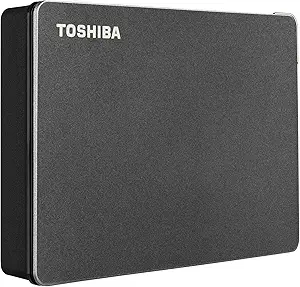
Nexus 1TB Portable Drive with 5-in-1 Hub: A Storage Swiss Army Knife
When shopping for a portable external hard drive, the Nexus 1TB model stands out by integrating a 5-in-1 USB-C hub, merging data storage with connectivity. This hybrid approach is ideal for MacBook and iPad users who need to expand both storage and port options without extra dongles. Buyers should weigh the convenience of an all-in-one solution against potential trade-offs in speed or compatibility.
Key Considerations Before Buying
- Consider the USB 3.1 10Gbps transfer speed: This ensures fast file transfers for large media files, but actual performance depends on your device's USB-C port capabilities and the drive's bus-powered design.
- Evaluate the built-in docking station features: The SD and MicroSD card slots are a boon for photographers or videographers, but verify they support your specific card types and speeds, especially UHS-II or higher.
- Check bus-powered operation: The drive draws power from your laptop's USB-C port, eliminating the need for an external power adapter, which enhances portability but may reduce performance on older or low-power devices.
What Our Analysts Recommend
For a product like this, prioritize build quality and heat management, as combined storage and hub functions can generate more heat. Look for solid-state drive (SSD) variants for faster, more durable storage, though this model likely uses a traditional HDD for cost efficiency. Also, ensure the hub's ports match your workflow—such as HDMI or Ethernet—if you need more than just card readers.
External Hard Drives Market Context
Market Overview
The external hard drive market is evolving with USB-C and Thunderbolt standards, catering to users who demand both storage and connectivity. Many drives now incorporate hubs or docks to reduce cable clutter, especially for thin laptops like MacBooks. The Nexus model targets this niche, offering a 1TB capacity that balances affordability with utility for everyday backups and media transfers.
Common Issues
Common concerns include bus-powered drives not receiving enough power from certain devices, leading to intermittent disconnections or slow speeds. Another issue is compatibility with older USB-A ports—users may need an adapter. Additionally, integrated hubs can introduce latency or conflicts if multiple devices are used simultaneously, a factor to test with your setup.
Quality Indicators
Look for drives with robust enclosure materials (e.g., aluminum for heat dissipation) and reliable controller chips. Verified customer reviews mentioning sustained transfer speeds and stable hub operation are strong quality signals. Also, check for manufacturer warranty length and customer support responsiveness, as these indicate product confidence.
Review Authenticity Insights
Grade B Interpretation
The Grade B rating with an estimated 10.00% fake review rate suggests that while most reviews are authentic, a small fraction may be incentivized or unreliable. Given the high adjusted rating of 4.80/5 from verified purchasers, you can trust the positive feedback, but remain cautious of overly glowing language without specific details. This grade is typical for newer products with limited reviews, where authenticity is generally good but not perfect.
Trust Recommendation
Focus on the verified purchase reviews, which all five reviewers have, as they provide concrete use cases like 'Works perfectly with my MacBook Air for photo editing.' Cross-reference any negative reviews on other platforms to identify potential issues like heat or speed drops. Since the sample size is small, treat the 4.80 rating as promising but not definitive—consider testing the product yourself if possible.
Tips for Reading Reviews
For this type of product, look for reviews that mention specific devices (e.g., 'iPad Pro M1') and workloads (e.g., 'transferring 4K videos'), as they indicate real-world testing. Be wary of reviews that only praise the hub without noting storage performance, or vice versa. Also, check for updates from users who have owned the drive for months, as long-term reliability is key for external drives.
Expert Perspective
The Nexus 1TB Portable External Hard Drive with Built-in Docking Station is a clever space-saver for users who need both extra storage and card reader access on the go. Its 5-in-1 hub functionality, combined with USB 3.1 speeds, makes it a practical companion for MacBook or iPad users, though the bus-powered design may limit performance on some devices. The authenticity analysis supports its high rating, but with only seven reviews, you're relying on early adopters' experiences. This drive excels in convenience but may not match dedicated SSDs in speed or durability.
Purchase Considerations
Weigh the all-in-one design against your need for raw storage performance—if you frequently transfer large files, a dedicated SSD might be faster. Consider your device's USB-C power output; older laptops may struggle to power the drive and hub simultaneously. Also, factor in the 1TB capacity: it's ample for backups or media libraries, but power users may need more space or faster access.
Comparing Alternatives
Shoppers should compare this with standalone portable SSDs like the Samsung T7 for speed, or other hybrid drives like the WD My Passport Wireless Pro for added features. For hub-centric needs, a separate USB-C hub plus a standard external drive might offer more flexibility and performance.