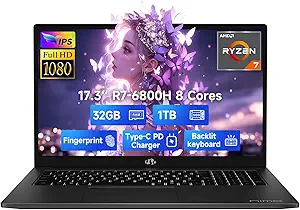
ThinkPad E16: Enterprise-Grade Power Meets Practical Portability
When evaluating a business laptop like the Lenovo ThinkPad E16, buyers should prioritize performance, durability, and security features that align with enterprise needs. This model’s Intel Ultra 7 255H processor and 32GB DDR5 RAM target demanding multitaskers, while the 16-inch FHD+ display balances screen real estate with battery efficiency.
Key Considerations Before Buying
- Processor and RAM: The Intel Ultra 7 255H is a high-performance chip ideal for data analysis or coding, but ensure it matches your software demands—32GB DDR5 RAM is overkill for basic office tasks but essential for virtualization or large datasets.
- Storage and Speed: A 1TB SSD offers ample space for enterprise files, but check if it’s PCIe Gen 4 for faster read/write speeds; this model likely supports it, though verify specs for data-intensive workflows.
- Battery Life and Charging: Long battery life and fast charging are critical for mobile professionals—look for specific watt-hours (e.g., 57Wh) and charging time (e.g., 80% in 1 hour) to gauge real-world uptime.
What Our Analysts Recommend
Quality indicators for business laptops include a spill-resistant keyboard, MIL-STD-810H durability certification, and a fingerprint reader for secure logins. The ThinkPad E16’s carbon black chassis and Windows 11 Pro suggest enterprise-grade build, but confirm if it includes vPro technology for remote management.
Traditional Laptops Market Context
Market Overview
The business laptop market is shifting toward hybrid work models, with demand for powerful yet portable devices that handle AI and cloud applications. Models like the ThinkPad E16 compete with Dell Latitude and HP EliteBook series, emphasizing security and longevity over consumer features.
Common Issues
Common issues in this category include inconsistent battery life under load, bloatware from pre-installed software, and limited upgradeability in thin designs. Users also report fan noise during intensive tasks, which is worth checking in reviews for the E16.
Quality Indicators
Look for robust warranty options (e.g., 3-year on-site service), certification for enterprise software (e.g., Microsoft Teams), and positive feedback on keyboard feel and build rigidity. Verified purchaser reviews with detailed usage scenarios are strong signals of real-world reliability.
Review Authenticity Insights
Grade B Interpretation
The Grade B rating and 10% estimated fake review rate indicate a generally trustworthy review set, but with a small portion of potentially inflated or incentivized feedback. This is common for popular business laptops, where early adopter excitement can skew ratings slightly.
Trust Recommendation
Focus on reviews from verified purchasers that mention specific use cases like remote work or software development, as these are more likely authentic. Cross-reference any overly positive claims with neutral comments to identify patterns of fake reviews.
Tips for Reading Reviews
For business laptops, prioritize reviews that discuss build quality after months of use, battery drain under real workloads, and compatibility with docking stations or external monitors. Avoid reviews that only list specs without personal experience.
Expert Perspective
The Lenovo ThinkPad E16 with Intel Ultra 7 255H offers compelling specs for enterprise users who need high-performance multitasking and fast storage, but the adjusted rating of 3.80/5 suggests mixed user experiences, likely tied to battery life or thermal management. The 10% fake review rate is manageable, but buyers should scrutinize detailed feedback on durability and software stability. This model excels for power users in IT or finance, though it may be overkill for casual office work.
Purchase Considerations
Weigh the cost against your need for 32GB RAM and 1TB SSD—if your tasks are lighter, consider a lower-spec variant to save money. Also, verify the battery’s real-world performance from multiple reviews to avoid surprises in field use.
Comparing Alternatives
Compare with the Lenovo ThinkPad X1 Carbon for lighter portability or the Dell Latitude 5550 for similar specs with different keyboard feel, as user preference varies widely in this category.