
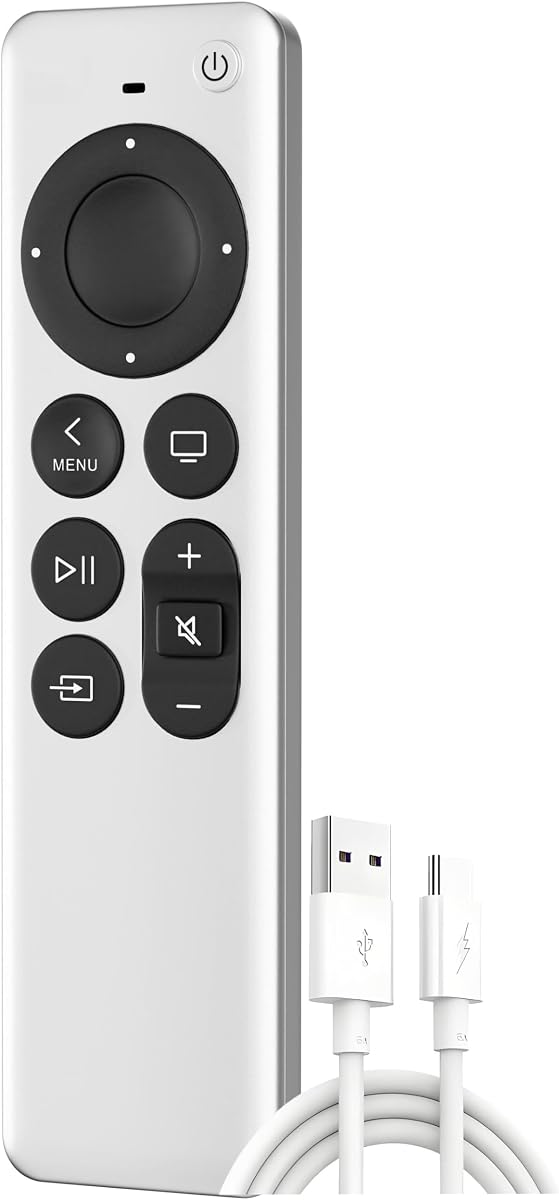
Choosing a Replacement Apple TV Remote: What Actually Matters
If you've lost or broken your original Apple TV remote, you're likely considering a replacement. This third-party remote claims compatibility with all Apple TV models and comes with a 2-year warranty, but not all replacements are created equal. Here's what you need to know before buying.
Key Considerations Before Buying
- Compatibility: While this remote claims to work with all Apple TV models, some older generations may have limited functionality. Check your Apple TV model number (e.g., A1842, A1625) against the remote's supported list to ensure full feature access, including Siri and touch controls.
- Build quality and ergonomics: Original Apple TV remotes are known for their sleek design but can be slippery and fragile. Third-party replacements often vary in materials and button layout. Look for reviews mentioning durability and comfortable use, especially if you plan to use it daily.
- Setup and pairing: Most replacement remotes pair via Bluetooth, but some require IR. This model likely uses Bluetooth for full functionality. Ensure it comes with clear pairing instructions and that it can be easily re-paired if issues arise.
What Our Analysts Recommend
Prioritize remotes with a physical warranty (like this 2-year offer) and verified customer reviews that confirm compatibility with your specific Apple TV model. Check for responsive buttons, reliable Bluetooth connectivity, and a layout that includes all essential functions (navigation, play/pause, volume). Avoid ultra-cheap options that lack warranty support or have mixed reviews on longevity.
Remote Controls Market Context
Market Overview
The market for Apple TV remote replacements is growing as original remotes are easily lost or damaged, and Apple's official remote is expensive. Third-party alternatives offer a budget-friendly solution, but quality varies widely. Many are sold on Amazon with varying degrees of compatibility and build quality.
Common Issues
Common complaints include remotes that fail to pair, buttons that stop working after a few months, and lack of Siri functionality. Some users report lag or unresponsive controls. Additionally, some replacements are IR-only, which requires line-of-sight and lacks the convenience of Bluetooth.
Quality Indicators
A quality replacement remote should have a solid build, responsive buttons, and reliable Bluetooth connectivity. Look for a warranty of at least one year, positive reviews mentioning long-term use, and clear compatibility information. Brands that specialize in accessories often produce more reliable products than generic no-name options.
Review Authenticity Insights
Grade B Interpretation
This product has a B authenticity grade, meaning about 10% of reviews are estimated to be fake. While the majority of reviews are genuine, the presence of some suspicious reviews suggests you should read critically. The adjusted rating of 4.20/5 is still solid, indicating overall satisfaction among real buyers.
Trust Recommendation
You can trust this product's reviews to a reasonable extent, but be cautious of overly glowing reviews that lack specific details. Focus on reviews that mention specific Apple TV models, setup experiences, and long-term durability. The 2-year warranty adds a layer of trust, as it suggests the manufacturer stands behind the product.
Tips for Reading Reviews
When reading reviews, look for those that provide concrete details about compatibility, pairing process, and how the remote performs after weeks or months of use. Ignore vague praise like 'works great' without context. Pay attention to negative reviews that describe specific issues, as they can reveal common problems.
Expert Perspective
This replacement remote for Apple TV appears to be a decent option for those seeking a budget-friendly alternative to the official remote. With a 4.44/5 rating (4.20 adjusted) from nearly 7,000 reviews, it has a strong track record. The 2-year warranty is a standout feature, offering peace of mind. However, the 10% fake review estimate means you should approach with some skepticism and verify compatibility with your specific Apple TV model.
Purchase Considerations
Consider whether you need full Siri functionality and touch controls, as some replacements may lack these. Also, check if the remote uses Bluetooth or IR, as this affects usability. If you have an older Apple TV, ensure the remote supports it. The warranty is a plus, but factor in potential return shipping costs if issues arise.
Comparing Alternatives
Before purchasing, compare with other replacement remotes that may offer better build quality or additional features, such as backlit buttons or a headphone jack. Reading comparisons and checking compatibility lists can save you from a disappointing purchase.


