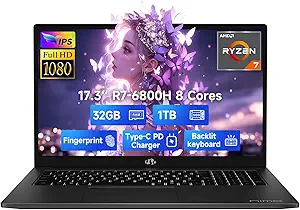
NIAKUN Laptop: A Budget Workhorse for Business and Students
When shopping for a budget laptop under $300, the NIAKUN Laptop with its M3-6Y30 processor and 16GB RAM stands out as a unique option for handling office tasks and light multitasking. Unlike typical Celeron-based budget laptops, this model offers a rare combination of ample RAM and a full HD display, making it suitable for users who need to run Office 365, manage spreadsheets, or browse the web without lag. However, the older processor and limited storage require careful consideration of your workload needs.
Key Considerations Before Buying
- Processor Performance: The M3-6Y30 is a low-power chip from 2015, so it's fine for Excel, Word, and web browsing but will struggle with video editing, gaming, or heavy multitasking. If your work involves large datasets or multiple applications, test it with your typical load.
- Storage and RAM: With 256GB SSD and 16GB RAM, you get enough space for documents and photos, but not for large media files. The SSD speeds up boot times, but the 256GB capacity fills quickly if you store videos or install many programs.
- Display and Connectivity: The 15.6-inch FHD display is a plus for readability, but note the laptop uses WiFi 5 and Bluetooth 4.2, which are older standards. If you rely on fast wireless transfers or modern peripherals, this could be a limitation.
What Our Analysts Recommend
In this price segment, prioritize laptops with verified purchase reviews that detail real-world usage, like the NIAKUN's reviews mentioning salon scheduling or Excel work. Check for consistent feedback on battery life, keyboard comfort, and screen brightness, as budget models often cut corners here. Also, confirm the included Office 365 subscription is permanent or trial-based to avoid surprises.
Traditional Laptops Market Context
Market Overview
The budget laptop market under $500 is crowded with Chromebooks and Windows devices using Intel N-series or AMD Athlon processors. The NIAKUN's M3-6Y30 is an outlier, offering better single-core performance than many Celerons but with older architecture, appealing to users who need Windows 11 Pro for business features like Remote Desktop or BitLocker.
Common Issues
Common problems in this category include slow eMMC storage, poor build quality, and short battery life. The NIAKUN's SSD and 16GB RAM mitigate the storage speed issue, but users should watch for hinge durability and fan noise, which often plague ultra-budget laptops. Additionally, some models ship with bloatware or limited support for driver updates.
Quality Indicators
Quality indicators include a solid chassis, responsive keyboard, and clear display. The NIAKUN's 4.89 rating and high review authenticity (Grade B) suggest reliable performance for its price, but check for consistent mentions of build quality and customer service responsiveness, as budget brands may lack robust support.
Review Authenticity Insights
Grade B Interpretation
With a Grade B and an estimated 10% fake reviews, the NIAKUN Laptop's review set is mostly trustworthy, but a small portion may be incentivized or fabricated. The 4.89 average rating is slightly inflated; the adjusted 4.60 is more realistic, reflecting genuine user satisfaction with minor caveats.
Trust Recommendation
Given the high authenticity, you can trust the positive feedback about its performance for basic tasks like Office work and web browsing. However, be cautious of overly glowing reviews that lack specific use-case details, as these could be the 10% fakes. Focus on reviews from verified purchases that mention the laptop's handling of real-world scenarios.
Tips for Reading Reviews
When reading reviews, look for ones that describe specific workflows, like 'managing 50-tab Excel sheets' or 'running salon booking software,' as these indicate genuine experience. Also, note any recurring negatives about screen viewing angles or fan noise, which are common in budget models and likely accurate.
Expert Perspective
The NIAKUN Laptop is a compelling choice for budget-conscious buyers who need Windows 11 Pro and 16GB RAM for office productivity, but its aging M3-6Y30 processor limits its lifespan and versatility. The high rating and authentic reviews suggest it delivers on its promises for light business and student use, though power users will find it underpowered. At its price point, it offers good value for specific niches, like remote workers needing a secondary device.
Purchase Considerations
Weigh the trade-off between the generous RAM and the outdated processor. If your tasks are primarily document-based and you value a full HD screen, this is a solid pick. However, if you need longevity for future software demands or occasional media editing, consider saving for a model with a newer i3 or Ryzen 3 processor.
Comparing Alternatives
Shoppers should compare with similar-priced laptops like the Lenovo IdeaPad 1 or HP Laptop 15, which often have newer processors but less RAM, to see which trade-offs suit their needs better.