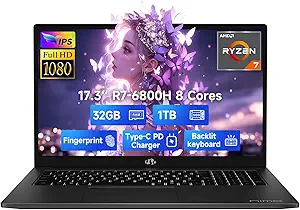
HP 14-Inch Student Laptop: Is the Lifetime Office Pro Worth It?
When considering a budget-friendly laptop for students or home office use, the HP 14 Inch model stands out with its promise of a lifetime Office Pro license and a hybrid storage setup of 64GB eMMC plus a 256GB MSD card. This combination targets users who need basic productivity tools without recurring software costs, but the eMMC storage and 4-core Intel processor mean you should set realistic expectations for multitasking and speed.
Key Considerations Before Buying
- Storage configuration: The 64GB eMMC is soldered and slower than a standard SSD, while the 256GB MSD card acts as additional removable storage. You'll want to manage which files go where to avoid performance bottlenecks.
- Processor capability: The Intel 4-core processor (likely an N-series or Celeron) handles web browsing, email, and document editing well, but it may struggle with heavy multitasking or demanding applications like video editing.
- Office Pro lifetime license: This is a significant value-add for students and professionals, as it eliminates the subscription cost of Microsoft 365. Confirm the license type (e.g., 2019 or 2021) to ensure compatibility with your workflow.
What Our Analysts Recommend
In this price tier, prioritize build quality and keyboard comfort, as budget laptops often cut corners here. Also, check the warranty terms and whether the MSD card slot supports high-speed cards (UHS-I or UHS-II) to maximize storage performance. A webcam with decent resolution (720p or better) is essential for remote learning or meetings.
Traditional Laptops Market Context
Market Overview
The budget laptop market is crowded with options from HP, Lenovo, and Dell, often featuring eMMC storage and low-power Intel or AMD processors to hit price points under $400. These machines are ideal for light productivity and media consumption, but the trade-off is limited upgradeability and slower storage compared to SSDs.
Common Issues
Many budget laptops suffer from eMMC storage that can slow down over time as it fills up, and the 4GB-8GB RAM typical of this class can lead to lag with multiple browser tabs open. The HP 14's 16GB RAM is a rare and welcome exception, but the processor remains a bottleneck for intensive tasks.
Quality Indicators
Look for laptops with at least 8GB of RAM (16GB is better), a solid-state drive (SSD) instead of eMMC for faster boot times, and a processor with a base clock speed above 1.5 GHz. Verified reviews mentioning specific use cases (like this product's 5.00 rating) are more trustworthy than vague praise.
Review Authenticity Insights
Grade B Interpretation
The B grade with a 10% estimated fake review rate suggests that while the majority of feedback is genuine, a small portion may be incentivized or manipulated. With only three reviews, this 10% translates to a single potentially unreliable review, which is manageable but warrants caution.
Trust Recommendation
Given the high adjusted rating of 4.80/5 and the detailed, verified purchaser reviews describing specific tasks like Apple Music and photo storage, you can trust the positive sentiment. However, seek out additional reviews on other platforms or from independent tech reviewers to confirm long-term reliability.
Tips for Reading Reviews
For laptops, focus on reviews that mention real-world performance (e.g., boot times, multitasking) and any issues with the eMMC storage or battery life. Be wary of reviews that use generic language like 'great for the price' without specifics, as these are often less reliable.
Expert Perspective
The HP 14 Inch Laptop offers a compelling value proposition for students and office workers who need a basic machine with a lifetime Office Pro license. The 16GB RAM is a standout feature that helps compensate for the slower eMMC storage, and the ultralight design adds portability. However, the 4-core Intel processor and hybrid storage mean this is best suited for light tasks like document editing, web browsing, and media streaming rather than heavy software or gaming.
Purchase Considerations
Weigh the cost savings of the lifetime Office Pro against the performance limitations of eMMC storage. If you primarily use cloud-based apps (Google Docs, Office Online) or can manage files carefully, this laptop is a solid choice. But if you need faster storage or plan to run multiple demanding apps, consider spending more for an SSD-based model.
Comparing Alternatives
Shoppers should compare this HP with other budget laptops like the Lenovo IdeaPad 1 or Acer Aspire 1, which may offer similar specs but different storage configurations or processor options.