
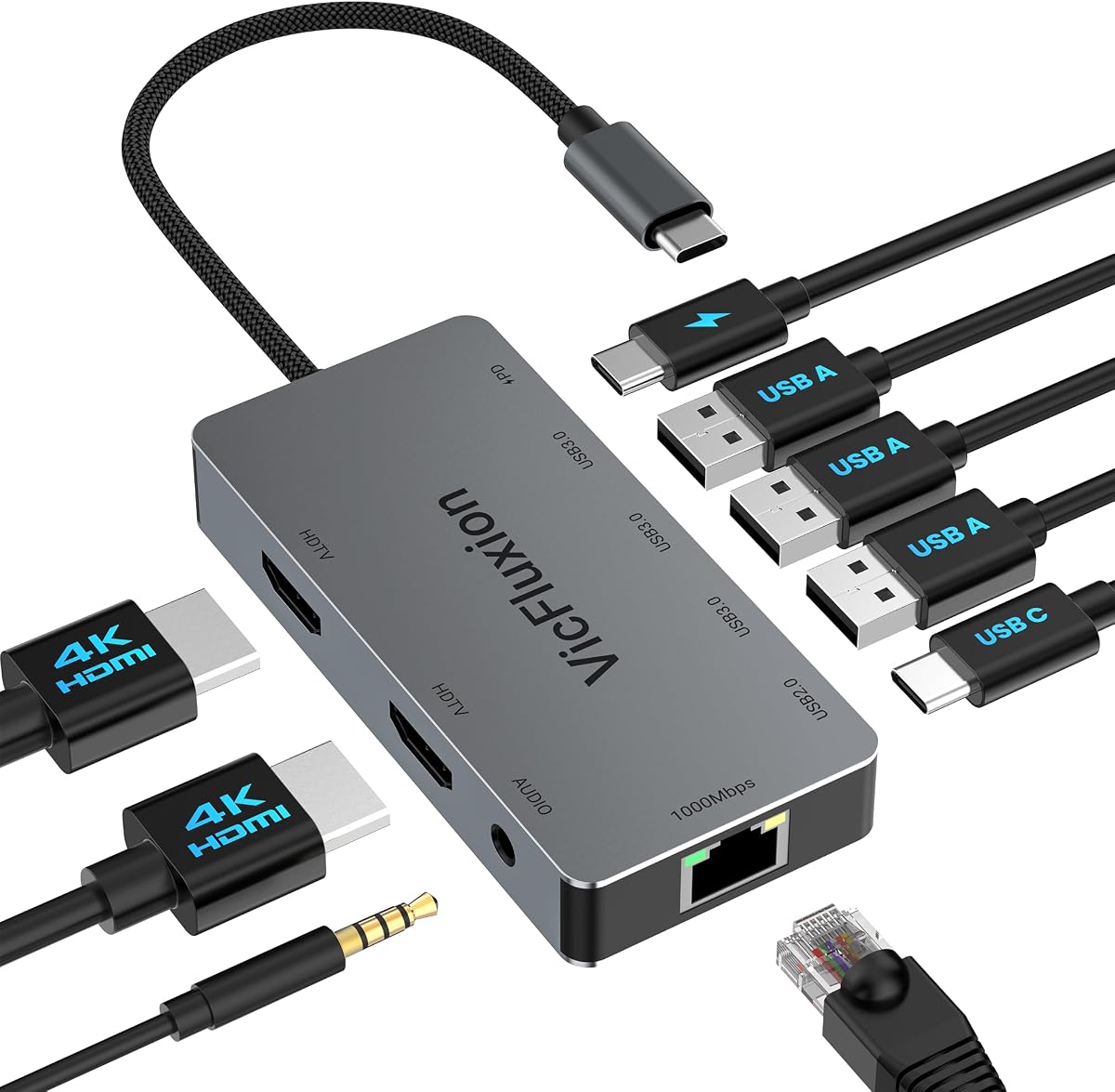
Dual HDMI Docking Stations: What You Need to Know Before Buying
A dual-monitor docking station like this USB-C hub with two HDMI ports can transform your laptop into a productivity powerhouse, but not all docks are created equal. With a 3.89-star rating and 71 reviews, this model shows promise, but you need to understand key factors to ensure it meets your setup needs.
Key Considerations Before Buying
- Ensure your laptop's USB-C port supports DisplayPort Alt Mode, as this is required for video output through the dock. Without it, the HDMI ports won't work, so check your laptop's specifications first.
- Consider the maximum resolution and refresh rate you need. Many dual-HDMI docks support 4K at 30Hz or 1080p at 60Hz, but bandwidth limitations may force lower resolutions when both HDMI ports are used simultaneously.
- Check power delivery (PD) capabilities: a good dock should provide at least 60W to charge your laptop while powering peripherals. Insufficient PD can lead to slow charging or battery drain during heavy use.
What Our Analysts Recommend
Look for docks with sturdy build quality, heat dissipation features, and clear compatibility lists. Brands that specify supported laptop models and provide detailed technical specs are more reliable. Also, prioritize docks with multiple USB ports (USB 3.0 or higher) and additional features like Ethernet or SD card slots if needed.
Docking Stations Market Context
Market Overview
The docking station market is booming as remote work and hybrid setups become the norm. USB-C docks are increasingly popular due to their versatility, but quality varies widely, with many budget options cutting corners on components and support.
Common Issues
Common complaints include overheating, intermittent connectivity, and insufficient power delivery. Some docks also fail to support dual monitors at high resolutions, leading to frustration. Compatibility issues with certain laptop brands are also frequent.
Quality Indicators
High-quality docks use premium chipsets (like DisplayLink or Intel) and have robust thermal management. They often come with firmware updates and dedicated customer support. Reading reviews for specific laptop models can help identify reliable options.
Review Authenticity Insights
Grade B Interpretation
The B authenticity grade and 15% estimated fake review percentage indicate that while most reviews are genuine, there's a notable minority of potentially manipulated ones. This means you should approach the 3.89-star rating with some caution, as the adjusted rating of 3.60 suggests the product may have underlying issues not reflected in the overall score.
Trust Recommendation
Focus on reviews that provide detailed, specific experiences, especially those that mention use with particular laptop models or setups. Balance the positive and negative feedback, and be wary of overly glowing reviews that lack substance. The adjusted rating is a more reliable indicator of true customer satisfaction.
Tips for Reading Reviews
When reading reviews, look for mentions of long-term reliability, customer service interactions, and specific technical details. Reviews that compare this dock to others or describe troubleshooting steps are often more trustworthy. Avoid basing your decision solely on star ratings; read the content.
Expert Perspective
This docking station offers dual HDMI outputs, a key feature for multi-monitor setups, but its moderate rating and authenticity concerns suggest it may have performance or reliability trade-offs. The adjusted rating of 3.60 indicates that while many users are satisfied, a significant portion experience issues. It could be a decent budget option if your expectations are tempered.
Purchase Considerations
Weigh the cost against your need for dual monitors and additional ports. If you require high-resolution displays or fast charging, you might need to invest in a more premium dock. Also, consider the return policy and warranty, as docking stations can be finicky.
Comparing Alternatives
Before purchasing, compare this dock with similar models from reputable brands like Anker, CalDigit, or Plugable, which may offer better reliability and support.




