Sound Bar Buying Guide: Maximize TV Audio with 2.1ch Systems
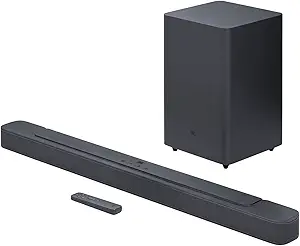
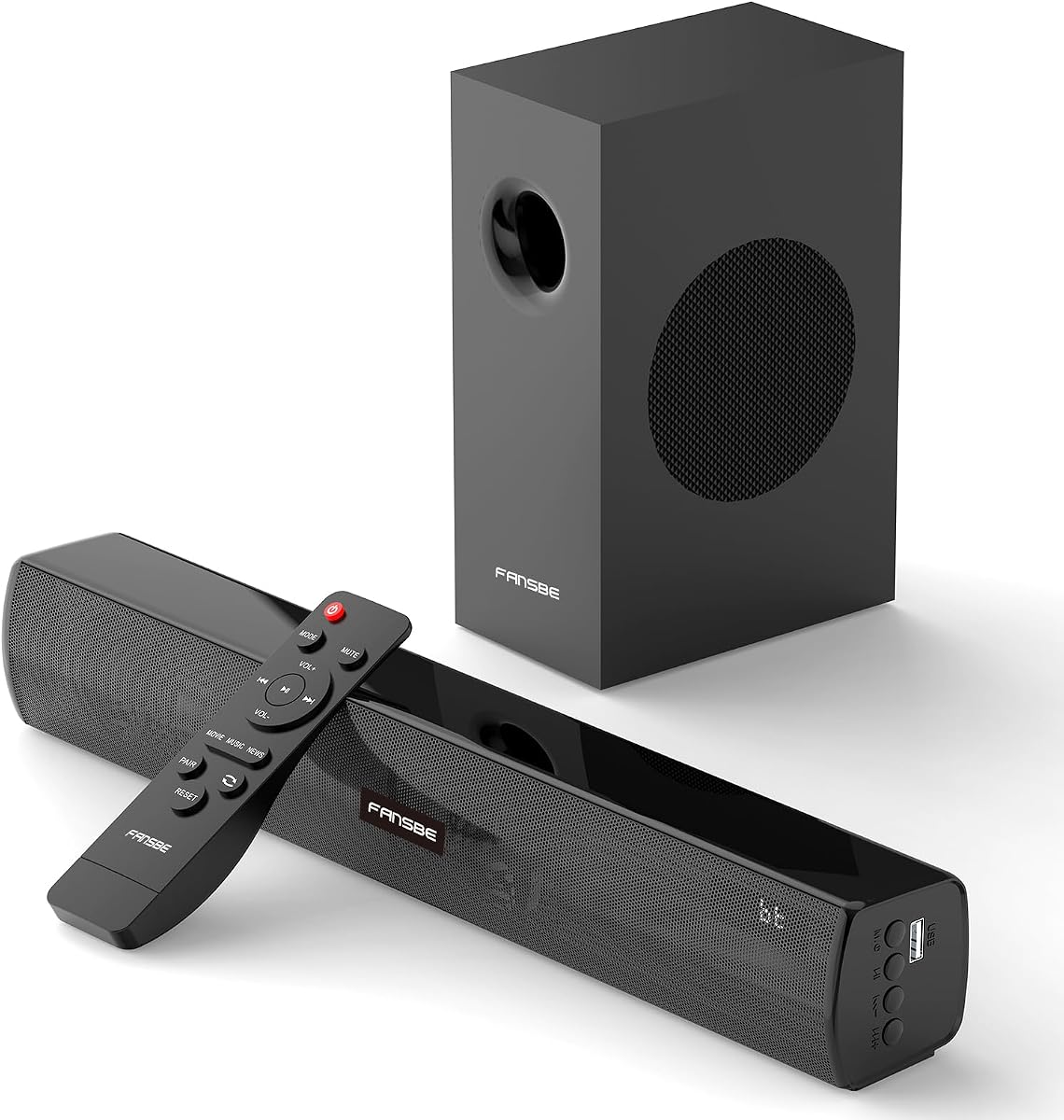
When upgrading your TV's audio, a 2.1ch sound bar with a wireless subwoofer like this model offers a balanced blend of dialogue clarity and deep bass for movies and music. This guide highlights what to check before purchasing, focusing on connectivity options like HDMI ARC and optical inputs.
Key Considerations Before Buying
- Verify your TV's audio output ports: This sound bar supports HDMI ARC, optical, coaxial, and AUX, but if your TV lacks HDMI ARC, ensure you have an optical or AUX output to connect properly.
- Consider the room size and placement: A 2.1ch system with a separate subwoofer is ideal for medium-sized living rooms; for smaller spaces, you might not need the extra bass, but the included subwoofer can be placed away from the sound bar for flexible setup.
- Check the remote and mode options: The 'Treble Bass 3 Modes' feature allows you to adjust sound profiles for movies, music, or dialogue, which is useful if you watch varied content.
What Our Analysts Recommend
Look for clear sound quality, especially in dialogue and mid-range frequencies, and ensure the subwoofer delivers punchy bass without distortion. Also, verify the Bluetooth version (e.g., 5.0 or higher) for stable wireless audio streaming from your phone or tablet.
Sound Bars Market Context
Market Overview
Sound bars have become the go-to upgrade for flat-screen TVs, offering a much better audio experience than built-in speakers at a fraction of the cost of full surround systems. The market is crowded with options ranging from budget 2.1 setups to premium Dolby Atmos bars, with wireless subwoofers being a standard feature.
Common Issues
Common issues in this category include Bluetooth pairing problems, subwoofer connectivity dropouts, and sound delay (lip-sync) when using wireless audio. Also, some budget models have weak bass or muddy dialogue, so reading reviews about real-world performance is crucial.
Quality Indicators
Quality indicators include solid build quality, reliable wireless connectivity, and a frequency response that covers both deep lows and clear highs. Look for reviews that mention specific usage scenarios (e.g., gaming, movies) and compare the sound to other systems.
Review Authenticity Insights
Grade B Interpretation
The B grade and 15% estimated fake review rate mean that while most of the 18 reviews are genuine, a small portion may be incentivized or fabricated. This is not unusual for budget audio products, but it suggests you should weigh the 5.0 rating with a bit of caution.
Trust Recommendation
Trust the adjusted rating of 4.6 as a more realistic expectation. Focus on reviews that provide specific details about setup and performance, and don't be swayed by overly positive or generic five-star reviews without substance.
Tips for Reading Reviews
When reading reviews, look for mentions of specific features like HDMI ARC functionality, subwoofer placement, and sound modes. Also, check for any negative comments about build quality or connectivity issues, as these are common in this price range.
Expert Perspective
This 2.1ch sound bar with HDMI ARC and multiple inputs is a solid budget-friendly option for improving your TV's audio, especially if you need versatile connectivity for various devices. The genuine reviews highlight its ease of use and noticeable sound improvement, but the small sample size and 15% fake rate warrant a measured approach. The inclusion of a subwoofer and multiple EQ modes adds value, but you should manage expectations regarding bass depth and overall refinement at this price point.
Purchase Considerations
Weigh the connectivity options against your existing devices: if you have a modern TV with HDMI ARC, this sound bar will integrate seamlessly. Also, consider the size of your room and your bass preferences—if you're an audiophile, you might need a pricier system, but for casual viewing, this could be a great fit.
Comparing Alternatives
Shoppers should compare this with other 2.1ch sound bars in the same price range, such as those from Vizio or Anker, which may offer similar features but different sound signatures. Always check for recent firmware updates or user-reported issues.