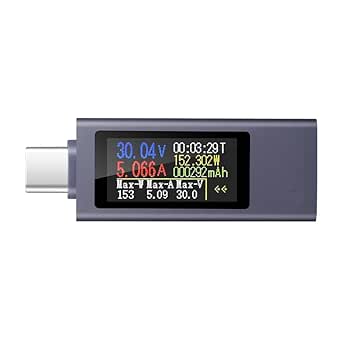
Master Your USB Power: Key Buying Tips for a USB Multimeter
When you need to diagnose charging issues, measure battery capacity, or verify USB cable resistance, a USB multimeter like the MakerHawk USB Voltmeter Ammeter Load Tester is an essential tool. This device offers a color LCD display and supports QC2.0/3.0/4.0 and MTK protocols, making it ideal for testing everything from phone chargers to power banks. Understanding what to look for ensures you get accurate readings and long-term reliability.
Key Considerations Before Buying
- Check supported protocols: Ensure the tester covers your devices' fast charging standards, such as QC (Quick Charge) versions 2.0, 3.0, or 4.0, and PD (Power Delivery) for modern laptops and tablets.
- Evaluate measurement range: Look for a tester that can handle the voltage and current levels you'll encounter, typically up to 20V and 5A, to safely test power adapters and battery packs.
- Consider display clarity: A color LCD with high contrast, like on the MakerHawk, helps you read real-time voltage, current, and power capacity data even in low-light conditions.
What Our Analysts Recommend
Quality USB multimeters feature robust construction with secure USB-A and USB-C connectors that won't loosen over time. They should provide accurate readings for voltage (within ±0.5%) and current (within ±1%), and include features like data logging or load testing to assess battery capacity or cable resistance.
Multi Testers Market Context
Market Overview
The USB multimeter market has grown rapidly alongside the proliferation of USB-C and fast charging standards, with devices ranging from basic voltmeters to advanced testers supporting PD, QC, and other protocols. Consumers increasingly rely on these tools to verify charger performance and diagnose connectivity issues, driving demand for affordable yet accurate options.
Common Issues
Common problems include inaccurate readings due to poor calibration, limited protocol support that fails with newer devices, and fragile connectors that break after repeated use. Some testers also struggle with high-current loads, overheating during extended testing.
Quality Indicators
High-quality testers are built with reinforced USB ports, support firmware updates for compatibility, and include a load testing function to simulate device charging. Look for models with a wide measurement range (e.g., 0-24V, 0-5A) and positive user reviews that mention consistent accuracy over time.
Review Authenticity Insights
Grade B Interpretation
The Grade B rating and estimated 10% fake review rate indicate that while most reviews for the MakerHawk are genuine, about one in ten may be unreliable. This is common for popular tools on Amazon, but it still means you should cross-reference feedback with detailed technical comments.
Trust Recommendation
Focus on reviews that mention specific measurements, such as testing a 65W laptop charger or verifying cable resistance, as these are likely from real users. Verified purchase badges add credibility, but still read the content for technical depth to spot potential fakes.
Tips for Reading Reviews
When reading reviews for USB testers, look for those that describe actual use cases, like checking battery capacity or troubleshooting charging speed. Be wary of overly brief or generic praise, and prioritize reviews that note both pros and cons, such as display brightness or connector fit.
Expert Perspective
The MakerHawk USB Multimeter stands out as a versatile tool for hobbyists and tech enthusiasts needing to measure USB power and capacity. With a 4.22/5 rating from 760 reviews and support for QC and PD protocols, it offers good value for its price, though the 10% fake review rate suggests some caution. Its color LCD and load testing capability make it practical for verifying charger output and cable integrity, but users should ensure it meets their specific protocol needs.
Purchase Considerations
Consider your primary use: if you frequently test USB-C PD devices like laptops, verify the tester's PD support is adequate. The MakerHawk is well-suited for general diagnostics, but if you need advanced data logging or higher accuracy, you might explore professional-grade alternatives.
Comparing Alternatives
Shoppers should compare the MakerHawk with other USB testers in the same price range, such as models from FNIRSI or ATORCH, which may offer different features like Bluetooth connectivity or larger displays.