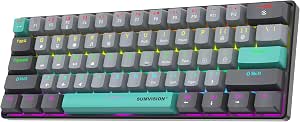
Speedlink LUDICIUM RGB: Budget Gaming Keyboard with Keycap Lighting Caveat
If you're shopping for an affordable wired gaming keyboard with German QWERTZ layout, the Speedlink LUDICIUM offers a compelling mix of features like WASD-swap, Windows Key Lock, and 10 multimedia keys. However, before you buy, it's crucial to understand a common limitation: the RGB backlighting may not shine through the keycaps, affecting visibility in dark rooms. This guide helps you weigh that trade-off against the keyboard's budget-friendly price.
Key Considerations Before Buying
- Backlight visibility: Many users report that the RGB lighting does not illuminate the keycap legends, making it hard to see keys in low-light conditions. If you type in the dark, this could be a dealbreaker.
- Switch type: The LUDICIUM uses membrane switches, not mechanical ones. Expect a softer, quieter feel with less tactile feedback—ideal for casual gaming but not for competitive play where precision matters.
- Layout and extra keys: The German QWERTZ layout is a plus for German speakers, and the WASD-swap (for arrow keys) plus Windows Key Lock are handy for gaming. But the 10 multimedia keys may require software setup for full customization.
What Our Analysts Recommend
When evaluating a budget gaming keyboard like the LUDICIUM, check for build quality (e.g., sturdy plastic, non-slip feet), anti-ghosting capabilities (how many simultaneous key presses are registered), and whether the backlighting is actually visible on the keycaps. Also, consider the cable length and whether it's braided for durability.
Gaming Keyboards Market Context
Market Overview
The wired gaming keyboard market is saturated with options ranging from cheap membrane models to high-end mechanical ones. In Germany, QWERTZ layout is essential for local users, and budget models like the Speedlink LUDICIUM compete by offering RGB lighting and extra keys at a low price point.
Common Issues
A frequent complaint across budget keyboards is inconsistent backlighting—either it's too dim, uneven, or doesn't illuminate key legends. Another issue is that membrane switches can feel mushy and lack the durability of mechanical switches, leading to key failures over time.
Quality Indicators
Look for keyboards with double-shot or laser-etched keycaps for durability, a solid metal or thick plastic base, and reliable switch technology (even membrane can be good if well-designed). Check for features like N-key rollover or anti-ghosting, and read reviews for specific feedback on backlighting and switch feel.
Review Authenticity Insights
Grade B Interpretation
The Grade B rating with an estimated 10% fake reviews suggests that while most reviews are genuine, there's a small but notable portion that may be incentivized or fabricated. This is common for budget electronics, but it means you should take extremely positive reviews with a grain of salt.
Trust Recommendation
Focus on the detailed, balanced reviews that mention both pros and cons—these are most likely authentic. Pay special attention to the repeated complaint about backlighting not showing through keycaps, as it's a consistent theme across multiple genuine reviews. The 4.0 adjusted rating (excluding suspicious reviews) is still decent, but not stellar, so manage your expectations.
Tips for Reading Reviews
When reading reviews, look for specific details like 'keyboard feels good for the price' or 'backlight is too dim'—these indicate real user experience. Be wary of overly generic praise or reviews that lack specifics. Also, check the date of reviews; if many are clustered in a short period, that could signal a review campaign.
Expert Perspective
The Speedlink LUDICIUM is a budget-friendly gaming keyboard that delivers on core features—wired connectivity, German layout, and extra keys—but falls short on RGB visibility, which is a key selling point. With an adjusted rating of 4.0/5, it's a decent choice for casual gamers who prioritize function over aesthetics and don't mind a dimmer backlight. However, if you rely on seeing your keys in the dark, you'll likely be disappointed.
Purchase Considerations
Weigh the low price against the backlighting limitation. If you game in a well-lit room, this keyboard offers good value for the money. But if you're a night owl gamer, consider spending a bit more for a model with better keycap illumination. Also, factor in the membrane switch feel—test it if possible, or read reviews from users with similar preferences.
Comparing Alternatives
Before committing, compare the LUDICIUM with other budget mechanical keyboards or models with better backlighting. Brands like Redragon and Logitech offer entry-level options that might better suit your needs.