
External Blu-ray Drive Buying Guide: What to Know Before You Buy
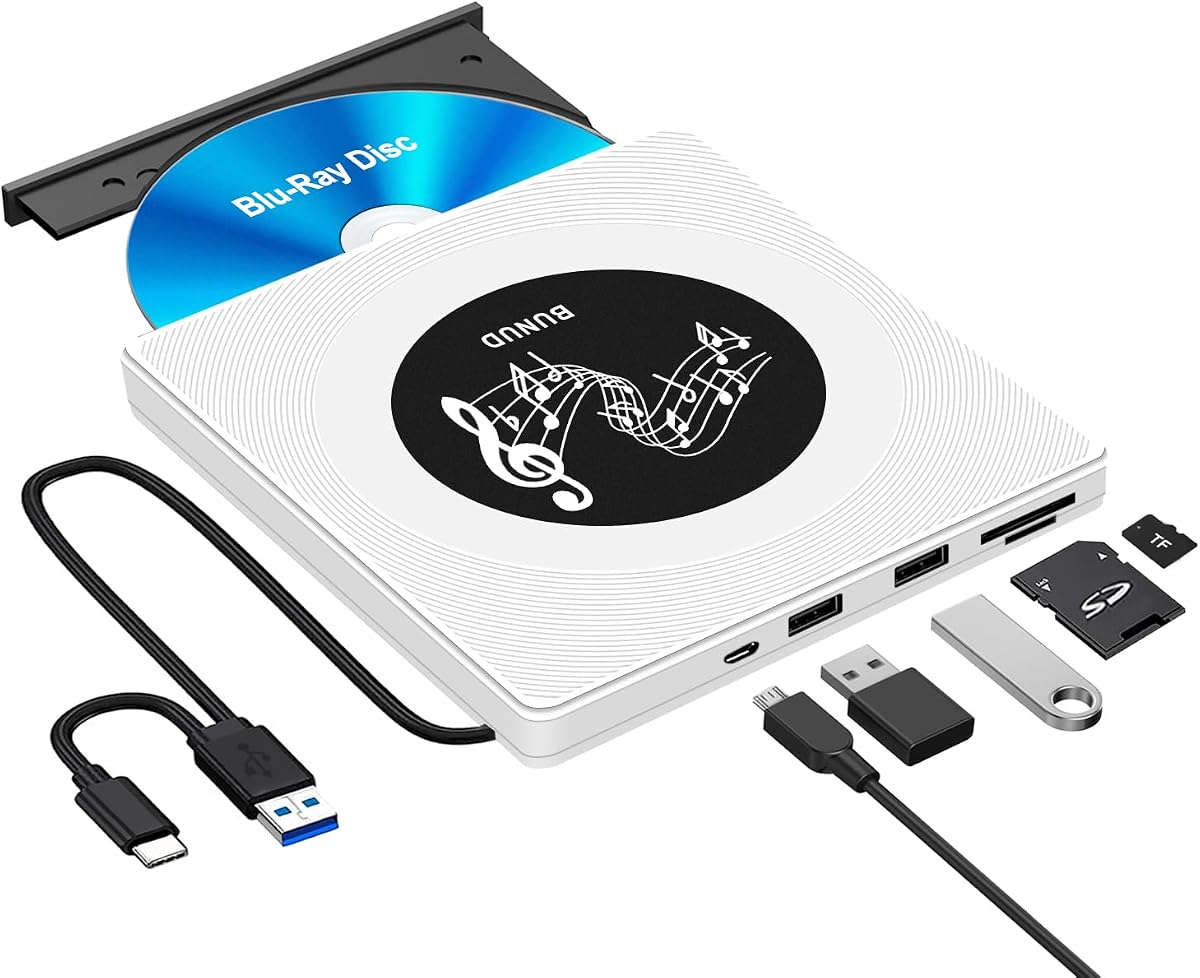
The BUNUD External Blu-ray Drive combines burning and playback with a built-in USB hub and SD/TF card slots, making it a multifunctional accessory for laptops and desktops lacking optical drives. With USB 3.0 and USB-C connectivity, it aims to serve users who need legacy media support alongside modern port expansion.
Key Considerations Before Buying
- Ensure compatibility with your operating system: this drive supports Windows 11/10 and Mac OS, but Blu-ray playback software is not included, so you may need to purchase additional software for movie playback.
- Consider the drive's power requirements: bus-powered drives rely on your computer's USB port, which can sometimes cause read/write errors if the port doesn't supply enough power, especially with older laptops.
- Evaluate the extra ports: the integrated 2-port USB hub and SD/TF slots add convenience but may operate at slower speeds than dedicated hubs, so avoid using them for high-bandwidth devices.
What Our Analysts Recommend
Look for drives with USB 3.0 or USB-C for faster data transfer, and check for support of BD-RE, BD-R, DVD±RW, and CD formats. Build quality matters: a sturdy casing and anti-slip pads reduce vibration during disc burning, which can affect write success rates.
Blu-ray Drives Market Context
Market Overview
External Blu-ray drives are a niche but steady market as laptops increasingly omit optical drives. Many brands offer similar feature sets, but quality varies widely, with some drives failing to read certain disc types or having short lifespans.
Common Issues
Frequent complaints include drives not being recognized by the OS, inability to play commercial Blu-ray movies due to software restrictions, and slow burn speeds. Some units also overheat during prolonged use, leading to read errors.
Quality Indicators
A reliable external Blu-ray drive should have a robust build, clear compatibility documentation, and positive reviews regarding longevity. Brands that provide firmware updates and responsive customer support are preferable.
Review Authenticity Insights
Grade A Interpretation
The Grade A authenticity rating indicates that the majority of reviews are genuine, with only an estimated 8% potentially fake. This suggests the 3.89-star rating is largely trustworthy, though the adjusted 3.70 rating accounts for suspicious reviews.
Trust Recommendation
You can generally trust the review sentiment, but pay attention to the adjusted rating of 3.70, which is more conservative. Focus on reviews that detail specific usage scenarios, as they are more likely to be authentic.
Tips for Reading Reviews
When reading reviews for this Blu-ray drive, look for mentions of specific disc formats, software used, and long-term reliability. Reviews that only praise the product without details may be less reliable.
Expert Perspective
The BUNUD External Blu-ray Drive offers a convenient all-in-one solution for users needing optical media support and extra ports. However, its average adjusted rating of 3.70 suggests mixed satisfaction, likely due to software limitations or power issues. The included USB hub and card slots add value, but performance may be inconsistent.
Purchase Considerations
Weigh the convenience of extra ports against potential power draw and speed limitations. If you primarily need Blu-ray burning, a dedicated drive might be more reliable. Consider whether you need Blu-ray movie playback, as additional software may be required.
Comparing Alternatives
Compare with other external Blu-ray drives that offer similar features but may have higher ratings or better software bundles. Look for models with dedicated power supplies if you plan to use the drive intensively.


