
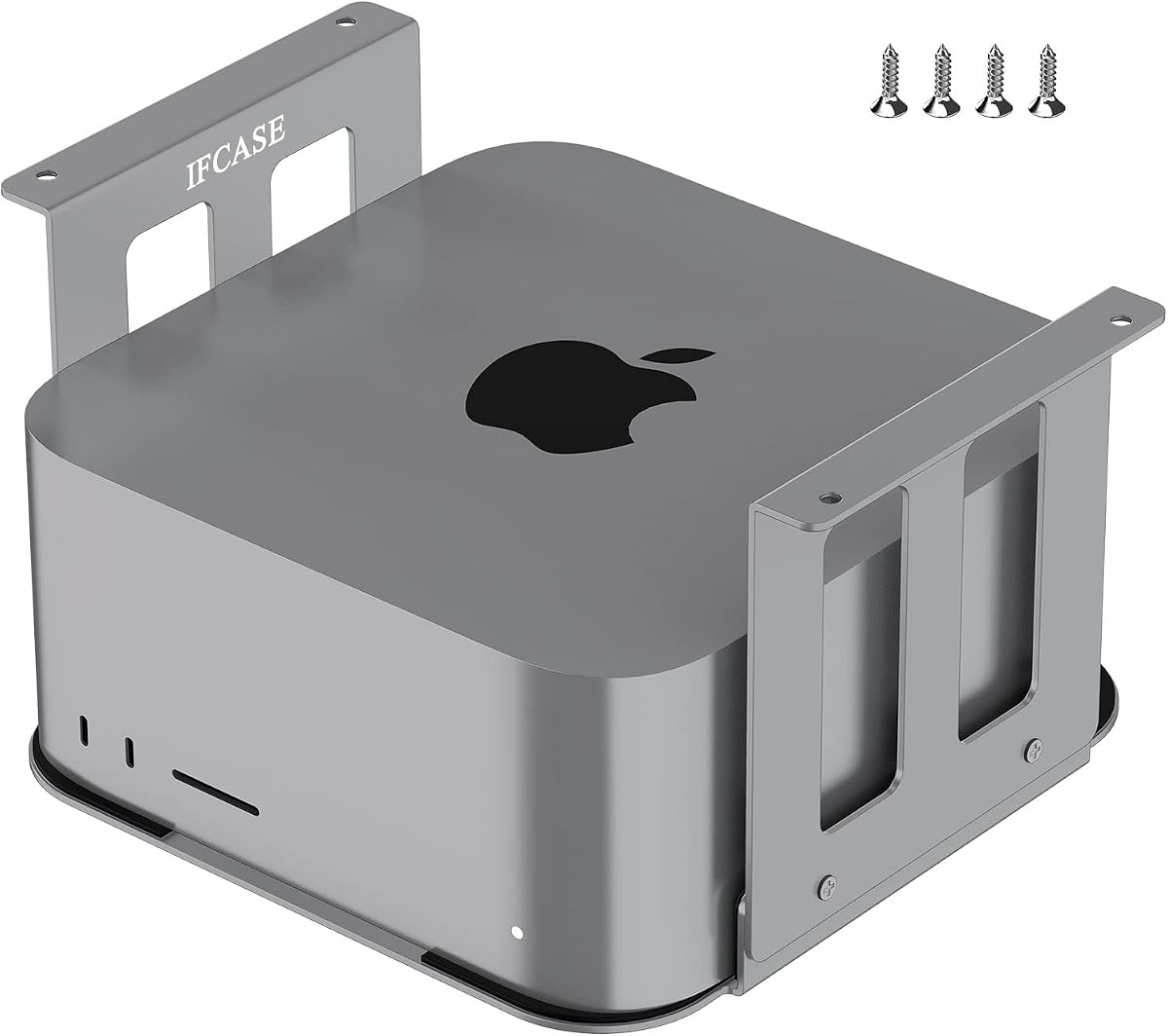
Securely Mount Your Mac Studio Under a Desk: What to Know
If you're considering the IFCASE Aluminum Under Desk Mount for your Mac Studio, you're likely aiming to reclaim desk space while keeping your powerful workstation accessible. This mount is specifically designed for the Mac Studio's compact, rectangular profile, including the latest M4, M3, M2, and M1 models, and even the Mac Studio Ultra. Before you buy, understand the key factors that determine whether an under-desk mount will work for your setup.
Key Considerations Before Buying
- First, check your desk's construction. The mount's clamp mechanism requires a desk edge that's flat and not too thick—typically up to 3.5 inches. If your desk has a lip or metal frame, you may need to use the included VHB tape or screw into a stud for a secure fit.
- Second, consider the weight of your Mac Studio. The Ultra models are heavier, so ensure the mount's weight capacity (often listed as up to 10 lbs) and your desk's material can handle it. The anti-scratch pad is a nice touch, but it also adds friction to hold the device firmly.
- Third, think about airflow and cable management. Under-desk mounts can restrict ventilation if not positioned well. The IFCASE design leaves the top and bottom vents exposed, but you'll want to route cables neatly to avoid clutter and ensure you can access ports easily.
What Our Analysts Recommend
For a quality under-desk mount, look for solid aluminum construction (like the IFCASE's), a secure clamping or adhesive system that won't damage your desk, and a design that allows for easy installation and removal of the Mac Studio. The anti-scratch pad is a good indicator of attention to detail, protecting your investment from scuffs. Also, check if the mount allows for some adjustment in positioning, which can help with cable access and airflow.
Mounts Market Context
Market Overview
The under-desk mount market has grown with the rise of Mac Studio and other compact desktop computers. Many users seek to free up desk space and achieve a cleaner, more ergonomic setup. The IFCASE mount competes with options from brands like Satechi and Twelve South, but it offers a more budget-friendly, straightforward solution.
Common Issues
Common issues in this category include mounts that are too tight or too loose, causing scratches or instability. Some mounts block ports or interfere with Wi-Fi/Bluetooth signals if they use metal that's not properly shielded. Others have weak adhesive that fails over time, especially with heavier devices like the Mac Studio Ultra.
Quality Indicators
Quality indicators include a sturdy, non-slip grip, a design that doesn't obstruct the Mac Studio's vents, and a mounting mechanism that's easy to install without damaging your desk. Look for user reviews that mention long-term durability, and check if the mount has a weight rating that matches your specific Mac Studio model.
Review Authenticity Insights
Grade B Interpretation
The Grade B rating and an estimated 10% fake review rate are actually reassuring. This means that 90% of the reviews are likely genuine, which is a solid indicator of real user satisfaction. The adjusted rating of 4.40 is still very good, suggesting that even after filtering out suspicious reviews, the product performs well.
Trust Recommendation
You can trust the majority of the reviews here, but be aware that a small portion may be incentivized or less authentic. Focus on reviews that include photos of actual installations and mention specific details like desk type or Mac Studio model. These are more likely to be from real users.
Tips for Reading Reviews
When reading reviews, look for those that discuss the mount's fit with different Mac Studio models, as the M4 might have slight size differences. Also, pay attention to comments about installation ease and whether the mount stays secure over time. Ignore overly short or overly positive reviews that lack specifics.
Expert Perspective
The IFCASE Aluminum Under Desk Mount is a well-regarded accessory that offers a practical solution for Mac Studio owners who want to reclaim desk space. With a 4.67-star rating and a high authenticity grade, it's clear that most users find it effective and durable. The inclusion of an anti-scratch pad and compatibility across M1 to M4 models adds to its appeal, though the slightly lower adjusted rating suggests a few users may have had minor issues, possibly with installation or fit.
Purchase Considerations
Before purchasing, measure your desk's thickness and consider the weight of your Mac Studio. If you have a thick desk or a metal frame, you may need to use the screw or VHB tape option, which requires more effort. Also, think about whether you'll need to access the ports frequently—if so, ensure the mount's positioning allows for easy reach.
Comparing Alternatives
While the IFCASE mount is a strong contender, it's worth comparing with other under-desk mounts like the Satechi or the Twelve South BookArc, which offer different designs and features. Check user feedback on those to see which best fits your specific needs and desk setup.


