
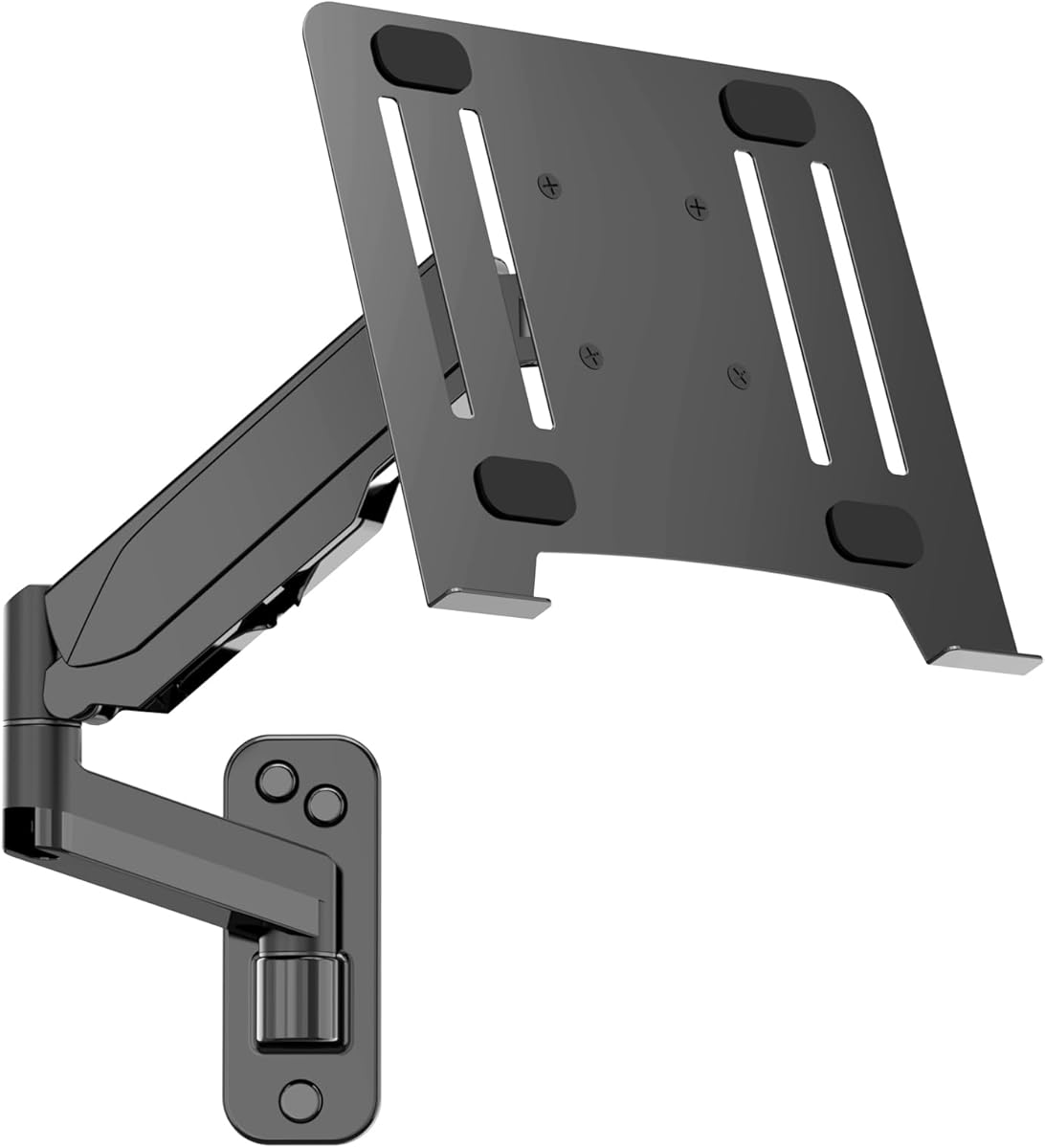
Secure Your Workspace: Choosing the Right Laptop Wall Mount
When considering a laptop wall mount like the UPGRAVITY 2-in-1 Gas Spring model, you're likely aiming to reclaim desk space and improve ergonomics. This specific mount supports 12-17 inch laptops and even 13-32 inch monitors, with a gas spring arm for smooth adjustments, making it crucial to understand weight limits and motion range.
Key Considerations Before Buying
- Ensure your combined laptop and any case weight falls within the 3.3-17.6 lbs capacity, as exceeding this can compromise the gas spring's ability to hold position.
- Measure your wall space and consider the full motion arm's reach; this mount allows for swivel, tilt, and extension, so plan for a clear area where you can position the screen at eye level.
- The 2-in-1 design with a vented tray is ideal for laptops needing airflow, but confirm your device's VESA compatibility if you plan to use it as a monitor mount.
What Our Analysts Recommend
For a wall mount in this category, prioritize a robust gas spring mechanism that supports smooth, tool-free adjustments. Check for a sturdy metal construction and a vented tray that prevents overheating, as seen in the UPGRAVITY model. Also, verify that included hardware matches your wall type (e.g., drywall anchors or studs).
Mounts Market Context
Market Overview
The laptop wall mount market has expanded with remote work trends, offering solutions from simple fixed shelves to advanced gas spring arms. Products like the UPGRAVITY mount blend monitor and laptop support, reflecting a demand for versatile, space-saving ergonomic setups.
Common Issues
Buyers often face challenges with gas spring arms losing tension over time or mounts not fitting non-standard VESA patterns. Another frequent concern is inadequate ventilation for laptops in enclosed trays, which can lead to thermal throttling during heavy use.
Quality Indicators
High-quality mounts typically feature heavy-duty steel, a gas spring with a tested cycle life (e.g., 20,000+ movements), and a weight capacity that exceeds your device's weight by 20%. Clear installation instructions and positive feedback on stability are also strong signals.
Review Authenticity Insights
Grade B Interpretation
A Grade B with 10% estimated fake reviews means the UPGRAVITY mount's 4.89 rating is likely inflated but still reflects a solid product. Most reviews are genuine, but a small portion may be incentivized, so focus on detailed, verified purchase feedback rather than overall score.
Trust Recommendation
Given the 10% fake rate, trust reviews that describe specific installation experiences or long-term use, especially those mentioning the gas spring's performance and tray ventilation. Cross-reference any recurring praises or complaints to identify potential shills.
Tips for Reading Reviews
For mounts, look for reviews that mention weight testing, wall type, and ease of adjustment. Be cautious of vague five-star reviews lacking specifics about the product's build or setup process, as these are more likely to be fabricated.
Expert Perspective
The UPGRAVITY Laptop Wall Mount appears to be a strong contender in the wall mount category, with a high adjusted rating of 4.60/5 and a B-grade authenticity score indicating mostly genuine user satisfaction. Its 2-in-1 functionality and full motion arm offer versatility for dual-use setups, but the 10% fake review rate suggests some caution is warranted. The gas spring design and vented tray address key ergonomic and thermal needs, making it a practical choice for home offices.
Purchase Considerations
Weigh the mount's weight capacity against your laptop's heft, especially if you use a thick gaming or workstation model. Also, consider installation effort—wall mounts require drilling, so ensure you're comfortable with that or hire a professional for optimal safety.
Comparing Alternatives
Shoppers should compare this mount with fixed shelf models for simpler needs or heavy-duty monitor arms if using larger screens, as the UPGRAVITY's gas spring may not suit all preferences.


