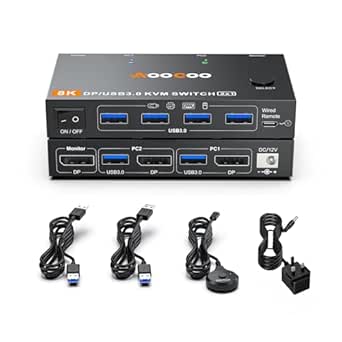
8K KVM Switches: What to Know Before You Buy
An 8K KVM switch like the MINIX USB-C+HDMI model lets you control two computers from one monitor, keyboard, and mouse — but only if your setup matches its specific capabilities. Before buying, confirm your monitor resolution, port types, and whether you need DisplayPort MST support, as these details determine compatibility.
Key Considerations Before Buying
- Resolution and refresh rate support: The MINIX advertises 8K, but real-world performance depends on your cables, monitor, and GPU. Verify your monitor's max resolution and refresh rate (e.g., 4K@120Hz or 8K@30Hz) and ensure the KVM can pass it through without downscaling.
- Port configuration and device compatibility: This model offers USB-C and HDMI inputs for two computers, but Mac users should note reported MST issues when daisy-chaining displays. Check that your computers have the required outputs (USB-C with DP Alt Mode or HDMI) and that the KVM supports your peripherals.
- Cable management and build quality: Aluminum construction aids durability and heat dissipation, but users often find cable management challenging due to multiple connections. Consider whether the included cables are sufficient or if you'll need to purchase higher-quality ones for stable 8K signals.
What Our Analysts Recommend
Look for explicit support for your exact resolution and refresh rate combination, as many KVMs cap at 4K@60Hz. Check for EDID emulation to prevent display reconfiguration when switching, and confirm that USB hub ports provide enough power for your devices. Solid aluminum housings and gold-plated connectors are good indicators of signal integrity.
KVM Switches Market Context
Market Overview
The KVM switch market is expanding rapidly as remote work and multi-device setups become common, with 8K models emerging to future-proof for high-resolution displays. However, true 8K support is still rare and often limited to specific port types, so buyers must scrutinize specs rather than rely on marketing claims.
Common Issues
Frequent complaints include flickering or blank screens when switching, especially with Macs and MST daisy-chaining, and insufficient USB power for peripherals. Many users also report that advertised resolutions require specific cables and that hotkey switching can be unreliable across different operating systems.
Quality Indicators
Quality KVMs feature EDID emulation, dedicated power supplies, and robust metal casings to minimize signal degradation. Brands that provide clear compatibility lists and firmware updates are more reliable, as are those with positive reviews from users with similar setups to yours.
Review Authenticity Insights
Grade B Interpretation
The B authenticity grade and 15% estimated fake review percentage suggest that while most reviews are genuine, a notable minority may be incentivized or exaggerated. This is relatively common in the electronics accessories category, where competition is fierce and review manipulation can occur.
Trust Recommendation
Trust the overall sentiment but verify specific claims: focus on reviews that describe detailed use cases, mention both pros and cons, and include photos. Be cautious of reviews that only praise without specifics or that use overly promotional language.
Tips for Reading Reviews
When reading reviews for KVM switches, prioritize those that mention your computer models and monitor resolution, as compatibility varies widely. Look for mentions of long-term reliability and customer service experiences, and cross-reference with forums like Reddit for unbiased user reports.
Expert Perspective
The MINIX 8K KVM Switch stands out for its aluminum build and dual USB-C/HDMI inputs, catering to users with mixed device ecosystems. Its high adjusted rating of 4.50/5 from 35 reviews indicates strong satisfaction, but the 15% fake review estimate means you should weigh detailed, critical reviews heavily. The reported Mac MST issues are a significant caveat for Apple users with multi-monitor setups.
Purchase Considerations
Before purchasing, confirm that your monitor and computers support the resolutions and refresh rates you need, and that you're comfortable with potential cable management challenges. If you use a Mac with MST, consider alternative KVMs known for better compatibility, or be prepared to use it in extended desktop mode instead of daisy-chaining.
Comparing Alternatives
Compare this MINIX model with other 8K KVMs from brands like Sabrent or IOGear, especially if you need DisplayPort or Thunderbolt support. Reading expert reviews and user forums will help you find a switch that matches your specific setup.